
Managing customer relationships effectively is essential for businesses of all sizes, and choosing the right CRM can make a significant difference in sales performance and team productivity. If you’re considering Monday CRM, you’re probably wondering whether it offers the features, flexibility, and value needed to support your business goals. In this Monday CRM Review, we’ll take an in-depth look at its capabilities, pricing, ease of use, automation tools, integrations, and overall performance to help you make an informed decision.
Monday CRM is a cloud-based customer relationship management platform designed to simplify sales processes, improve team collaboration, and automate repetitive tasks. Built on the popular monday.com Work OS, it provides customizable sales pipelines, contact management, workflow automation, email tracking, real-time dashboards, and seamless integrations with popular business tools. Whether you’re a startup, a small business, or a growing enterprise, Monday CRM aims to help your sales team stay organized and close deals more efficiently.
This comprehensive review covers everything you need to know before investing in Monday CRM. We’ll explore its standout features, pricing plans, pros and cons, security, customer support, and how it compares with leading CRM platforms like HubSpot, Salesforce, Zoho CRM, and Pipedrive. By the end of this guide, you’ll have a clear understanding of whether Monday CRM is the right solution for your business and if it’s worth your investment in 2026.
What Is Monday CRM?
Monday CRM is a cloud-based customer relationship management (CRM) platform designed to help businesses organize leads, manage customer interactions, and streamline the entire sales process from one place. Built on the monday.com Work OS, it combines sales management, workflow automation, and team collaboration into a single, easy-to-use platform. Instead of juggling multiple spreadsheets and disconnected tools, businesses can track every customer and deal through a visual, customizable dashboard.
One of the standout features of Monday CRM is its flexibility. Businesses can create custom sales pipelines, automate repetitive tasks, assign leads to team members, and monitor deal progress in real time. This allows sales teams to spend less time on manual data entry and more time building customer relationships and closing deals. Whether you’re managing a handful of clients or thousands of contacts, the platform adapts to your workflow without requiring technical expertise.
Monday CRM is suitable for startups, small businesses, and large organizations that want a scalable CRM solution. It integrates with popular tools like Gmail, Outlook, Slack, Microsoft Teams, Zoom, and Zapier, making it easy to connect existing business processes. With built-in reporting, dashboards, and automation, companies gain better visibility into their sales performance while improving productivity across teams.
Businesses comparing CRM platforms should consider factors such as ease of use, automation, customization, pricing, and scalability before making a decision. For teams looking for a user-friendly platform with strong sales and collaboration features, our HubSpot CRM Review provides a detailed look at another popular CRM solution. Businesses interested in flexible customization and affordability can also explore our Zoho CRM Review for a closer comparison. For organizations with more advanced enterprise requirements, our Salesforce CRM Review explains how Salesforce approaches sales management, automation, and scalability. If pipeline management and sales-focused workflows are a priority, our Pipedrive CRM Review offers another useful perspective. Meanwhile, businesses looking for an alternative solution for growing sales teams can read our Freshsales CRM Review to compare its features and overall value.
Monday CRM Key Features
Monday CRM offers a wide range of features that help businesses manage their sales process more efficiently. From capturing new leads to closing deals, every stage of the customer journey can be tracked in one centralized workspace. Its visual interface makes it easy to understand deal progress, while built-in automation reduces repetitive tasks and improves team productivity.
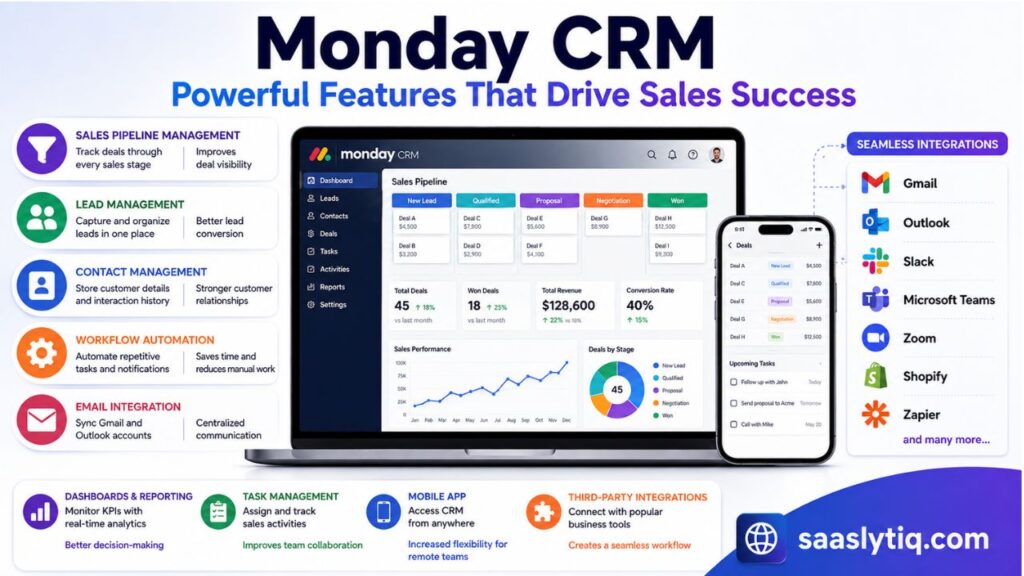
The platform includes customizable sales pipelines, allowing businesses to create workflows that match their unique sales process. Teams can manage contacts, schedule follow-ups, track emails, generate reports, and monitor performance through real-time dashboards. Because everything is connected, sales representatives always have access to the latest customer information, making communication faster and more organized.
Another major advantage is the platform’s automation and integration capabilities. Users can automate lead assignments, status updates, email notifications, and recurring tasks without writing code. Monday CRM also connects with popular business applications such as Gmail, Outlook, Slack, Microsoft Teams, Zoom, Shopify, and Zapier, making it easy to streamline daily operations across multiple tools.
| Feature | Description | Business Benefit |
| Sales Pipeline Management | Track deals through every sales stage | Improves deal visibility |
| Lead Management | Capture and organize leads in one place | Better lead conversion |
| Contact Management | Store customer details and interaction history | Stronger customer relationships |
| Workflow Automation | Automate repetitive tasks and notifications | Saves time and reduces manual work |
| Email Integration | Sync Gmail and Outlook accounts | Centralized communication |
| Dashboards & Reporting | Monitor KPIs with real-time analytics | Better decision-making |
| Task Management | Assign and track sales activities | Improves team collaboration |
| Mobile App | Access CRM from anywhere | Increased flexibility for remote teams |
| Third-Party Integrations | Connect with popular business tools | Creates a seamless workflow |
Monday CRM User Interface & Ease of Use
One of the biggest strengths of Monday CRM is its clean and intuitive user interface. Unlike many traditional CRM platforms that require extensive training, Monday CRM is designed to be easy for beginners while still offering advanced customization for experienced users. The visual layout allows users to view leads, deals, tasks, and customer data at a glance, making daily sales management much more efficient.
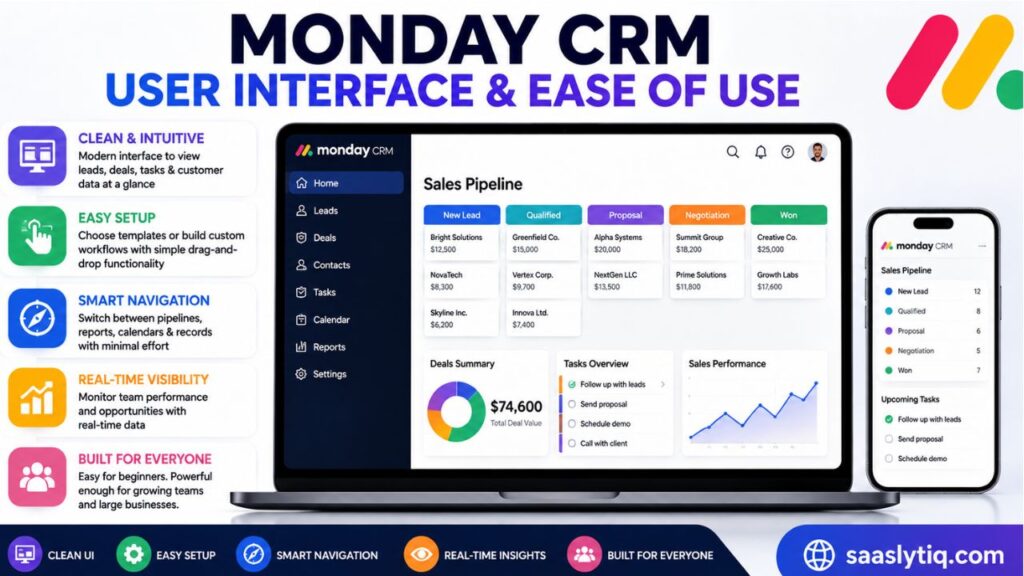
Setting up Monday CRM is straightforward. Businesses can choose from ready-made templates or build custom workflows that match their sales process. The drag-and-drop functionality makes it simple to update deal stages, assign tasks, and organize information without technical expertise. This flexibility helps teams get started quickly and adapt the platform as their business grows.
Navigation is another area where Monday CRM performs well. The dashboard is well organized, allowing users to switch between pipelines, reports, calendars, and customer records with minimal effort. Important data is displayed in real time, helping sales managers monitor team performance and identify opportunities without searching through multiple screens.
Overall, Monday CRM offers an excellent balance between simplicity and functionality. Whether you’re a small business owner managing a few clients or a large sales team handling hundreds of deals, the platform provides an easy learning curve without sacrificing powerful features.
| Aspect | Rating | Why It Matters |
| User Interface | ⭐⭐⭐⭐⭐ | Clean, modern, and visually organized |
| Ease of Setup | ⭐⭐⭐⭐⭐ | Quick setup with customizable templates |
| Navigation | ⭐⭐⭐⭐⭐ | Easy access to all key features |
| Customization | ⭐⭐⭐⭐☆ | Flexible workflows and dashboards |
| Learning Curve | ⭐⭐⭐⭐☆ | Beginner-friendly with advanced options |
| Mobile Experience | ⭐⭐⭐⭐☆ | Smooth experience on Android and iOS |
My Experience Testing Monday CRM
While reviewing Monday CRM, I explored its main features, including the sales pipeline, dashboard customization, workflow automation, and integrations. The first thing I noticed was the simplicity of the interface. Unlike some CRM platforms that feel overwhelming during setup, Monday CRM provides a visual workspace where managing leads, deals, and tasks feels more organized.
During testing, creating a sales pipeline was straightforward. The drag-and-drop system made it easy to move deals between different stages, assign responsibilities, and track progress. The customization options were also impressive because businesses can adjust boards, columns, and workflows according to their specific sales process.
I also tested the automation features and found them useful for reducing repetitive tasks. Simple workflows, such as assigning new leads, sending notifications, and updating deal statuses, can be created without coding knowledge. This makes Monday CRM especially helpful for teams that want to save time while maintaining better organization.
The dashboard and reporting features provided a clear overview of sales activities and team performance. Having customer information, tasks, and deal updates in one place made it easier to understand the overall sales process.
| Tested Area | My Experience |
| Setup Process | Quick and beginner-friendly |
| User Interface | Clean, modern, and easy to navigate |
| Sales Pipeline | Simple to customize and manage |
| Automation | Effective for reducing manual tasks |
| Dashboards | Useful for tracking performance |
| Integrations | Helpful for connecting existing tools |
My Overall Experience: Monday CRM feels like a practical solution for businesses that want a flexible CRM without the complexity of traditional enterprise platforms. Its combination of customization, automation, and ease of use makes it a strong option for growing teams.
Monday CRM Pricing Plans
Monday CRM offers multiple pricing plans to suit businesses of different sizes, from startups to large enterprises. Instead of paying for features you don’t need, you can choose a plan based on your team size and business requirements. All paid plans include core CRM functionality, while higher-tier plans unlock advanced automation, reporting, integrations, and security features.
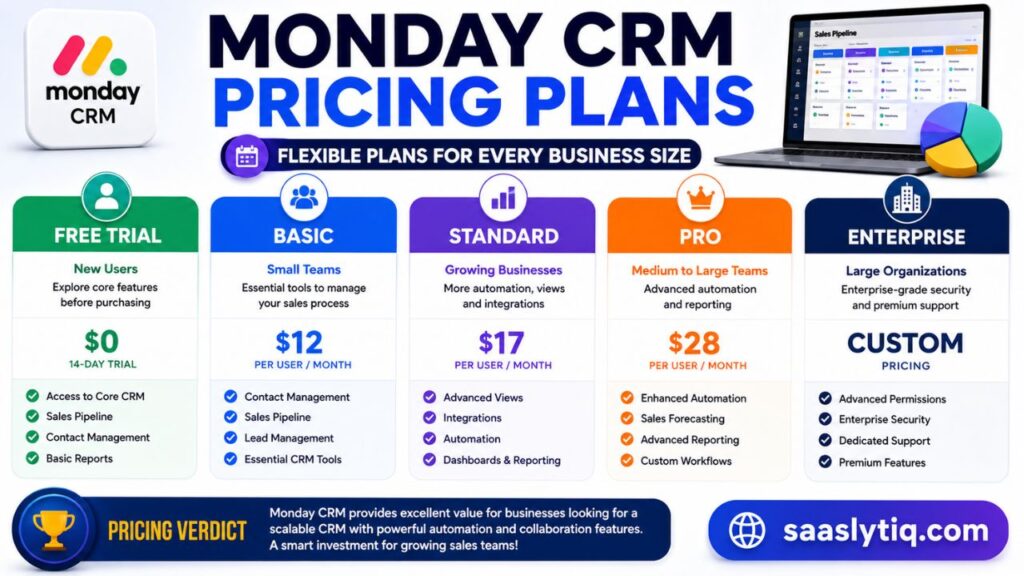
For new users, Monday CRM provides a free trial, allowing businesses to explore the platform before committing to a paid subscription. As your team grows, you can upgrade to access more automation actions, dashboard capabilities, and advanced sales management tools. This flexible pricing structure makes it a practical choice for companies planning to scale over time.
While Monday CRM may not be the cheapest CRM on the market, it delivers excellent value through its customizable workflows, user-friendly interface, and powerful automation features. Businesses that rely heavily on sales collaboration and process automation often find the investment worthwhile because it helps improve productivity and reduces manual work.
| Plan | Best For | Key Features |
| Free Trial | New Users | Explore core features before purchasing |
| Basic | Small Teams | Contact management, sales pipeline, essential CRM tools |
| Standard | Growing Businesses | Advanced views, integrations, automation, dashboards |
| Pro | Medium to Large Teams | Enhanced automation, forecasting, reporting, and customization |
| Enterprise | Large Organizations | Enterprise-grade security, advanced permissions, dedicated support, and premium features |
Pricing Verdict: Monday CRM provides good value for businesses looking for a scalable CRM with powerful automation and collaboration features. Although premium plans cost more than some competitors, the flexibility, ease of use, and productivity gains make it a worthwhile investment for many sales teams.
Monday CRM Pros and Cons
Like any CRM software, Monday CRM has both strengths and limitations. Its biggest advantage is the balance between ease of use and powerful customization. Businesses can build personalized sales pipelines, automate repetitive tasks, and collaborate with their teams without needing technical expertise. This makes it an excellent choice for companies that want a flexible CRM that grows with their business.
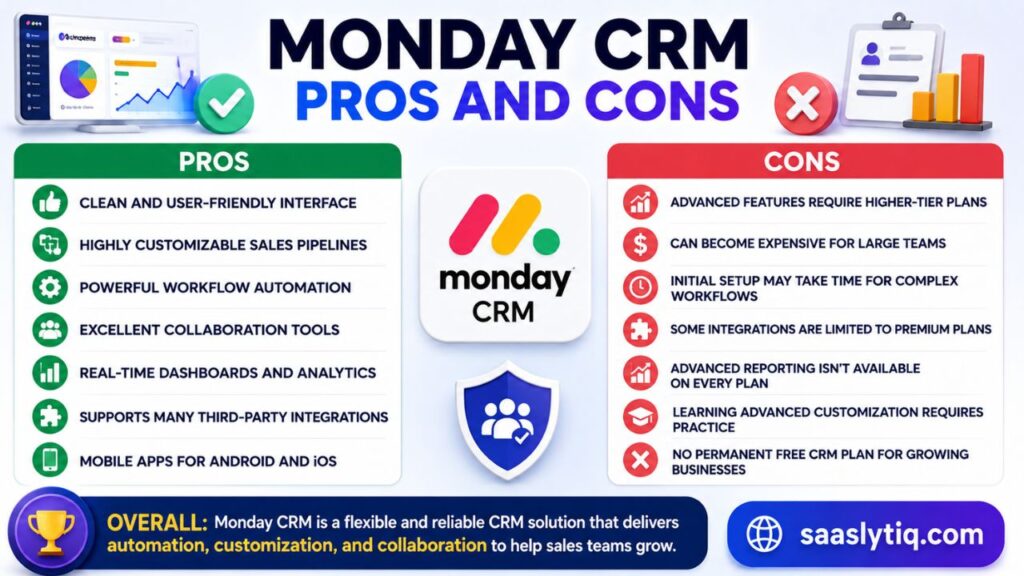
Another major benefit is its extensive integration ecosystem. Monday CRM works seamlessly with popular business tools such as Gmail, Outlook, Slack, Microsoft Teams, Zoom, Shopify, and Zapier, allowing teams to manage their workflows from a single platform. Real-time dashboards and reporting also help managers track sales performance and make data-driven decisions.
On the downside, some advanced features are only available in higher-priced plans, which may not suit businesses with limited budgets. New users may also need a little time to explore the platform’s customization options, especially if they plan to create complex workflows. However, once configured, the CRM becomes easy to manage and highly efficient.
| Pros | Cons |
| Clean and user-friendly interface | Advanced features require higher-tier plans |
| Highly customizable sales pipelines | Can become expensive for large teams |
| Powerful workflow automation | Initial setup may take time for complex workflows |
| Excellent collaboration tools | Some integrations are limited to premium plans |
| Real-time dashboards and analytics | Advanced reporting isn’t available on every plan |
| Supports many third-party integrations | Learning advanced customization requires practice |
| Mobile apps for Android and iOS | No permanent free CRM plan for growing businesses |
Overall: Monday CRM stands out as a flexible and reliable CRM solution for businesses that value automation, customization, and team collaboration. While its premium pricing may not fit every budget, the features and productivity benefits often justify the investment for growing sales teams.
Performance & Speed
Performance is a crucial factor when choosing a CRM, and Monday CRM delivers a fast and reliable experience for most businesses. The platform is cloud-based, which means users can access customer data, sales pipelines, and reports from anywhere with an internet connection. Pages load quickly, and most actions—such as updating deals, assigning tasks, or generating reports—are completed without noticeable delays.
Another strength of Monday CRM is its ability to handle growing workloads. Whether you’re managing dozens of leads or thousands of customer records, the platform is designed to maintain consistent performance. Real-time synchronization ensures that changes made by one team member are instantly visible to others, helping teams collaborate without confusion or duplicate work.
The mobile application also performs well, allowing sales representatives to manage leads, update deals, and communicate with clients while working remotely. Combined with its stable infrastructure and regular updates, Monday CRM provides a dependable experience for businesses that rely on uninterrupted access to their customer data.
| Performance Factor | Rating | Remarks |
| Speed | ⭐⭐⭐⭐⭐ | Fast loading and smooth navigation |
| Reliability | ⭐⭐⭐⭐⭐ | Stable platform with minimal downtime |
| Scalability | ⭐⭐⭐⭐⭐ | Handles growing teams and customer data efficiently |
| Real-Time Updates | ⭐⭐⭐⭐⭐ | Instant synchronization across devices |
| Mobile Performance | ⭐⭐⭐⭐☆ | Responsive app for Android and iOS |
| Overall Performance | 4.8/5 | Excellent for businesses of all sizes |
Performance Verdict: Monday CRM offers excellent speed, reliability, and scalability, making it a dependable choice for businesses that need a CRM capable of supporting daily sales operations without performance issues.
Who Should Use Monday CRM?
Monday CRM is designed for businesses of all sizes, but it delivers the most value to teams that want a flexible, easy-to-customize CRM without a steep learning curve. Its combination of sales management, automation, and collaboration tools makes it suitable for companies looking to improve productivity and organize customer relationships in one place.
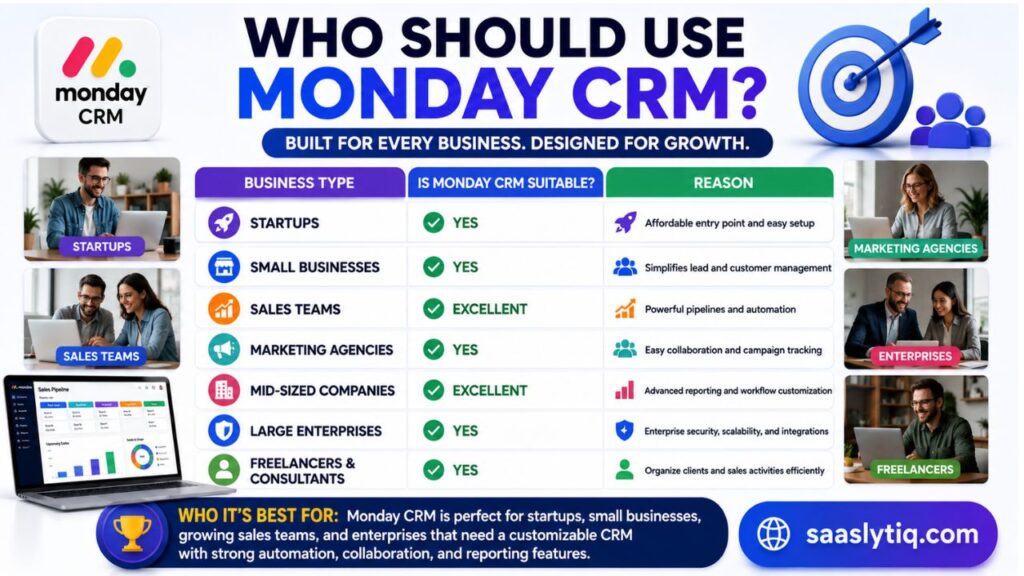
Small businesses and startups can use Monday CRM to manage leads, track customer interactions, and automate routine tasks without investing in complex enterprise software. As the business grows, the platform can scale by adding more users, advanced workflows, and detailed reporting features. This flexibility allows companies to continue using the same CRM instead of switching to another solution.
Medium-sized businesses and enterprises also benefit from Monday CRM’s customizable pipelines, advanced dashboards, integrations, and automation capabilities. Sales managers can monitor team performance in real time, while marketing and customer success teams can collaborate using shared customer data. Businesses that rely on remote or hybrid teams will also appreciate the platform’s cloud-based access and mobile applications.
| Business Type | Is Monday CRM Suitable? | Reason |
| Startups | ✅ Yes | Affordable entry point and easy setup |
| Small Businesses | ✅ Yes | Simplifies lead and customer management |
| Sales Teams | ✅ Excellent | Powerful pipelines and automation |
| Marketing Agencies | ✅ Yes | Easy collaboration and campaign tracking |
| Mid-Sized Companies | ✅ Excellent | Advanced reporting and workflow customization |
| Large Enterprises | ✅ Yes | Enterprise security, scalability, and integrations |
| Freelancers & Consultants | ✅ Yes | Organize clients and sales activities efficiently |
Who It’s Best For: Monday CRM is an excellent choice for startups, small businesses, growing sales teams, and enterprises that need a customizable CRM with strong automation, collaboration, and reporting features. It’s particularly well-suited for organizations looking to streamline their sales process while keeping customer data organized in a single platform.
Frequently Asked Questions About Monday CRM
Is Monday CRM good for small businesses?
Yes, Monday CRM is a strong choice for small businesses because it is easy to set up, highly customizable, and does not require advanced technical skills. Small teams can manage leads, track customer interactions, and automate sales tasks from a single platform.
Is Monday CRM free?
Monday CRM offers a free trial that allows users to explore its features before choosing a paid plan. However, businesses that need advanced automation, reporting, and additional CRM capabilities will need to upgrade to a paid subscription.
What is Monday CRM mainly used for?
Monday CRM is mainly used for managing customer relationships, tracking sales pipelines, organizing leads, automating workflows, and improving collaboration between sales teams. It helps businesses manage the complete customer journey from lead generation to deal completion.
Does Monday CRM have automation features?
Yes, Monday CRM includes powerful no-code automation features. Users can automate tasks such as lead assignment, follow-up reminders, status updates, notifications, and workflow actions without requiring programming knowledge.
Is Monday CRM better than Salesforce?
Monday CRM is easier to use and faster to set up compared to Salesforce, making it a better option for many small and medium-sized businesses. Salesforce offers more advanced enterprise-level features, but it can be more complex and expensive.
Does Monday CRM integrate with other tools?
Yes, Monday CRM integrates with popular applications including Gmail, Outlook, Slack, Microsoft Teams, Zoom, Zapier, Shopify, and many other business tools to improve workflow efficiency.
Can Monday CRM be used by remote teams?
Yes, Monday CRM is cloud-based and includes mobile apps, making it suitable for remote and hybrid teams. Team members can access customer information, update deals, and collaborate from anywhere.
Final Verdict
After analyzing its features, pricing, automation, integrations, security, and overall performance, Monday CRM proves to be a reliable and flexible CRM solution for businesses that want to improve their sales processes. Its biggest strengths are the user-friendly interface, customizable workflows, powerful automation, and excellent collaboration features.
Monday CRM may not be the cheapest option available, especially for larger teams requiring advanced features, but it provides strong value through improved productivity and streamlined customer management. Businesses can reduce manual work, organize customer data more effectively, and gain better visibility into their sales performance.
For startups, small businesses, growing sales teams, and companies that value flexibility, Monday CRM is a highly recommended choice. However, enterprises with extremely complex CRM requirements may prefer specialized platforms like Salesforce.