
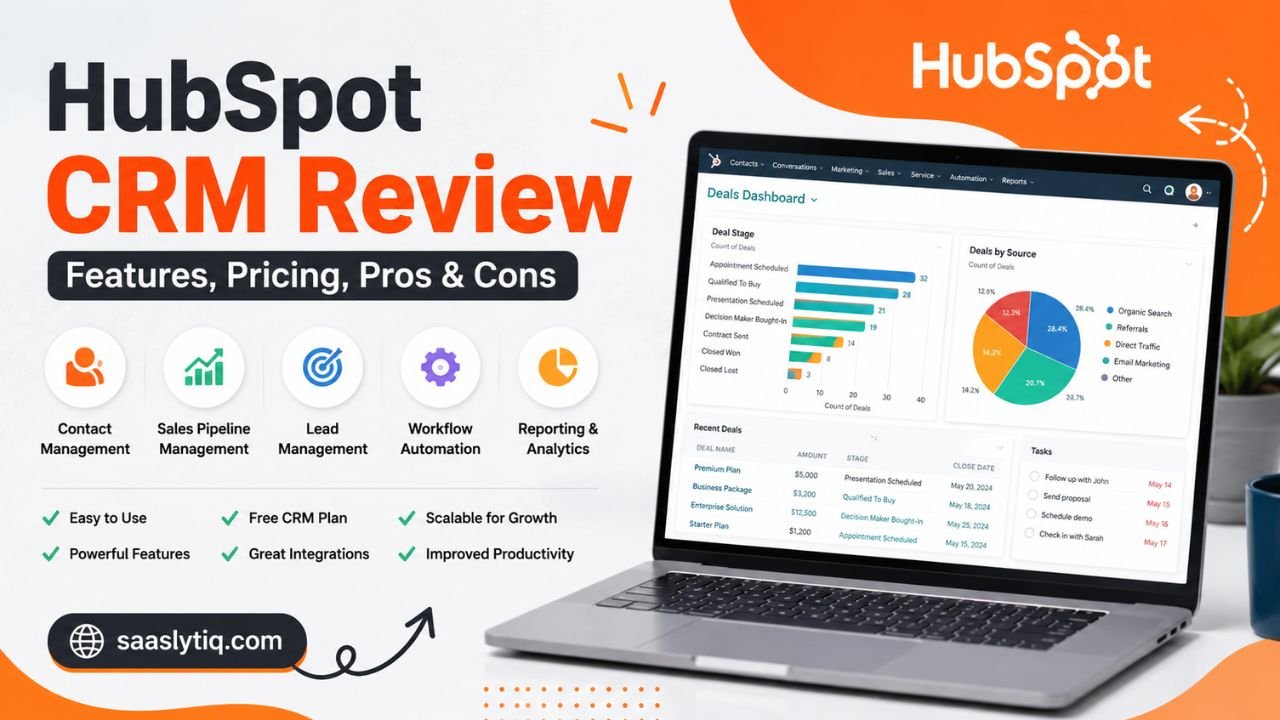
Choosing a customer relationship management (CRM) platform can affect how a business manages leads, follows up with customers, and tracks sales opportunities. The right CRM should make these tasks easier without creating unnecessary complexity or costs.
HubSpot CRM is a popular option for businesses that want to manage customer relationships through a centralized platform. It offers free CRM tools, sales management features, marketing capabilities, automation, reporting, and integrations with other business applications.
However, its free tools and paid subscriptions offer different capabilities. Some advanced features also require higher-tier plans or specialized seats. This makes it important to understand what HubSpot includes before choosing a subscription.
In this HubSpot CRM review, we examine its main features, pricing structure, advantages, limitations, and alternatives. We also explain which types of businesses may benefit from the platform and where another CRM might be a better fit.
What Is HubSpot CRM?
HubSpot CRM is a customer relationship management platform that helps businesses organize customer information, manage sales activities, and track interactions throughout the customer journey.
The platform brings contact records, company information, deals, communication history, and sales activities into one centralized system. This allows employees to understand customer relationships without switching between multiple disconnected applications.
HubSpot’s Smart CRM provides the foundation for its wider software ecosystem. Businesses can use CRM information alongside tools for sales, marketing, customer service, content management, and data operations.
One of HubSpot’s main advantages is its free CRM offering. Small businesses can start managing contacts and sales activities without immediately purchasing a paid subscription. As their requirements become more advanced, they can consider additional products and paid features.
HubSpot is suitable for several business types, including:
-
Small businesses managing customer inquiries and sales leads.
-
Marketing agencies handling multiple client relationships.
-
Sales teams tracking deals and follow-up activities.
-
Startups organizing customer information as they grow.
-
Service businesses managing prospects and existing customers.
However, businesses should evaluate their actual requirements before choosing a plan. Not every company needs HubSpot’s complete range of marketing and sales tools.
HubSpot CRM at a Glance
| Category | Details |
|---|---|
| Software type | Customer relationship management |
| Free option | Yes |
| Contact management | Yes |
| Sales pipeline | Yes |
| Email tracking | Available |
| Meeting scheduling | Available |
| Automation | Features vary by plan |
| Reporting | Features vary by plan |
| Integrations | Third-party app ecosystem |
| Best suited for | Small businesses and growing teams |
Key Features of HubSpot CRM
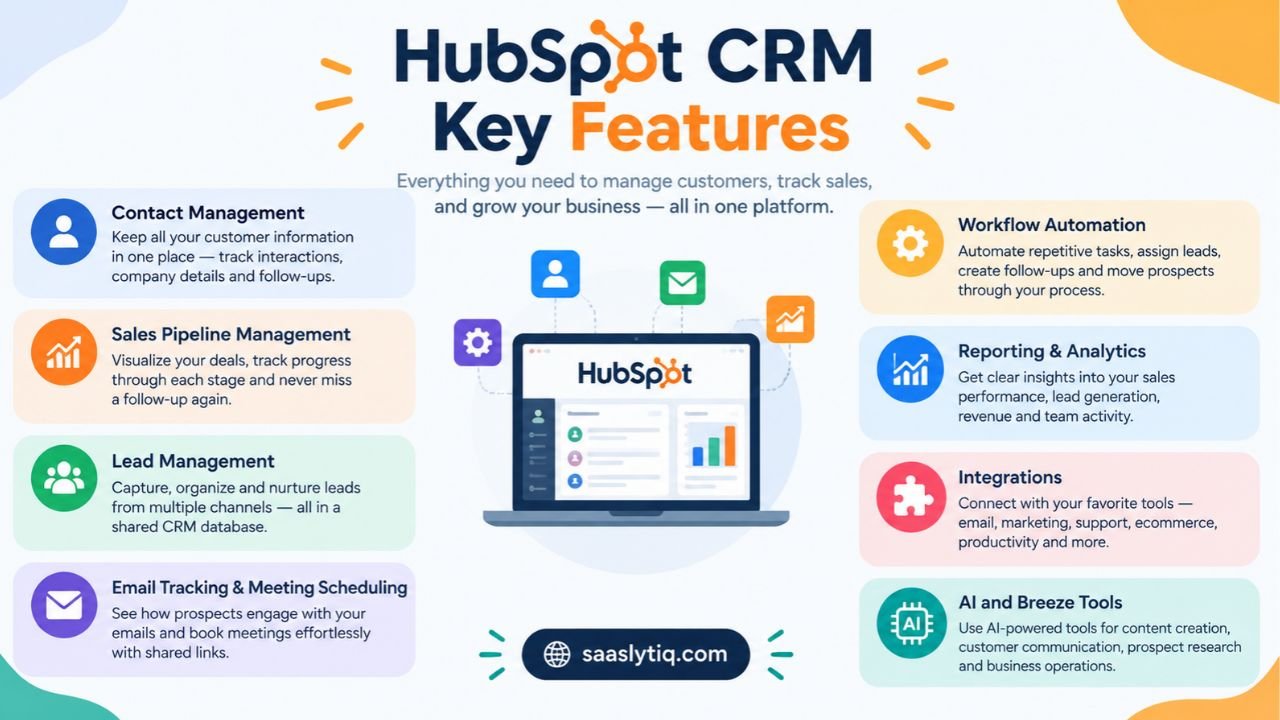
HubSpot combines several customer management and sales tools in one platform. Its features help businesses organize information, monitor opportunities, and coordinate customer communication.
1. Contact Management
Contact management is one of the central functions of HubSpot CRM.
Businesses can create contact records containing information such as names, email addresses, phone numbers, company details, and communication history. Teams can use these records to understand previous interactions and organize future follow-ups.
HubSpot also connects contact information with related companies and deals. This creates a more complete picture of customer relationships.
For example, a sales representative can review a prospect’s previous conversations and deal activity before contacting them again.
This is useful for businesses that receive inquiries through multiple channels and need a consistent way to manage customer information.
2. Sales Pipeline Management
HubSpot provides a visual sales pipeline that helps businesses monitor opportunities as they move through different stages.
Users can organize deals into stages that reflect their sales process. A typical pipeline might include:
-
New lead
-
Initial contact
-
Qualified prospect
-
Proposal sent
-
Negotiation
-
Closed won
-
Closed lost
This structure helps sales teams identify which opportunities require attention and understand where prospects are in the buying process.
Managers can also review deal progress and use available reporting tools to evaluate sales performance.
Businesses with multiple sales representatives can use pipeline information to improve coordination and reduce the risk of missed follow-ups.
3. Lead Management
Lead management helps businesses organize potential customers from their first interaction through the sales process.
HubSpot can collect and manage lead information through supported forms, marketing activities, and connected applications. Teams can then organize prospects, assign responsibilities, and track their progress.
Lead management is particularly useful for companies that receive inquiries from websites, advertising campaigns, landing pages, and other sources.
Instead of keeping prospect information in separate spreadsheets, employees can manage leads through a shared CRM database.
The available lead management and automation capabilities depend on the selected HubSpot product and subscription.
4. Email Tracking and Meeting Scheduling
Email tracking helps sales representatives understand how prospects interact with their messages.
Depending on the available tools and configuration, users can receive notifications about email activity and maintain records of customer communication.
HubSpot also offers meeting scheduling capabilities. Sales representatives can share booking links so prospects can select available meeting times.
These features can reduce unnecessary back-and-forth communication and help teams organize sales conversations.
They are particularly useful for consultants, agencies, service providers, and businesses that regularly schedule meetings with potential customers.
5. Workflow Automation
Workflow automation helps businesses reduce repetitive administrative work.
Depending on the subscription, HubSpot can automate activities such as:
-
Assigning leads to team members.
-
Updating contact and deal properties.
-
Creating follow-up tasks.
-
Sending automated notifications.
-
Moving records through defined processes.
-
Triggering actions based on customer activity.
For example, a business could create an automation that assigns a new inquiry to a sales representative and creates a follow-up task.
However, advanced workflow functionality is not available equally across every plan. Businesses should review the specific subscription limits before relying on automation for important operations.
6. Reporting and Analytics
Reporting tools help businesses understand how their sales activities and customer relationships are performing.
HubSpot provides dashboards and reports that can help teams monitor information such as:
-
Deal progress.
-
Sales activity.
-
Lead generation.
-
Revenue performance.
-
Customer interactions.
-
Team performance.
These insights help managers identify potential problems and make more informed decisions.
For example, a sales manager may use pipeline reports to identify opportunities that have remained inactive for too long.
The reporting features and customization options vary by subscription.
7. Integrations
Businesses often use several applications to manage their daily operations. A CRM becomes more useful when it can connect with those existing systems.
HubSpot offers an integration ecosystem that connects its platform with different business applications.
Depending on the application and integration, businesses can connect tools for:
-
Email communication.
-
Marketing campaigns.
-
Customer support.
-
Ecommerce operations.
-
Productivity.
-
Data synchronization.
-
Business reporting.
Before selecting an integration, check whether it supports the required features, data synchronization, and subscription level.
8. AI and Breeze Tools
HubSpot also offers AI-powered capabilities through its Breeze platform.
These tools are designed to support activities such as content creation, customer communication, prospect research, and business operations.
The availability of specific AI features depends on the product, subscription, and applicable credit requirements.
Businesses should review usage limits and potential additional costs before making AI tools a central part of their workflow.
HubSpot CRM Pricing (2027)
HubSpot offers free tools and several paid subscription options. Its pricing depends on the product, subscription level, seat type, and billing arrangement.
One important distinction is that Smart CRM pricing is different from Sales Hub pricing. Businesses should not assume that the price of a Core Seat includes every advanced Sales Hub feature.
HubSpot CRM Pricing Plans
The following table covers the standalone Smart CRM pricing published in HubSpot’s product catalog.
| Plan | Starting price | Suitable for |
|---|---|---|
| Free tools | $0 | Individuals and small teams |
| Smart CRM Starter | $20/Core Seat/month | Businesses needing paid CRM access |
| Smart CRM Professional | $50/Core Seat/month | Growing businesses |
| Smart CRM Enterprise | $75/Core Seat/month | Larger organizations |
Prices are in USD and should be verified before purchasing. Taxes, billing terms, additional seats, and product-specific requirements can affect the final subscription cost.
1. HubSpot Free CRM
HubSpot’s free tools provide an entry point for businesses that want to organize customer information without paying for a subscription.
The free offering supports up to two users and includes foundational CRM capabilities.
It can be useful for:
-
Startups with limited budgets.
-
Freelancers managing client relationships.
-
Small businesses organizing sales leads.
-
Teams exploring CRM software for the first time.
The main limitation is that advanced functionality and certain customization options require paid subscriptions.
2. HubSpot Starter
Starter is designed for businesses that need more than the basic free tools.
It provides access to additional capabilities depending on the purchased product. Businesses can use it as an entry point into HubSpot’s paid ecosystem.
Starter may be appropriate for small teams that need additional functionality without immediately committing to a higher-tier subscription.
3. HubSpot Professional
Professional is intended for businesses with more advanced operational requirements.
Depending on the product, it can provide expanded automation, reporting, and other advanced capabilities.
This level may suit businesses that have established sales processes and need more control over how customer information and business activities are managed.
However, companies should carefully calculate the cost of required seats and any applicable onboarding fees.
4. HubSpot Enterprise
Enterprise is designed for larger organizations with more complex requirements.
It offers advanced capabilities for businesses that need additional control, customization, and management options.
Organizations considering Enterprise should evaluate the full subscription cost, user requirements, and implementation needs before purchasing.
Is HubSpot CRM Worth the Price?
HubSpot’s free tools can provide considerable value to businesses that need basic contact and sales management.
Paid subscriptions become more relevant when a business requires advanced automation, specialized sales functionality, additional reporting, or broader platform capabilities.
However, the total cost can increase as teams add paid seats and purchase additional products.
Businesses should identify which features they actually need instead of upgrading simply to access a larger collection of tools.
Pros and Cons of HubSpot CRM
Every CRM platform has advantages and limitations. Understanding both sides helps businesses decide whether a product matches their operational needs.
Pros of HubSpot CRM
-
Free starting option: Businesses can access foundational CRM tools without an initial subscription payment.
-
User-friendly interface: The platform is designed to make everyday customer and sales management easier to understand.
-
Centralized customer information: Contact, company, and deal information can be managed in one system.
-
Sales pipeline visibility: Visual deal tracking helps teams monitor sales opportunities.
-
Integration ecosystem: Businesses can connect HubSpot with supported third-party applications.
-
Scalable product range: Companies can add more capabilities as their requirements change.
-
Marketing and sales connection: The wider platform supports multiple customer-facing business functions.
Cons of HubSpot CRM
-
Advanced features cost more: Some automation, reporting, and customization capabilities require paid subscriptions.
-
Subscription costs can grow: Additional seats and products can increase the total cost.
-
Plan differences can be confusing: Businesses need to understand product-specific features and seat requirements.
-
Advanced configuration takes time: Complex workflows and reporting may require additional learning.
-
Not every feature is necessary: Smaller companies may pay for capabilities they rarely use if they select an unsuitable plan.
Is HubSpot CRM Easy to Use?
HubSpot is generally designed to make CRM tasks accessible to users with different levels of technical experience.
Its interface organizes important information into records, dashboards, and sales pipelines. This helps new users understand where customer information is stored and how sales activities are managed.
Basic tasks such as adding contacts, creating deals, and scheduling meetings are relatively straightforward.
However, more advanced activities can require additional learning. Building complex workflows, customizing reports, managing permissions, and connecting multiple applications may take time.
Businesses should also plan for employee training when introducing a CRM across a team.
Who Should Use HubSpot CRM?
HubSpot can be useful for businesses that want to organize customer relationships and connect different customer-facing activities.
Small businesses: The free tools can help small companies organize contacts, leads, and deals before investing in paid software.
Marketing agencies: Agencies can use customer records and supported marketing tools to coordinate prospect and client relationships.
Sales teams: Deal tracking, sales activities, and reporting can help representatives manage opportunities.
Startups: Growing companies can begin with basic CRM functionality and evaluate additional products as their operations expand.
Service-based businesses: Consultants and professional service providers can use contact management and meeting scheduling to organize customer communication.
However, businesses with highly specialized requirements should compare HubSpot with alternatives before making a decision.
HubSpot CRM Alternatives
HubSpot is not the only CRM platform available. Different products offer different combinations of pricing, automation, customization, and sales management capabilities.
| CRM software | Main strength | Suitable for |
|---|---|---|
| Zoho CRM | Customization and business features | Small and growing businesses |
| Salesforce | Advanced CRM capabilities | Larger and complex organizations |
| Pipedrive | Visual sales pipeline management | Sales-focused teams |
| Freshsales | Sales engagement and lead management | Small and medium-sized sales teams |
| Monday CRM | Workflow and team collaboration | Teams managing flexible processes |
HubSpot CRM vs Zoho CRM
HubSpot and Zoho CRM both provide contact management, sales tracking, and business automation.
HubSpot is particularly relevant for businesses interested in connecting CRM with marketing and customer service activities.
Zoho CRM offers a range of customization and sales management options that may suit businesses looking for a different balance of functionality and cost.
HubSpot CRM vs Salesforce
Salesforce is known for its extensive CRM capabilities and customization options.
It may be suitable for organizations with complex sales processes and dedicated CRM administration resources.
HubSpot can be easier to approach for smaller businesses that want to start with a simpler customer management system.
HubSpot CRM vs Pipedrive
Pipedrive focuses strongly on sales pipeline management and deal tracking.
HubSpot offers a broader platform that connects CRM with marketing and customer service products.
Businesses should compare the two based on whether they need a sales-focused system or a wider customer management platform.
Is HubSpot CRM Worth It?
HubSpot CRM can be a useful option for businesses that want to organize customer information, manage sales opportunities, and connect customer-facing operations.
Its free tools make it accessible to startups and smaller businesses that want to begin using CRM software without immediately paying for a subscription.
The platform becomes more valuable when businesses need additional capabilities such as advanced automation, reporting, integrations, and specialized sales tools.
However, its paid subscriptions require careful evaluation. Businesses should consider the cost of seats, product selection, onboarding, and additional requirements before upgrading.
If your business mainly needs straightforward sales pipeline management, a more focused CRM may be sufficient. If you want to connect sales, marketing, and customer service activities, HubSpot deserves consideration.
Frequently Asked Questions
Is HubSpot CRM really free?
Yes. HubSpot offers free CRM tools with foundational customer management capabilities. The free offering supports up to two users. Advanced features and additional capabilities may require paid subscriptions.
How much does HubSpot CRM cost per month?
HubSpot’s standalone Smart CRM pricing starts at $20 per Core Seat per month for Starter, $50 for Professional, and $75 for Enterprise. Free tools are also available. Pricing varies across other HubSpot products.
Is HubSpot CRM good for small businesses?
HubSpot can suit small businesses that need contact management, deal tracking, and basic sales organization. Its free tools provide a way to get started before purchasing advanced capabilities.
What are the disadvantages of HubSpot CRM?
Its main limitations include the cost of advanced subscriptions, additional seat requirements, differences between product plans, and the learning involved in configuring more complex workflows.
Does HubSpot CRM offer sales automation?
Yes. HubSpot provides automation capabilities, but the available features depend on the subscription and product. Businesses should check plan-specific limits before selecting a plan.
Can HubSpot CRM integrate with other software?
Yes. HubSpot supports integrations with a wide range of business applications. Integration capabilities depend on the connected application and its available features.
Is HubSpot better than Zoho CRM?
Neither platform is automatically better for every business. HubSpot may suit companies seeking connected marketing and sales tools, while Zoho CRM may appeal to businesses that prioritize different customization and pricing options. Compare both platforms against your requirements.
Can I upgrade my HubSpot CRM plan later?
Yes. Businesses can evaluate additional HubSpot subscriptions as their needs change. Before upgrading, review the available features, seat requirements, and subscription costs.
Final Verdict
HubSpot CRM offers a combination of customer management, sales pipeline tracking, communication tools, and wider business software capabilities.
Its free tools make it a practical starting point for businesses that want to organize customer relationships without immediately committing to a paid CRM subscription.
Growing teams can consider paid products when they need more advanced automation, reporting, or sales functionality. However, they should understand the differences between Smart CRM, Sales Hub, and the wider Customer Platform before choosing a subscription.
HubSpot may be a suitable option for startups, small businesses, agencies, and growing sales teams that value an integrated customer management platform.
For businesses with specialized sales requirements or tighter budgets, comparing alternatives such as Zoho CRM, Pipedrive, and Freshsales can help identify a better fit.
Ultimately, the right CRM is the one that supports your business processes, fits your budget, and provides the features your team will actually use.
[…] HubSpot CRM Review – Read our detailed HubSpot CRM review to explore its key features, pricing, pros and cons, and find out whether it’s the right CRM solution for your business. […]
[…] HubSpot CRM Review – Read our detailed HubSpot CRM review to explore its key features, pricing, pros and cons, and find out whether it’s the right CRM solution for your business. […]
[…] If you’re looking for a CRM with advanced marketing features or a free plan, read our HubSpot CRM Review, Zoho CRM Review, and Salesforce CRM Review to compare their features, pricing, and overall […]
[…] extensive third-party integrations, or enterprise-scale workflows, Salesforce may be a better fit. HubSpot CRM is a strong choice for businesses focused on inbound marketing, while Zoho CRM offers excellent […]
[…] For teams looking for a user-friendly platform with strong sales and collaboration features, our HubSpot CRM Review provides a detailed look at another popular CRM solution. Businesses interested in flexible […]
[…] HubSpot is a general CRM with strong tools for lead management, email marketing, forms, automation, and reporting. It can be useful for dental practices that focus heavily on new patient acquisition. […]
[…] you are comparing different CRM platforms, our HubSpot CRM review provides a closer look at its features, pricing, pros, and […]
[…] Read Also: HubSpot CRM Review (2026): Features, Pricing, Pros & Cons […]
[…] example, a small business looking for customer relationship management software might compare HubSpot CRM, Salesforce, and Zoho CRM on G2. It can examine user reviews, compare product features, and identify […]
[…] automation platforms such as HubSpot and ActiveCampaign use these workflows to manage email campaigns, lead nurturing, and customer […]