

Choosing the right customer relationship management (CRM) software is an important decision for any business. A good CRM helps you organize customer information, manage leads, track sales opportunities, and improve communication with clients. Among the many CRM platforms available today, HubSpot CRM has become one of the most popular choices because of its easy-to-use interface, generous free plan, and powerful business tools. However, with so many features and pricing options, many business owners want to know whether it is the right solution for their needs.
In this HubSpot CRM review, we provide an unbiased and detailed look at the platform. We evaluate its key features, pricing, advantages, and limitations to help you make an informed decision. Instead of relying on marketing claims, this review focuses on the areas that matter most to businesses, including ease of use, sales management, automation, and overall value. Whether you run a small business, a growing startup, or an established company, this guide will help you understand what HubSpot CRM offers and whether it deserves a place in your business.
By the end of this review, you will have a clear understanding of HubSpot CRM’s strengths, possible drawbacks, and the type of business that can benefit most from using it. If you are comparing CRM software before making a purchase, this guide will help you decide if HubSpot CRM is the right choice for your business goals.
What Is HubSpot CRM?
HubSpot CRM is a cloud-based customer relationship management (CRM) platform that helps businesses manage customer interactions, organize sales activities, and build long-term relationships with clients. It brings important business information into one place, making it easier to track contacts, monitor deals, manage sales pipelines, and communicate with customers. Instead of using multiple tools for different tasks, businesses can handle many daily operations through a single platform.
Developed by HubSpot, the software is designed for businesses of all sizes, including startups, small businesses, and growing enterprises. It offers a free CRM plan with essential features, making it an attractive choice for companies that want to improve their sales process without a large upfront investment. As business needs grow, users can upgrade to paid plans that include advanced tools such as workflow automation, detailed reporting, marketing automation, and customer service management.
One of the biggest strengths of HubSpot CRM is its simple and user-friendly interface. Users can quickly add contacts, manage leads, schedule meetings, track email conversations, and organize sales opportunities without needing technical expertise. The platform also integrates with popular business applications such as Gmail, Microsoft Outlook, Slack, Zoom, WordPress, Shopify, and Zapier, allowing businesses to keep their existing workflow while improving productivity.
HubSpot CRM is more than just a contact management tool. It helps businesses manage the complete customer journey, from capturing new leads to closing deals and supporting existing customers. Features like sales pipeline management, lead tracking, email tracking, task management, reporting dashboards, and business automation help teams stay organized and make better decisions based on real-time data.
Whether you operate a dental practice, real estate agency, law firm, marketing agency, or any other service-based business, HubSpot CRM provides the flexibility to manage customer relationships more efficiently. Its combination of ease of use, scalability, and powerful automation makes it one of the most trusted CRM software solutions for businesses looking to improve sales performance and deliver a better customer experience.
Key Features of HubSpot CRM
HubSpot CRM offers a wide range of features that help businesses manage customer relationships, improve sales performance, and automate daily tasks. The platform is designed to simplify complex processes, allowing teams to focus on building strong customer relationships instead of spending time on manual work. Whether you run a small business or a growing company, these features can help you organize your sales process and improve overall productivity.
Contact Management
HubSpot CRM makes it easy to store and organize customer information in one central location. Every contact record includes details such as names, email addresses, phone numbers, company information, communication history, and recent activities. This gives sales and support teams a complete view of each customer, making follow-ups more personalized and effective.
Sales Pipeline Management
The visual sales pipeline helps businesses track deals from the first conversation to the final sale. Users can create custom deal stages, monitor sales progress, and identify opportunities that need attention. This feature gives managers a clear overview of their sales process and helps improve forecasting.
Lead Management and Email Tracking
HubSpot CRM captures leads from forms, websites, and marketing campaigns, then stores them in a single database. Sales teams can assign leads, schedule follow-ups, and monitor customer interactions without losing important information. The built-in email tracking feature also notifies users when emails are opened, helping teams contact prospects at the right time.
Workflow Automation
One of HubSpot CRM’s strongest features is workflow automation. Businesses can automate repetitive tasks such as sending follow-up emails, assigning leads, creating reminders, and updating deal stages. This saves time, reduces manual errors, and allows employees to focus on more valuable work.
Reporting and Analytics
HubSpot CRM includes reporting tools that help businesses measure sales performance and customer engagement. Users can track important metrics such as lead conversion rates, deal progress, sales revenue, and team performance through easy-to-read dashboards. These insights help businesses make informed decisions and improve their sales strategy.
Our Take on HubSpot CRM Features
In our opinion, HubSpot CRM offers an excellent balance between simplicity and functionality. The platform includes the tools most small and growing businesses need without making the interface feel complicated. Businesses that are new to CRM software will likely find HubSpot much easier to learn than many enterprise-level alternatives.
HubSpot CRM Pricing
HubSpot CRM offers flexible pricing plans that are suitable for businesses of different sizes. One of its biggest advantages is its Free CRM plan, which allows businesses to use essential CRM features without paying a monthly subscription. This makes HubSpot a popular choice for startups, freelancers, and small businesses that want to manage customer relationships while keeping costs low.
As your business grows, you can upgrade to paid plans that unlock more advanced features. These plans include sales automation, custom reporting, workflow automation, advanced analytics, and additional collaboration tools. Businesses can choose a plan based on their team size, sales process, and long-term growth goals.
HubSpot CRM Plans
| Plan | Best For | Main Features |
| Free | Individuals & Small Businesses | Contact management, deal tracking, email tracking, meeting scheduler, basic reporting |
| Starter | Growing Businesses | Simple automation, premium support, branding removal, additional sales tools |
| Professional | Expanding Teams | Workflow automation, custom reports, sales forecasting, advanced reporting |
| Enterprise | Large Organizations | Advanced security, custom permissions, predictive analytics, enterprise-level automation |
Note: HubSpot updates its pricing and features regularly. Always check the official HubSpot website for the latest pricing before making a purchase decision.
Read Also: Best CRM for Dentists in 2026: Top Software Compared
Is HubSpot CRM Worth the Price?
For businesses that are just getting started, the Free plan offers excellent value because it includes many features that other CRM platforms charge for. Users can manage contacts, track deals, schedule meetings, and monitor customer interactions without any upfront investment.
The paid plans are more suitable for businesses that require advanced automation, detailed reporting, and team collaboration features. Although HubSpot’s premium plans can be more expensive than some competitors, they also provide a complete business platform that combines sales, marketing, and customer service tools in one place.
Overall, HubSpot CRM offers good value for money. The free version is one of the strongest available, while the paid plans provide the flexibility and advanced features needed by growing businesses. If your company expects to scale in the future, HubSpot CRM is a worthwhile investment that can support long-term business growth.
We believe HubSpot provides strong value, especially through its free plan. Small businesses can start without making a financial commitment and upgrade only when additional features become necessary. However, businesses should compare long-term subscription costs before choosing higher-tier plans.
Pros and Cons of HubSpot CRM
Like every CRM platform, HubSpot CRM has both strengths and limitations. It offers powerful tools that help businesses manage customer relationships, automate sales tasks, and improve productivity. At the same time, some advanced features are only available in higher-priced plans. Understanding these advantages and disadvantages will help you decide whether HubSpot CRM is the right fit for your business.
Pros
- Easy to use, even for beginners with no CRM experience.
- Offers one of the best free CRM plans available.
- Includes powerful contact management and sales pipeline tools.
- Automates repetitive tasks to improve team productivity.
- Provides detailed reporting and analytics for better decision-making.
- Integrates with popular tools such as Gmail, Outlook, Slack, Zoom, WordPress, Shopify, and Zapier.
- Suitable for businesses of all sizes, from startups to large enterprises.
- Regularly adds new features and improvements.
Cons
- Advanced automation and reporting features require paid plans.
- Premium subscriptions can become expensive for growing businesses.
- Some customization options are limited in the Free and Starter plans.
- New users may need time to learn advanced features and workflows.
- Businesses that only need basic CRM functionality may not use all available tools.
What We Liked Most
The feature we liked most is HubSpot’s free CRM. It allows businesses to manage contacts, deals, and customer interactions without paying for basic CRM functionality. This makes it one of the easiest platforms for startups to adopt.
What Could Be Better
One area where HubSpot could improve is pricing for advanced features. While the free version is generous, automation, custom reporting, and enterprise tools are available only in premium plans.
Our Opinion
HubSpot CRM offers more advantages than disadvantages, especially for small and growing businesses. Its user-friendly interface, generous free plan, and powerful sales management features make it one of the strongest CRM platforms on the market. While the premium plans require a larger investment, they also provide advanced automation, reporting, and business management tools that can improve efficiency as a company grows.
How We Reviewed HubSpot CRM
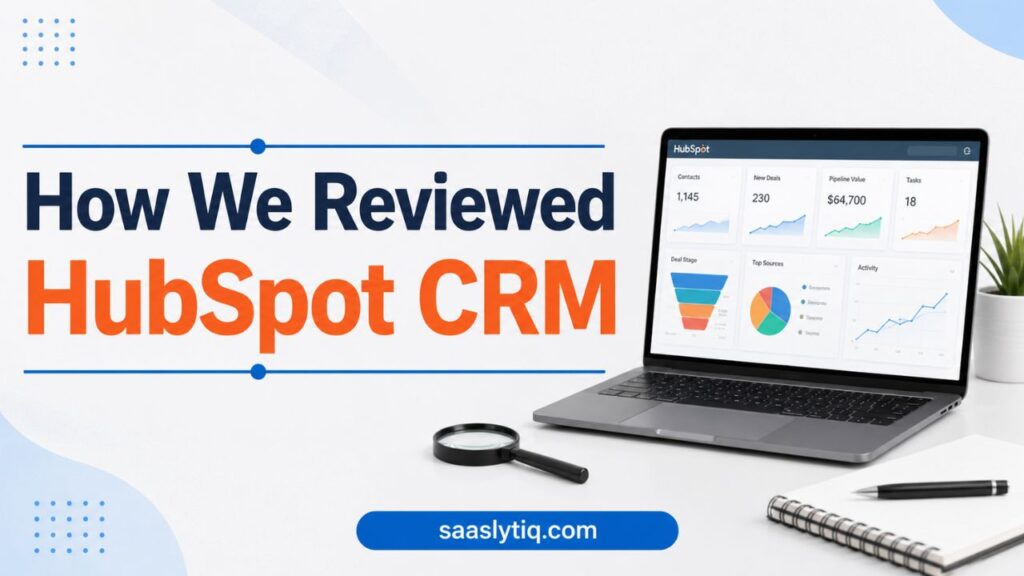
Our review is based on product research, feature analysis, official documentation, pricing information, and comparisons with other leading CRM platforms. We evaluate every CRM using the same criteria, including ease of use, features, pricing, scalability, integrations, and overall value. Our goal is to provide clear and unbiased information that helps businesses choose the right CRM solution.
Frequently Asked Questions (FAQs)
Is HubSpot CRM really free?
Yes. HubSpot offers a free CRM plan that includes essential features such as contact management, deal tracking, email tracking, meeting scheduling, and basic reporting. Businesses can use these tools without paying a monthly subscription.
Is HubSpot CRM suitable for small businesses?
Yes. HubSpot CRM is an excellent choice for small businesses because it is easy to use, quick to set up, and offers a generous free plan. As your business grows, you can upgrade to paid plans that provide more advanced features.
Can HubSpot CRM integrate with other business tools?
Yes. HubSpot CRM integrates with many popular applications, including Gmail, Microsoft Outlook, Slack, Zoom, WordPress, Shopify, Microsoft 365, Google Workspace, and Zapier. These integrations help businesses streamline workflows and improve productivity.
Is HubSpot CRM worth the money?
For many businesses, yes. While the premium plans are more expensive than some competitors, they include powerful automation, reporting, and collaboration features that can improve efficiency and support long-term business growth.
Who should use HubSpot CRM?
HubSpot CRM is ideal for startups, small businesses, growing companies, marketing agencies, consultants, healthcare providers, real estate professionals, and service-based businesses that want a simple yet powerful CRM platform to manage customer relationships and increase sales.
Comclusion
HubSpot CRM is one of the best CRM software solutions for businesses that want an easy-to-use and scalable platform. It combines contact management, sales pipeline tracking, lead management, workflow automation, and reporting in one place. Whether you are starting a new business or expanding an existing one, HubSpot provides the tools needed to organize customer relationships and improve sales performance.
One of the platform’s biggest strengths is its free CRM plan, which offers valuable features without requiring an upfront investment. Businesses can manage contacts, track deals, schedule meetings, and monitor customer interactions at no cost. As business needs grow, paid plans unlock advanced automation, detailed reporting, and additional customization options to support larger teams and more complex sales processes.
However, HubSpot CRM may not be the perfect choice for everyone. While the free version is excellent, the cost of premium plans can be a challenge for businesses with limited budgets. Companies that need advanced automation, custom reporting, or enterprise-level features should carefully compare the available plans before making a decision.
Overall, HubSpot CRM delivers an excellent balance of simplicity, functionality, and scalability. It is especially well suited for small businesses, startups, marketing agencies, service-based companies, and growing sales teams that want a reliable customer relationship management platform. If you are looking for CRM software that can grow alongside your business, HubSpot CRM is a strong option worth considering.