
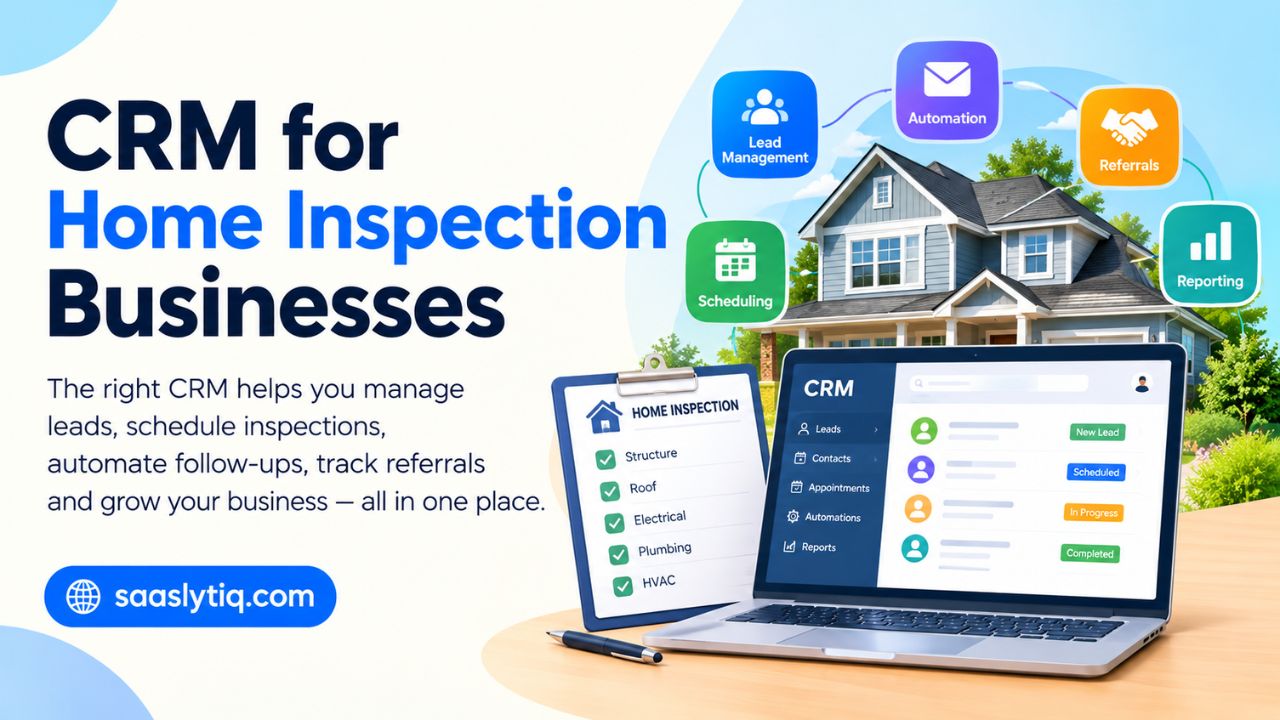
Running a home inspection business involves more than completing inspections and sending reports. You also need to manage leads, schedule appointments, communicate with homeowners, follow up with real estate agents, collect payments, and keep track of past customers. When these tasks are handled through separate spreadsheets, emails, and phone apps, it can become easy to miss a lead or forget an important follow-up.
A CRM for home inspection businesses brings these customer and sales activities into one place. It can help home inspectors organize leads, manage client and realtor relationships, automate emails and text messages, schedule appointments, and track every customer from the first inquiry to the completed inspection. Some platforms also connect with inspection reporting, invoicing, payment, and accounting tools.
In this guide, we’ll look at the best CRM options for home inspection businesses in 2026. We’ll compare their features, pricing, automation, scheduling, integrations, and reporting capabilities so you can understand which type of CRM fits a solo home inspector, a growing inspection company, or a multi-inspector team.
What Is a CRM for a Home Inspection Business?
A CRM for a home inspection business is software designed to help home inspectors manage customer relationships, leads, appointments, referrals, and follow-ups in one place. Instead of tracking potential clients in spreadsheets, keeping realtor contacts in a phone, and managing appointments through separate calendars, a CRM brings these activities into a centralized system.
For a home inspection company, a CRM can track a lead from the first phone call, website form, or referral through the entire customer journey. You can record contact details, property information, inspection requests, appointment dates, communication history, and follow-up activities. This makes it easier to see which leads are new, which inspections are scheduled, and which customers or real estate agents need a response.
A home inspection CRM can also help manage relationships with real estate agents, brokers, homeowners, and other referral partners. Inspectors can organize contacts, track referral sources, send appointment reminders, automate email or SMS follow-ups, and request reviews after an inspection. Some CRM platforms also integrate with home inspection software, online booking systems, payment tools, accounting platforms, and inspection reporting software.
The main purpose is not simply to store customer information. A good CRM helps a home inspection business create a more organized workflow, respond to leads faster, reduce missed follow-ups, and maintain stronger relationships with customers and real estate professionals. For growing inspection companies, features such as team calendars, lead assignment, reporting, automation, and integrations can also make it easier to manage multiple inspectors and a higher volume of inspection jobs.
Why Do Home Inspection Businesses Need a CRM?
Home inspectors often manage several tasks at the same time. A typical day can include responding to new inquiries, scheduling inspections, communicating with home buyers, updating real estate agents, preparing reports, collecting payments, and following up with previous customers. Without a centralized system, important information can easily get spread across email inboxes, spreadsheets, phone contacts, and calendar apps. A CRM for home inspection businesses brings these activities together and gives inspectors a clearer view of their sales and customer pipeline.
Keep Track of Every Lead
A CRM helps home inspectors organize leads from different sources, including website forms, phone calls, online advertising, referrals, and real estate agents. Each lead can have a contact record with communication history, property details, inspection requirements, and follow-up tasks.
This makes it easier to identify new inquiries and prevent potential customers from being forgotten. Inspectors can also track where their leads come from and determine which marketing or referral sources generate the most inspection bookings.
Manage Real Estate Agent Relationships
Real estate agents can be an important source of referrals for home inspection companies. A CRM allows inspectors to maintain organized records for agents, brokers, and other referral partners.
You can track previous referrals, communication, follow-up dates, and inspection activity for each contact. Over time, this information can help an inspection company maintain consistent communication with its professional network instead of contacting agents only when it needs new business.
Simplify Inspection Scheduling
Scheduling is another area where CRM software can help. Instead of manually checking messages and calendars, inspectors can use scheduling features or integrations to manage inspection appointments and customer information in one place.
Some platforms support online booking, automated appointment confirmations, calendar synchronization, and reminders. These features can reduce back-and-forth communication and make it easier to manage multiple inspection appointments.
Automate Customer Follow-Ups
Not every lead books an inspection immediately. A CRM can help home inspection companies create follow-up workflows for people who request information but have not scheduled an appointment.
For example, a business could send an initial response after a website inquiry, followed by a reminder email or SMS if the customer does not respond. After an inspection, the workflow can also include a thank-you message, review request, or future follow-up.
Reduce Missed Appointments and Tasks
Manual reminders can become difficult to manage when an inspection company has a busy schedule. CRM automation can help create reminders for appointments, calls, follow-ups, payments, and other tasks.
For companies with multiple inspectors, shared calendars and task assignments can also make it easier to see who is responsible for a particular inspection or customer request.
Improve the Customer Experience
Home buyers and property owners often want quick answers when arranging an inspection. A centralized CRM gives inspectors access to relevant customer information without searching through multiple systems.
Faster responses, clear appointment communication, automated reminders, and organized follow-ups can create a smoother experience from the initial inquiry through the completed inspection.
Track Reviews and Repeat Opportunities
Customer reviews can be important for a local home inspection company. After completing an inspection, a CRM can help automate review requests through email or text messaging.
The system can also keep previous customers organized for future communication. For example, an inspector may want to stay connected with past clients, real estate professionals, or referral partners instead of treating every inspection as a one-time transaction.
Understand Where New Business Comes From
A CRM can provide useful sales and marketing data. Home inspection companies can track whether leads came from Google search, their website, social media, paid advertising, real estate agents, referrals, or other sources.
Over time, this information can show which channels are generating inquiries and booked inspections. CRM reports can also help businesses monitor conversion rates, follow-up activity, inspection volume, and revenue-related metrics.
Support Business Growth
A simple spreadsheet may be enough for a solo inspector with a small number of customers. As the business grows, however, managing more leads, inspectors, appointments, and referral relationships becomes harder.
A CRM can provide a central database and repeatable workflows that support this growth. Features such as lead management, sales pipelines, automated follow-ups, scheduling, reporting, team collaboration, and third-party integrations can help a home inspection company manage more business without relying entirely on manual processes.
Key Features to Look for in a Home Inspection CRM
Not every CRM is designed for the same type of business. A platform built for general sales teams may have strong contact management but lack features that home inspectors use every day. When choosing a CRM for home inspection businesses, look for a combination of customer relationship management, scheduling, automation, communication, and inspection-related integrations.
Lead Management
A good CRM should make it easy to capture and organize leads from your website, phone calls, email, advertising campaigns, and referrals. Each lead should have a central profile where you can store contact information, property details, communication history, and follow-up activities.
Lead management also helps inspectors see where each prospect is in the sales process, from a new inquiry to a scheduled inspection and completed job.
Contact and Customer Management
A home inspection CRM should maintain organized records for homeowners, home buyers, real estate agents, brokers, builders, and other contacts. Instead of searching through different apps, inspectors can access customer information and previous interactions from one place.
This is particularly useful when a real estate agent sends multiple referrals or when a previous customer contacts the business again.
Inspection Scheduling and Online Booking
Scheduling is an important part of a home inspection workflow. Look for CRM software that supports appointment scheduling or integrates with reliable scheduling tools.
Online booking can allow customers or referral partners to select available inspection times without lengthy phone or email exchanges. Calendar synchronization, appointment confirmations, and automated reminders can further simplify scheduling.
Email and SMS Automation
Automated communication can save time while keeping customers informed. A CRM may allow inspectors to create email and SMS workflows for new leads, appointment confirmations, reminders, follow-ups, and review requests.
For example, when someone submits an inspection inquiry, the CRM can automatically send a confirmation message while creating a task for the inspector to follow up.
Real Estate Agent and Referral Management
Real estate professionals can be an important referral source for home inspection companies. A CRM should make it possible to organize agent contacts and track referral activity.
Useful capabilities include referral-source tracking, communication history, follow-up reminders, and reporting. This helps inspectors understand which relationships generate business and maintain regular communication with important referral partners.
Inspection Software and Reporting Integrations
A CRM does not always need to replace dedicated home inspection software. In many cases, the better setup is a CRM connected to inspection reporting software.
Integrations can help transfer customer information between systems and reduce duplicate data entry. Depending on the platform, inspectors may be able to connect their CRM with tools for inspection reports, scheduling, payments, accounting, or document management.
Mobile Access
Home inspectors spend much of their working day outside the office, so mobile access is an important consideration. A mobile-friendly CRM or dedicated mobile app can allow inspectors to check customer details, update leads, manage appointments, communicate with clients, and complete tasks while working in the field.
If an inspection business operates in areas with unreliable internet access, offline capabilities can also be worth considering.
Payment and Invoicing
Some CRM and field-service platforms include invoicing and payment features or integrate with payment processors. These tools can help inspectors send invoices, track outstanding payments, and connect financial information with customer records.
For businesses that already use accounting software, check whether the CRM supports integrations with the accounting platform before choosing a subscription.
Review Request Automation
Online reviews can influence how potential customers evaluate local home inspection companies. A CRM can automate review requests after an inspection has been completed.
Instead of manually contacting every customer, an inspector can create a workflow that sends a review request after a specified period. Some systems can also track whether a customer has completed the requested action.
Customer and Agent Portals
Some home inspection platforms provide portals where customers or real estate agents can access inspection information, reports, documents, or appointment details.
A portal can reduce repetitive requests for documents and give clients a convenient way to access information. However, this feature is more important for businesses that handle a larger inspection volume or want to provide a more structured digital experience.
Reporting and Analytics
CRM reporting helps business owners understand what is happening across their sales and customer pipeline. Useful reports may include lead sources, conversion rates, booked inspections, referral activity, follow-up performance, and revenue-related information.
For example, an inspector could compare leads from Google, real estate agents, paid advertising, and referrals to see which sources are producing the most booked inspections.
AI and Workflow Automation
Some modern CRM platforms now include AI-powered features for tasks such as lead summarization, email drafting, data entry, customer segmentation, and workflow automation.
AI should not be the only reason to choose a CRM. More important factors include reliability, ease of use, integrations, pricing, and whether the automation actually fits the inspection company’s workflow.
Data Export and Integration Options
Before committing to a CRM, check whether you can export your customer and business data. This can become important if you later change platforms or need to move information into another system.
Also review available integrations with tools you already use, such as calendars, email platforms, accounting software, payment processors, phone systems, marketing tools, and home inspection reporting software.
The right combination of these features depends on the size and workflow of the inspection business. A solo inspector may need simple lead management, scheduling, and follow-up automation, while a multi-inspector company may require team calendars, user permissions, advanced reporting, integrations, and automated lead assignment.
Best CRM for Home Inspection Businesses
The best CRM for a home inspection business depends on the company’s size, workflow, budget, and the type of tools it needs. A solo inspector may prefer a simple CRM with lead management and scheduling, while a growing inspection company may need automation, team management, reporting, and integrations with inspection software.
Some platforms are traditional CRMs built around sales and customer relationships, while others are designed specifically for field service or home inspection businesses. The options below cover different use cases so you can compare them based on your business needs.
| CRM / Software | Best For | Key Strength |
|---|---|---|
| HubSpot CRM | Lead management and marketing | Free CRM tools and strong automation options |
| Pipedrive | Sales pipeline management | Simple visual pipeline |
| Zoho CRM | Customization and value | Flexible CRM features and integrations |
| GoHighLevel | Lead follow-up and marketing automation | Strong communication automation |
| Jobber | Field service businesses | Scheduling, customers, jobs, and payments |
| QuoteIQ | Home inspection business management | Inspection-focused business tools |
| Spectora | Inspection reporting and workflow | Reports, scheduling, and inspection operations |
| ISN | Growing inspection companies | Inspection business management and automation |
| HomeGauge | Inspection reporting | Reporting and inspection workflow tools |
| Home Inspector Pro | Reporting and field inspections | Inspection reporting and mobile workflow |
HubSpot CRM
HubSpot is a general-purpose CRM that can work well for home inspection businesses that want to focus on lead generation, contact management, marketing, and customer follow-up.
Its CRM tools can help inspectors organize contacts, manage leads, create sales pipelines, track communication, and automate certain marketing and follow-up activities. HubSpot also offers integrations that can extend its functionality beyond basic CRM management.
It can be particularly useful for an inspection company that gets leads through its website and wants to connect marketing activity with its sales pipeline. However, businesses that need specialized inspection reporting may still need dedicated home inspection software.
Pipedrive
Pipedrive is designed around visual sales pipeline management. This makes it useful for home inspectors who want a straightforward way to track prospects from initial inquiry to booked inspection.
An inspection company can create stages such as New Lead → Contacted → Quote Sent → Inspection Scheduled → Completed → Follow-Up. Custom fields and integrations can also help adapt the CRM to a specific inspection workflow.
Pipedrive is more focused on CRM and sales management than inspection reporting, so inspectors may need additional software for detailed inspection reports, photographs, and inspection-specific documentation.
Zoho CRM
Zoho CRM is a flexible option for businesses that want customization and a broad range of business integrations. Home inspection companies can use it to manage leads, contacts, follow-ups, sales activities, and customer information.
Its customization capabilities can be useful when an inspection business has a workflow that does not fit a standard CRM pipeline. However, the large number of available features can require more setup compared with simpler CRM platforms.
GoHighLevel
GoHighLevel is heavily focused on lead generation, communication, and marketing automation. It can be useful for home inspection companies that want to automate lead responses, email campaigns, SMS follow-ups, appointment booking, and review requests.
For example, an inspection company could create an automated workflow that responds to a new website lead, sends a booking link, follows up if the lead does not schedule, and requests a review after the inspection.
Its strength is customer communication and automation rather than inspection reporting itself, so a separate inspection platform may still be necessary.
Jobber
Jobber combines customer management with field-service functions such as scheduling, job management, quotes, invoicing, and payments.
This can make it useful for home inspection businesses that need more than a traditional CRM. Inspectors can manage customer information and appointments while keeping operational and payment-related activities connected to the job.
Businesses should still verify whether the platform’s inspection-specific capabilities meet their reporting and documentation requirements.
QuoteIQ
QuoteIQ is designed around service-business workflows and can be relevant to inspection companies looking for tools that combine customer management, quoting, scheduling, payments, and business operations.
Its inspection-related use case makes it different from a traditional sales CRM. Businesses considering QuoteIQ should compare its inspection workflow, integrations, automation, and pricing with dedicated home inspection platforms.
Spectora
Spectora is a home inspection platform focused on inspection reporting and business workflows. It provides tools for creating professional inspection reports while also supporting scheduling, payments, customer communication, and other operational tasks.
For inspectors who want inspection-specific functionality rather than a general sales CRM, this type of platform can be more suitable. Businesses that require advanced marketing or sales automation may still benefit from connecting an inspection platform with a dedicated CRM.
ISN
ISN, or Inspection Support Network, is designed specifically for the home inspection industry. It provides tools for managing inspection businesses, including scheduling, customer information, communications, and business workflows.
Its industry-specific approach can be useful for inspection companies that need more than general CRM features. Companies should evaluate its pricing model and available features based on their inspection volume and number of users.
HomeGauge
HomeGauge is another established platform focused on home inspection workflows and reporting. Its tools are designed around the needs of professional home inspectors and can help with inspection reports and related business processes.
It may be a better fit for businesses that place a strong emphasis on inspection reporting and client-facing inspection documentation rather than using a CRM primarily for marketing and lead generation.
Home Inspector Pro
Home Inspector Pro focuses heavily on inspection reporting and field inspection workflows. Inspectors can use it for creating inspection reports and managing information gathered during property inspections.
It is more specialized than a standard CRM, making it worth considering for inspectors who prioritize field reporting and inspection documentation. Businesses should compare its CRM, scheduling, automation, and integration capabilities with dedicated CRM platforms before making a decision.
CRM vs Home Inspection Software: What’s the Difference?
A CRM and home inspection software can both help an inspection company manage its business, but they are designed for different purposes. A CRM primarily focuses on leads, customer relationships, communication, sales pipelines, marketing, and follow-ups. Home inspection software is usually built around the inspection itself, including reporting, templates, photographs, findings, scheduling, and client delivery.
Some modern platforms combine CRM and inspection management features, while other businesses use two separate systems and connect them through integrations. Understanding the difference can help you avoid paying for features you do not need.
| Feature | CRM Software | Home Inspection Software |
|---|---|---|
| Lead management | Strong | Usually available |
| Contact management | Strong | Available |
| Sales pipeline | Strong | Limited or industry-focused |
| Email/SMS automation | Strong | Varies |
| Realtor relationship management | Strong | Often available |
| Online scheduling | Often available | Usually available |
| Inspection reporting | Usually requires integration | Core feature |
| Inspection templates | Limited | Core feature |
| Photo management | Basic or via integration | Usually strong |
| Inspection findings | Not designed for this | Core feature |
| Customer portal | Varies | Common |
| Invoicing and payments | Varies | Often available |
| Marketing automation | Strong | Usually limited |
| Business analytics | Strong | Industry-focused |
| Mobile inspection workflow | Varies | Usually important |
What Does a CRM Do?
A CRM is mainly designed to manage relationships with prospects and customers. For a home inspection company, this means keeping track of leads, homeowners, home buyers, real estate agents, brokers, referral partners, and previous customers.
A CRM can help with tasks such as:
- Capturing website and advertising leads
- Managing customer contacts
- Tracking sales opportunities
- Following up with prospects
- Sending email and SMS messages
- Managing realtor relationships
- Tracking referral sources
- Automating review requests
- Measuring lead conversion
- Creating marketing campaigns
For example, if a real estate agent refers a potential client, the CRM can record the referral, track communication, create a follow-up task, and show whether that lead eventually became a booked inspection.
What Does Home Inspection Software Do?
Home inspection software is built around the actual inspection process. It can help inspectors create reports, organize inspection findings, add photographs, use templates, collect signatures, and deliver completed reports to clients.
Depending on the platform, it may also include scheduling, online payments, customer portals, agreements, inspection reminders, and other business-management features.
For inspectors who spend most of their time in the field, inspection software can be especially useful because it is designed around the workflow of documenting a property inspection.
Do Home Inspectors Need Both?
Not necessarily. The right setup depends on the business.
A solo inspector with a small customer base may be able to manage most operations through an all-in-one inspection platform. A growing company that depends heavily on website leads, digital marketing, and real estate referrals may benefit from a dedicated CRM alongside inspection software.
For example, a business could use a CRM to manage:
Lead → Follow-up → Realtor relationship → Booking
and use inspection software for:
Appointment → Inspection → Photos → Findings → Report → Client delivery
Integrations can connect these two workflows and reduce duplicate data entry.
When Should You Choose a CRM?
A dedicated CRM may make more sense if your main challenge is generating and managing business rather than producing inspection reports.
Consider a CRM when you need:
- Better lead management
- Automated follow-ups
- Realtor relationship tracking
- Marketing automation
- Sales pipeline management
- Lead-source reporting
- Customer segmentation
- Review campaigns
- Integration with other business tools
When Should You Choose Home Inspection Software?
Dedicated inspection software may be the better starting point if your biggest need is managing the technical and operational side of inspections.
Look for inspection software if you need:
- Professional inspection reports
- Custom report templates
- Inspection checklists
- Photo organization
- Findings and recommendations
- Mobile inspection tools
- Client report delivery
- Digital agreements
- Inspection-specific workflows
When an All-in-One Platform Makes Sense
An all-in-one platform can be attractive for businesses that want to reduce the number of tools they use. Having customer management, scheduling, inspection reporting, payments, and communication in one system can simplify the workflow.
However, an all-in-one platform may not always provide the deepest functionality in every area. Before choosing one, compare the specific features you actually use rather than selecting software simply because it has the longest feature list.
For many growing home inspection companies, the most practical setup may be a CRM + home inspection software integration. This allows the CRM to handle leads and customer relationships while specialized inspection software handles reports and field operations.
How a CRM Helps Home Inspectors Manage Realtor Referrals
Real estate agents, brokers, and other industry professionals can become an important source of referrals for a home inspection business. A CRM can help inspectors organize these relationships and keep track of referrals instead of managing agent contacts through separate spreadsheets, email threads, or phone contacts.
Keep Realtor Contacts Organized
A CRM lets you create individual profiles for real estate agents, brokerages, and other referral partners. You can store contact information, company details, communication history, referral activity, and notes in one place.
This becomes particularly useful when an inspector works with dozens or hundreds of real estate professionals. Instead of searching through old emails to remember a previous conversation, the inspector can view the relationship history directly from the CRM.
Track Where Referrals Come From
Lead-source tracking can show which real estate agents and other marketing channels are generating inspection inquiries. When a new customer contacts the business, the CRM can record the referring agent or source.
Over time, this information can help identify referral patterns. An inspection company may see that certain agents consistently send inspection leads while other marketing channels generate a different type of customer.
Follow Up With Referral Partners
A strong referral relationship requires consistent communication. A CRM can create reminders for follow-up calls, emails, thank-you messages, or other relationship-building activities.
For example, after completing an inspection referred by an agent, an inspector could create a follow-up task to thank the agent and stay connected. Automated email campaigns can also be used for appropriate business communications, while personal outreach can be reserved for more important relationships.
Monitor Referral Activity
CRM reporting can help an inspection company track referral activity over time. Instead of simply counting the total number of inspections, the business can look at which agents referred customers and how many inspections resulted from those relationships.
This provides a clearer picture of the business’s referral network and can help owners understand where their inspection leads are coming from.
Build Long-Term Relationships
A CRM should not be used only when an inspector needs another booking. It can help maintain a consistent relationship with real estate professionals throughout the year.
Inspectors can use customer relationship management tools to keep contact information updated, record previous interactions, schedule follow-ups, and segment contacts based on referral activity or business relationship.
For a growing home inspection company, this organized approach can make it easier to manage a large network of real estate agents, brokers, home buyers, and referral partners without losing track of important contacts.
How to Automate a Home Inspection Business With a CRM
CRM automation can reduce repetitive administrative work and help home inspectors respond to customers more consistently. Instead of manually sending every confirmation, reminder, or follow-up message, an automated workflow can trigger specific actions when a lead reaches a particular stage.
For a home inspection business, automation can cover much more than marketing. It can connect lead management, appointment scheduling, customer communication, inspection follow-ups, payments, and review requests into a single workflow.
1. Capture New Inspection Leads
The workflow can start when someone submits a contact form on the inspection company’s website, calls the business, or enters the CRM through another lead source.
The CRM can automatically create a contact record and save information such as the customer’s name, phone number, email address, property details, and lead source. This prevents new inquiries from being lost in an inbox or spreadsheet.
2. Send an Immediate Response
A CRM can automatically send an email or SMS confirming that the inquiry was received. The message can provide basic information and, where appropriate, include an online scheduling link.
This gives potential customers an immediate response even when an inspector is busy conducting an inspection or traveling between properties.
3. Follow Up With Unscheduled Leads
Not every person who requests information will book an inspection immediately. A CRM can identify leads that have not scheduled an appointment and trigger a follow-up sequence.
For example, the workflow might send a follow-up email after the initial inquiry and create a task for an employee to make a personal call. The timing and frequency should be adjusted so that automated messages remain helpful rather than becoming excessive.
4. Confirm the Inspection Appointment
Once an inspection is booked, the CRM or connected scheduling system can send an appointment confirmation. The message can include the date, time, property address, preparation instructions, and contact information.
Keeping these details organized can reduce unnecessary back-and-forth communication between the customer and inspection company.
5. Send Appointment Reminders
Automated reminders can be sent before the scheduled inspection. Depending on the software, these reminders may be delivered through email, SMS, or both.
A reminder can include important information such as arrival time, access instructions, required preparation, or a request to contact the company if the appointment needs to be changed.
6. Update the Customer After the Inspection
After the inspection is completed, the workflow can move the customer to a new stage. The CRM can create follow-up tasks or trigger a message explaining what happens next.
If the business uses dedicated inspection reporting software, an integration may also help connect the customer’s CRM record with the inspection report workflow.
7. Automate Payment Follow-Ups
If the business accepts online payments or sends invoices, CRM or field-service automation can help track payment status.
For example, a system can create a reminder when an invoice remains unpaid. This can reduce the need to manually check every customer record for outstanding payments.
8. Request a Customer Review
After the inspection and report delivery, a CRM can automatically send a review request. The timing can be configured so the customer receives the request after the main service has been completed.
Review automation can help businesses consistently ask customers for feedback without requiring employees to remember every individual request.
9. Stay Connected With Referral Partners
Automation can also support relationships with real estate agents and other referral sources. An inspection company can create reminders for periodic follow-ups or use segmented email campaigns for appropriate business updates.
However, not every communication should be automated. High-value relationships often benefit from personal calls, direct emails, and genuine one-to-one communication.
Example CRM Workflow for a Home Inspector
A simple automated workflow could look like this:
New lead → Instant response → Follow-up → Inspection booked → Appointment reminder → Inspection completed → Report delivered → Payment tracked → Review request → Referral follow-up
This type of workflow allows the CRM to handle repetitive administrative tasks while inspectors and staff focus on the inspection itself and customer relationships.
The goal of automation is not to remove human communication. It is to reduce repetitive work, improve response times, and make sure important steps are less likely to be forgotten.
Frequently Asked Questions About CRM for Home Inspection Businesses
What is the best CRM for a home inspection business?
The best CRM depends on the size and workflow of your inspection company. General CRM platforms such as HubSpot, Pipedrive, and Zoho CRM can be useful for lead management and customer relationships, while platforms such as Spectora, ISN, and HomeGauge focus more heavily on home inspection workflows and reporting.
Do home inspectors need a CRM?
A CRM is not required for every home inspector, but it can be useful for businesses that manage a growing number of leads, customers, real estate agents, and follow-ups. A CRM can centralize contact information, automate communication, track referrals, and organize the customer journey.
Can a CRM schedule home inspections?
Yes. Some CRM platforms include appointment scheduling, while others connect with dedicated scheduling applications. Home inspection software may also include scheduling features, online booking, calendar synchronization, and appointment reminders.
Can a CRM track real estate agent referrals?
Yes. CRM software can store real estate agent and broker information, record referral sources, track communication, and create follow-up tasks. This can help home inspection companies better understand and manage their referral relationships.
Can a CRM automate SMS and email follow-ups?
Many modern CRM platforms support email and SMS automation, either directly or through integrations. Home inspectors can use these workflows for new-lead responses, appointment confirmations, reminders, follow-ups, and review requests.
What is the difference between CRM and home inspection software?
A CRM primarily manages leads, contacts, customer relationships, sales pipelines, and communication. Home inspection software is more focused on inspection-specific tasks such as reports, templates, photographs, findings, and client report delivery. Some platforms combine both types of functionality.
Is there a free CRM for home inspectors?
Some general CRM platforms offer free plans or limited free CRM tools. However, free plans may have restrictions on automation, users, integrations, storage, or advanced reporting. Inspectors should compare the free features with their actual business requirements before choosing a platform.
Can CRM software help home inspection companies get more reviews?
Yes. Many CRM platforms can automate review requests after an inspection is completed. A business can create a workflow that sends customers a review request after a suitable period, reducing the need to send each request manually.
Should a solo home inspector use a CRM?
A solo inspector can benefit from a CRM when managing leads, realtor relationships, appointments, and follow-ups becomes difficult with spreadsheets or separate applications. However, a simple CRM may be enough; there is not always a need for an expensive platform with advanced team features.
What should I look for in a home inspection CRM?
Look for features that match your workflow, including lead management, contact management, scheduling, email and SMS automation, realtor referral tracking, integrations, mobile access, reporting, payment tools, and inspection software compatibility. Pricing, ease of use, data export, and customer support should also be considered.
Conclusion
A CRM for home inspection businesses can help organize the customer journey from the first inquiry to the completed inspection and follow-up. Instead of managing leads, realtor contacts, appointments, emails, and reminders across different tools, an appropriate CRM can bring much of this information into one central system.
The right choice depends on what your business needs most. A solo inspector may prioritize affordable lead management, scheduling, and follow-up automation, while a growing inspection company may need team management, advanced reporting, integrations, and inspection-specific software. General CRM platforms can be useful for sales and customer relationships, while specialized inspection platforms may provide stronger reporting and field-service functionality.
Before choosing a platform, consider your inspection volume, number of users, referral sources, reporting requirements, automation needs, and existing software. The goal is not to choose the CRM with the most features, but to choose a system that fits your home inspection workflow, reduces repetitive work, and helps you manage customer and referral relationships more effectively.