
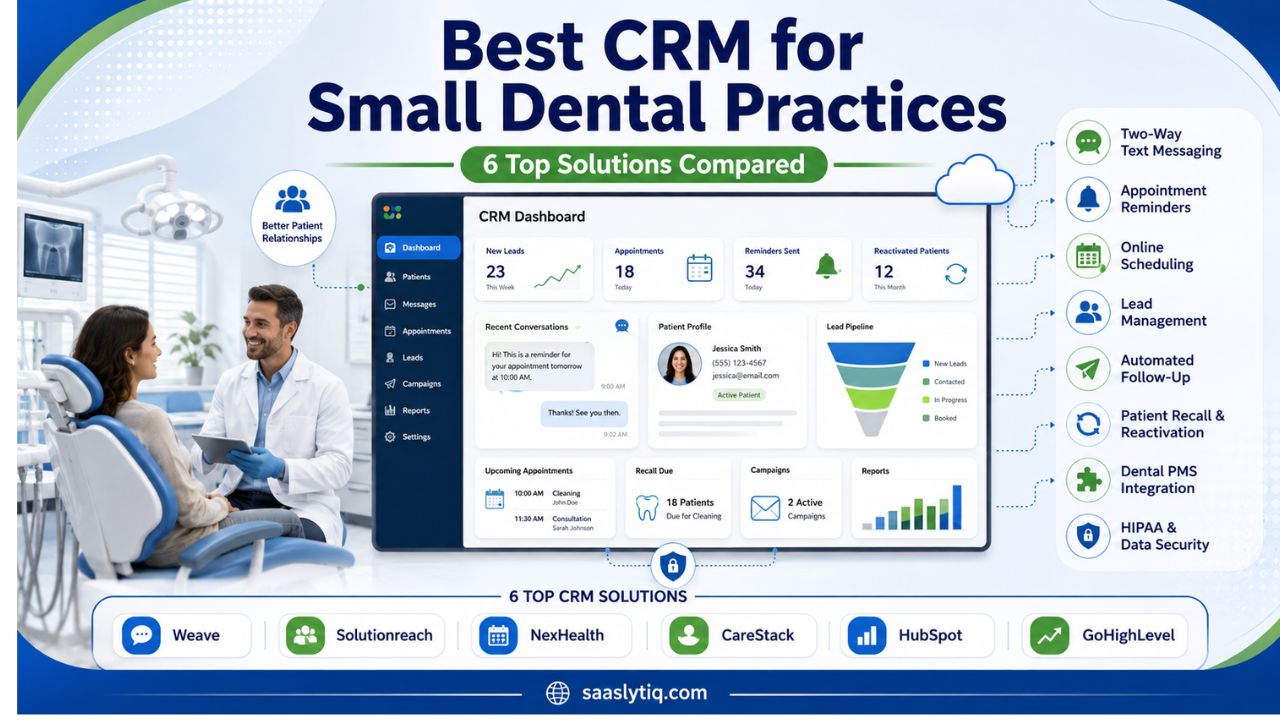
Choosing the best CRM for a small dental practice can help your team manage patients and daily communication more efficiently. A good dental CRM can organize new patient leads, send appointment reminders, manage follow-ups, and help bring inactive patients back. It can also reduce repetitive work for your front-desk staff.
Small dental practices do not always need complex software with dozens of features. They need a system that is easy to use, fits their budget, and works with their existing dental practice management software. Features such as two-way texting, patient recall, lead tracking, online scheduling, and automated follow-ups can make a noticeable difference.
In this guide, we compare some of the best CRM options for small dental practices. We will also explain the key features to look for, how dental CRM software differs from a practice management system, and what to consider before choosing a platform. The goal is to help you find a CRM that fits your practice and makes patient communication easier.
What Is the Best CRM for a Small Dental Practice?
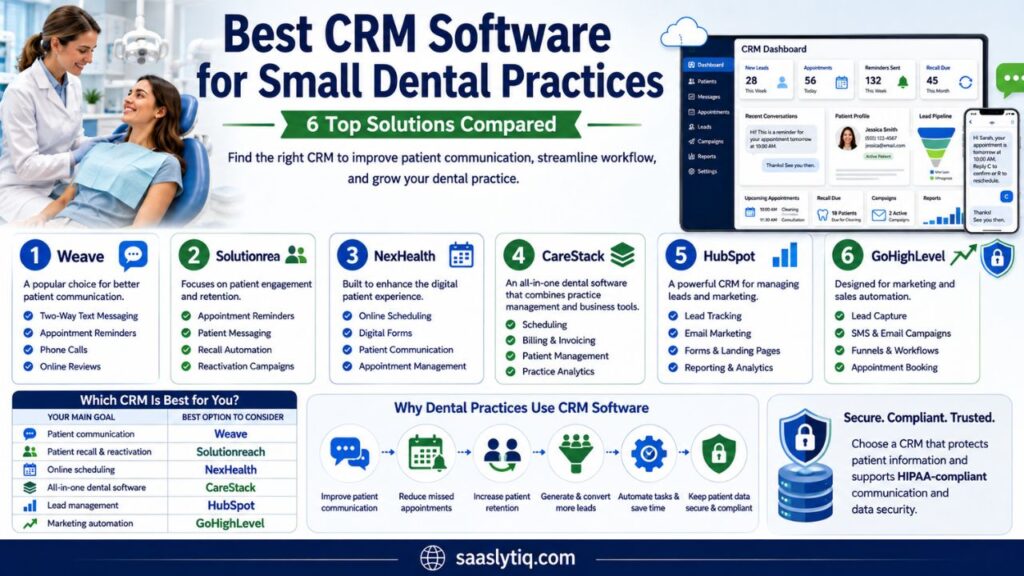
The best CRM for a small dental practice depends on what your office needs most. For many practices, Weave is a strong choice for patient communication, two-way texting, appointment reminders, and front-office workflows. Solutionreach is a good option for patient engagement, recalls, and reactivation. NexHealth is worth considering if online scheduling and a better digital patient experience are your main goals.
If you want a system that combines more dental practice management features with CRM tools, CareStack may be a better fit. Practices that need a general marketing CRM can also consider HubSpot or GoHighLevel. These platforms offer strong lead management and marketing automation, but they may require additional integrations for dental-specific workflows.
Before choosing dental CRM software, look at how well it works with your existing practice management system. A good CRM should make it easier to manage new patient leads, automate follow-ups, reduce missed appointments, improve patient retention, and track communication. The right choice should also fit your budget, team size, workflow, and long-term growth plans.
Best CRM Software for Small Dental Practices
The right dental CRM depends on what your practice needs most. Some platforms focus on patient communication and reminders. Others offer online scheduling, lead management, or marketing automation. Here are some of the strongest options to consider.
1. Weave
Weave is a popular choice for small dental practices that want better patient communication. It combines tools for phone calls, two-way texting, appointment reminders, and online reviews.
Its two-way texting feature can help front-desk teams communicate with patients without making every interaction a phone call. Automated reminders can also help patients confirm or reschedule appointments.
Weave is a good fit for practices that want a simple communication system with dental-focused features.
2. Solutionreach
Solutionreach focuses on patient engagement and retention. It offers tools for appointment reminders, patient messaging, recalls, and reactivation campaigns.
Its recall features can help dental offices contact patients who are due for routine care. Automated outreach can also reduce the amount of manual follow-up handled by your staff.
Solutionreach may be a strong choice if your main goal is improving patient retention and keeping inactive patients connected with your practice.
3. NexHealth
NexHealth focuses on the digital patient experience. It supports features such as online scheduling, digital forms, patient communication, and appointment management.
Online booking can make it easier for new and existing patients to schedule without calling the office. Digital forms can also reduce paperwork and make check-in more convenient.
NexHealth is worth considering if your practice wants to improve online scheduling and create a smoother digital experience for patients.
4. CareStack
CareStack combines dental practice management features with patient and business tools. It can support areas such as scheduling, billing, patient management, and practice operations.
This type of all-in-one platform can be useful if you are looking for more than a traditional CRM. It may also make sense for a growing practice that wants to manage more functions within one system.
Before choosing an all-in-one platform, make sure the features match your practice needs. A larger system may not be necessary if your existing dental PMS already works well.
5. HubSpot
HubSpot is a general CRM with strong tools for lead management, email marketing, forms, automation, and reporting. It can be useful for dental practices that focus heavily on new patient acquisition.
For example, a practice can use CRM software to track a lead from a website form through follow-up and appointment booking. This can help owners understand which marketing channels generate new patients.
HubSpot is not a dental-specific CRM, so you may need additional integrations for dental practice management and patient workflows.
6. GoHighLevel
GoHighLevel is designed for marketing and sales automation. It includes tools for lead capture, SMS, email campaigns, appointment booking, funnels, and follow-ups.
It can be useful for dental practices that want to build automated marketing campaigns and improve lead nurturing. A practice can create workflows for website inquiries, missed leads, appointment follow-ups, and review requests.
Like HubSpot, GoHighLevel is a general CRM rather than a dental practice management system. Check its integrations carefully before using it for dental workflows.
Which CRM Is Best for You?
| Your Main Goal | Best Option to Consider |
| Patient communication | Weave |
| Patient recall and reactivation | Solutionreach |
| Online scheduling | NexHealth |
| All-in-one dental software | CareStack |
| Lead management | HubSpot |
| Marketing automation | GoHighLevel |
Do not choose a CRM based only on the number of features. Check how easily it fits into your current workflow, whether it integrates with your dental PMS, and whether your staff can use it without extensive training.
Key Features to Look for in a Dental CRM
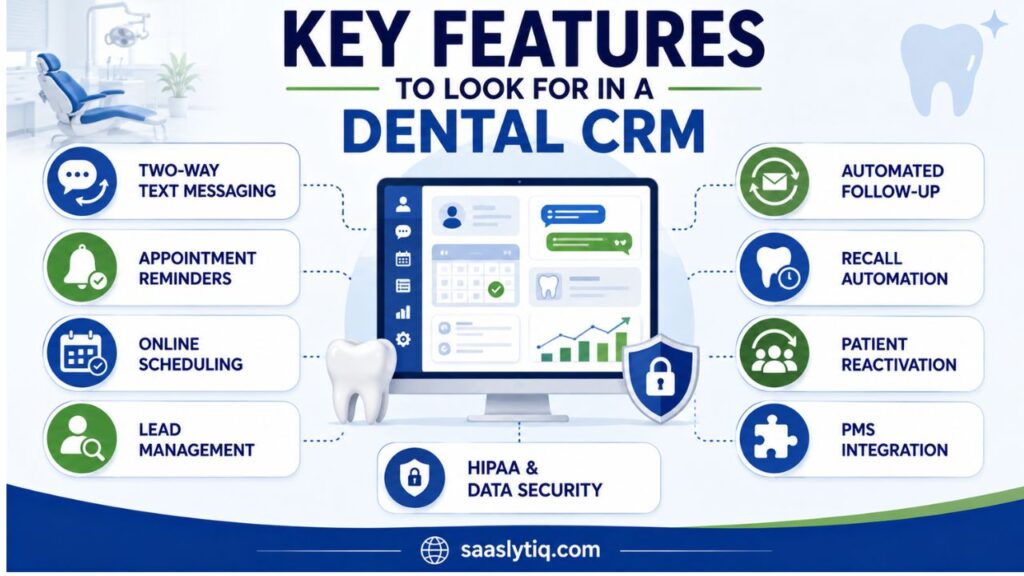
The best dental CRM should make patient communication and follow-up easier. Small practices should focus on features that solve everyday problems instead of paying for tools they may never use.
| CRM Feature | How It Helps a Dental Practice |
|---|---|
| Two-way text messaging | Makes patient communication faster and easier |
| Appointment reminders | Helps reduce missed appointments and cancellations |
| Online scheduling | Lets patients book appointments without calling |
| Lead management | Tracks new patient inquiries and conversions |
| Automated follow-up | Helps staff follow up with leads and patients |
| Recall automation | Reminds patients when they are due for dental care |
| Patient reactivation | Helps bring inactive patients back |
| PMS integration | Connects the CRM with existing dental software |
| HIPAA and data security | Helps protect sensitive patient information |
Two-Way Text Messaging
Two-way SMS lets your team send messages and receive patient replies in one place. Staff can use it for appointment confirmations, reminders, rescheduling, and basic questions. This can reduce phone calls and make communication more convenient for patients.
Appointment Reminders and Scheduling
Automated appointment reminders can help reduce missed appointments. Look for a CRM that supports text and email reminders and allows patients to confirm or request a new appointment.
Online scheduling is also useful. It lets patients book appointments without calling the office during business hours.
Lead Management and Follow-Up
A CRM should help you track new patient leads from the first inquiry to the scheduled appointment. Lead tracking can show whether your team contacted a potential patient and whether the person booked a visit.
Automated follow-ups are useful when a patient does not respond immediately. They can help prevent potential new patients from falling through the cracks.
Recall and Patient Reactivation
Dental practices depend on regular visits and preventive care. Recall automation can remind patients when they are due for a cleaning or examination.
Reactivation campaigns can help you contact patients who have not visited for a long time. These tools can save staff time and support patient retention.
Dental PMS Integration
Integration with your dental practice management software is another important feature. Your CRM should work smoothly with the system you already use for patient records, scheduling, and other practice operations.
Before buying, check exactly what information the CRM can sync. Good integration can reduce duplicate data entry and make your team’s workflow more efficient.
HIPAA and Data Security
Dental practices handle protected health information, so security should be a priority. Ask vendors about data protection, user access, encryption, backups, and Business Associate Agreements when applicable.
Do not choose a CRM based only on a general HIPAA claim. Review the provider’s security information and make sure the platform fits your practice’s privacy and compliance requirements.
Dental CRM vs. Dental Practice Management Software
A dental CRM and a dental practice management system serve different purposes. A practice management system, or PMS, helps run the main operations of your dental office. A CRM focuses more on patient communication, lead management, follow-ups, and practice growth.
| Dental CRM | Dental PMS |
| Manages patient communication | Manages patient records |
| Tracks new patient leads | Manages dental charts |
| Automates follow-ups | Handles appointments |
| Supports recall and reactivation | Handles billing and claims |
| Helps with marketing | Stores clinical information |
| Tracks lead sources | Manages treatment records |
| Supports review requests | Supports insurance workflows |
A PMS such as Dentrix or Open Dental may already handle scheduling, patient records, billing, and clinical workflows. If your current system works well, you may only need a CRM to improve communication and marketing.
For example, a CRM can capture a new patient inquiry, send a follow-up message, track the lead, and help your staff turn that inquiry into an appointment. It can also automate recall reminders and reactivation campaigns.
You can use both systems together when they offer a reliable integration. Before choosing a dental CRM, check whether it works with your existing PMS and what information the integration can sync.
For most small dental practices, the best approach is to choose the simplest setup that solves the main problem. If your PMS already handles practice operations, a focused CRM may be enough to improve patient engagement and follow-up.
How Much Does Dental CRM Software Cost?
Dental CRM pricing varies by provider, number of users, features, and practice size. Some companies offer standard plans, while others provide custom pricing based on your needs. Extra costs may also apply for texting, phone services, integrations, setup, or premium features.
Instead of choosing the cheapest CRM, compare the total cost and the value it can provide.
| Cost Factor | What to Check |
| Monthly subscription | Base CRM cost |
| Users | Extra fees for additional staff |
| Text messaging | Included messages and usage limits |
| Phone features | Calling and communication charges |
| PMS integration | Included or paid separately |
| Setup and training | One-time onboarding costs |
| Premium features | Automation and advanced reporting |
| Contract | Monthly or annual commitment |
A low-cost CRM may not be the best value if it lacks dental-specific features or requires several additional tools. On the other hand, a more expensive platform may be unnecessary for a small office that only needs texting, appointment reminders, and basic follow-up.
Before signing up, ask the vendor for a complete price breakdown. Confirm what is included in your plan and whether the price changes as your practice adds users or locations.
You should also ask about cancellation terms and data export. Knowing how you can move your patient and lead data if you change providers can prevent problems later.
For a small dental practice, the right CRM should provide useful features without creating unnecessary costs. Focus on the tools your team will use every day and choose a platform that can grow with your practice.
How to Choose the Best CRM for Your Small Dental Practice
Choosing dental CRM software should start with your practice needs. Do not select a platform only because it has more features. A simple CRM that your team uses every day can provide more value than a complex system that creates extra work.
Consider these factors before making your decision.
Check Your Current Dental PMS
First, look at what your existing practice management software already does. If it handles scheduling, patient records, billing, and reminders well, you may only need a CRM for communication, lead management, and marketing.
Make sure the CRM integrates with your current PMS. This can reduce duplicate data entry and make patient information easier to manage.
Focus on Your Main Problem
Identify the biggest issue you want the CRM to solve. If your office misses calls, prioritize communication tools. If patients often miss appointments, look for strong reminder features. If you need more new patients, focus on lead tracking and automated follow-ups.
Your main goal should guide your software choice.
Consider Ease of Use
Your front-desk team will likely use the CRM every day. The system should be simple to learn and easy to navigate.
Ask for a live demo before buying. Have the vendor show you how to add a lead, send a text, create a follow-up, and manage an appointment. This gives you a better idea of how the software will fit your daily workflow.
Compare Pricing and Support
Look at the total cost, including users, texting, integrations, setup, and premium features. Also check customer support and onboarding.
A good CRM should fit your budget without forcing you to pay for features your practice does not need.
Check Security and Compliance
Because dental offices handle sensitive patient information, ask about data security and HIPAA-related requirements. Review the vendor’s security practices and ask whether a Business Associate Agreement is available when required.
Taking these steps before signing a contract can help you choose a CRM that is secure, practical, and suitable for long-term practice growth.
Frequently Asked Questions About Dental CRM Software
What is the best CRM for a small dental practice?
The best CRM depends on your practice goals. Weave is a strong option for patient communication, Solutionreach focuses on patient engagement and recalls, and NexHealth is useful for online scheduling. HubSpot and GoHighLevel may suit practices that need stronger lead management and marketing automation.
Do small dental practices need a CRM?
A CRM can help small dental practices manage patient communication, new patient leads, recalls, follow-ups, and reactivation. It can also automate repetitive tasks and help front-office staff save time.
What is the difference between a dental CRM and a PMS?
A dental PMS manages core office operations such as patient records, scheduling, billing, charting, and insurance claims. A CRM focuses more on communication, lead management, marketing, recalls, and patient follow-up.
Can a dental CRM reduce missed appointments?
Yes. Many dental CRM platforms offer automated appointment reminders through text or email. Some also allow patients to confirm or reschedule appointments, which can make appointment management easier.
Is dental CRM software HIPAA compliant?
Some CRM providers offer features designed to support HIPAA requirements, but practices should verify the vendor’s security practices. Ask about protected health information, data security, access controls, and a Business Associate Agreement when applicable.
How much does a dental CRM cost?
Pricing depends on the provider, number of users, features, and communication volume. You may also pay extra for texting, phone services, integrations, setup, or premium features. Always compare the total cost before choosing a platform.
Conclusion
The best CRM for a small dental practice should make patient communication and daily follow-up easier. The right platform can help your team manage leads, send appointment reminders, improve patient recall, reactivate inactive patients, and reduce repetitive work.
Weave, Solutionreach, NexHealth, CareStack, HubSpot, and GoHighLevel all serve different needs. Before choosing one, compare its features, pricing, dental PMS integration, ease of use, and security requirements.
Start by identifying the biggest problem in your practice. Then choose a CRM that solves that problem without adding unnecessary complexity or cost. A simple system that your team uses consistently can provide more value than an expensive platform with features you do not need.