
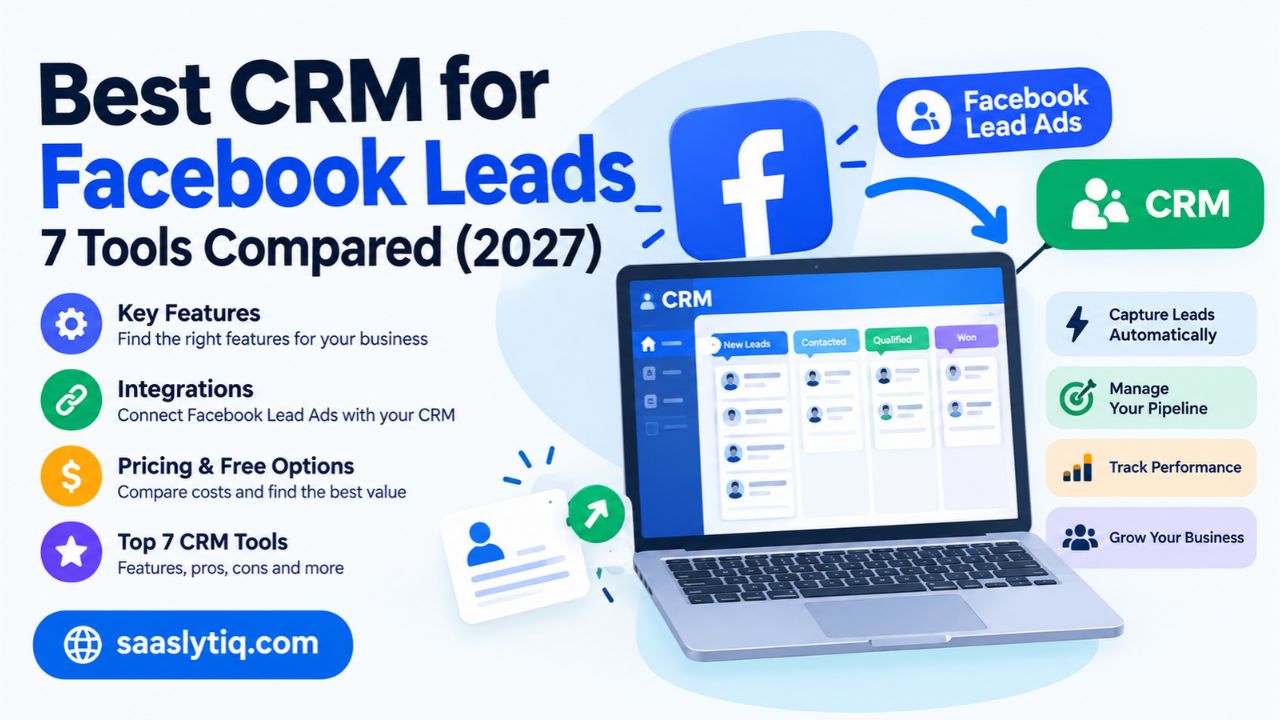
Facebook Lead Ads help businesses collect contact details from people interested in their products or services. But collecting a lead is only the first step. Businesses also need a reliable way to organize contacts, track conversations, and follow up with potential customers. Without a clear process, sales teams may overlook inquiries, lose important details, or struggle to turn new leads into paying customers.
The best CRM for Facebook leads helps businesses manage this process in one place. It can collect lead information, organize contacts, assign leads to team members, and automate follow-up tasks. Some CRM platforms offer direct Facebook Lead Ads integrations, while others require a third-party connector. The right choice depends on your budget, team size, sales process, and the features you need.
In this guide, we compare seven CRM platforms for managing Facebook leads, including HubSpot, Zoho CRM, Salesforce, Pipedrive, Freshsales, GoHighLevel, and Follow Up Boss. We explain their key features, integration options, pricing considerations, advantages, and limitations. By the end, you will have a clearer idea of which CRM fits your business and how to choose a solution that helps you manage leads more effectively.
Why Do Businesses Need a CRM for Facebook Leads?
Businesses often receive multiple inquiries through Facebook Lead Ads, business pages, and marketing campaigns. Managing these leads manually can become difficult as the number of inquiries grows. A customer relationship management (CRM) system helps businesses keep contact information organized, track sales opportunities, and manage follow-up activities from one place.
Centralize Lead Information
A CRM stores Facebook lead details in a central database. Businesses can organize names, email addresses, phone numbers, lead sources, and communication history. This makes it easier for sales representatives to find contact information and understand each prospect’s needs without searching through spreadsheets or separate applications.
Improve Lead Follow-Up
Timely follow-up helps businesses maintain communication with potential customers. Many CRM platforms allow teams to create reminders, schedule tasks, and send automated emails when a new lead enters the system. These features help sales representatives manage inquiries consistently and reduce the risk of overlooking potential customers.
Automate Lead Assignment and Management
Businesses with multiple sales representatives need a clear process for distributing incoming leads. CRM workflow automation can assign contacts to team members based on predefined rules, such as location, product interest, or team responsibility. This helps teams manage inquiries efficiently and maintain a more organized sales process.
Track Sales Performance
CRM reporting tools help businesses monitor lead sources, sales pipeline activity, conversion rates, and customer acquisition results. By reviewing this information, businesses can identify which Facebook campaigns generate valuable prospects and where leads drop out of the sales process. These insights support better decisions about marketing budgets and sales strategies.
Maintain Consistent Customer Communication
A CRM keeps records of calls, emails, notes, and other customer interactions, depending on the platform and connected services. Sales representatives can review previous conversations before contacting a prospect again. This context helps businesses provide more relevant responses, maintain consistent communication, and build stronger relationships with potential customers.
Best CRM for Facebook Leads: Quick Comparison
Choosing the right CRM for Facebook leads depends on your business size, budget, sales process, and integration requirements. Some platforms focus on marketing automation and contact management, while others offer advanced sales pipelines, lead routing, and reporting. The following table summarizes seven CRM options and the types of businesses they may suit.
| CRM Software | Best For | Key Features | Pricing Considerations |
| HubSpot | Businesses combining marketing and sales | Contact management, automation, reporting | Free tools and paid plans |
| Zoho CRM | Small businesses | Lead management, workflows, sales tracking | Free and paid plans, depending on eligibility |
| Salesforce | Larger sales teams | Customization, advanced reporting, automation | Edition, user count, and implementation costs |
| Pipedrive | Sales-focused teams | Visual sales pipeline, deal tracking, task reminders | Paid subscriptions and possible add-ons |
| Freshsales | Businesses managing active sales pipelines | Lead scoring, contact management, sales automation | Available plans and included features |
| GoHighLevel | Marketing agencies | Lead capture, campaign workflows, client management | Agency subscription costs |
| Follow Up Boss | Real estate professionals | Lead routing, agent follow-up, contact management | Subscription and team requirements |
These platforms differ in how they connect with Facebook Lead Ads. Some workflows may use a direct integration, while others require a third-party connector such as Zapier or another supported service. Available features can also depend on the CRM subscription and account configuration.
Before selecting a platform, check whether it supports your Facebook Page and lead forms, automatically synchronizes new contacts, and includes the automation features your team needs. Compare the total cost, setup requirements, and reporting capabilities rather than choosing a CRM based on its starting price alone.
1. HubSpot — Best for Marketing and Sales in One Platform
HubSpot is a customer relationship management platform that helps businesses organize contacts, manage sales pipelines, and coordinate marketing activities. It can be a suitable option for businesses that generate leads through Facebook Lead Ads and want to manage those prospects alongside their other marketing and sales activities.
Key Features
HubSpot provides contact management, deal tracking, sales activity records, reporting, and workflow automation through eligible tools and subscription plans. Businesses can use these features to organize Facebook leads, assign follow-up tasks, and track prospects as they move through the sales pipeline.
HubSpot also offers marketing tools that help businesses manage customer communication and evaluate campaign performance. Depending on the available integration and plan, teams may be able to synchronize Facebook Lead Ads contacts with HubSpot and connect lead information to their sales processes.
Facebook Lead Ads Integration
Businesses should check HubSpot’s current Facebook and Instagram lead integration options before setting up an account. The available connection may depend on the selected HubSpot tools, permissions, and subscription. During setup, users should verify that the correct Facebook Page and lead form are connected and that contact fields map correctly.
After connecting the integration, submitting a test lead can help confirm that contact details reach HubSpot as expected. Businesses should also review lead assignment rules and notifications to ensure their sales team can respond to new inquiries.
Pricing
HubSpot offers free CRM tools and paid subscriptions with additional capabilities. The overall cost depends on the products selected, the number of users, and the features required. Businesses should review the current pricing page to confirm which automation, reporting, and integration features are included in their chosen plan.
Pros and Cons
Pros
- Provides centralized contact and deal management.
- Offers marketing and sales tools within one platform.
- Helps teams track customer interactions and follow-up tasks.
- Supports business growth with additional paid capabilities.
Cons
- Advanced automation may require a paid subscription.
- Some features may have usage or plan restrictions.
- Businesses with complex requirements may need time to configure their workflows.
Who Should Choose HubSpot?
HubSpot may suit small and midsize businesses that want to manage Facebook leads alongside email marketing, sales activities, and customer relationships. It can also help teams that need a central view of their contacts and sales opportunities.
However, businesses should compare the features available in each plan and confirm the integration requirements before committing. Companies that need highly customized sales processes or advanced reporting should evaluate whether HubSpot’s total cost and capabilities match their long-term needs.
2. Zoho CRM — Best for Budget-Conscious Small Businesses
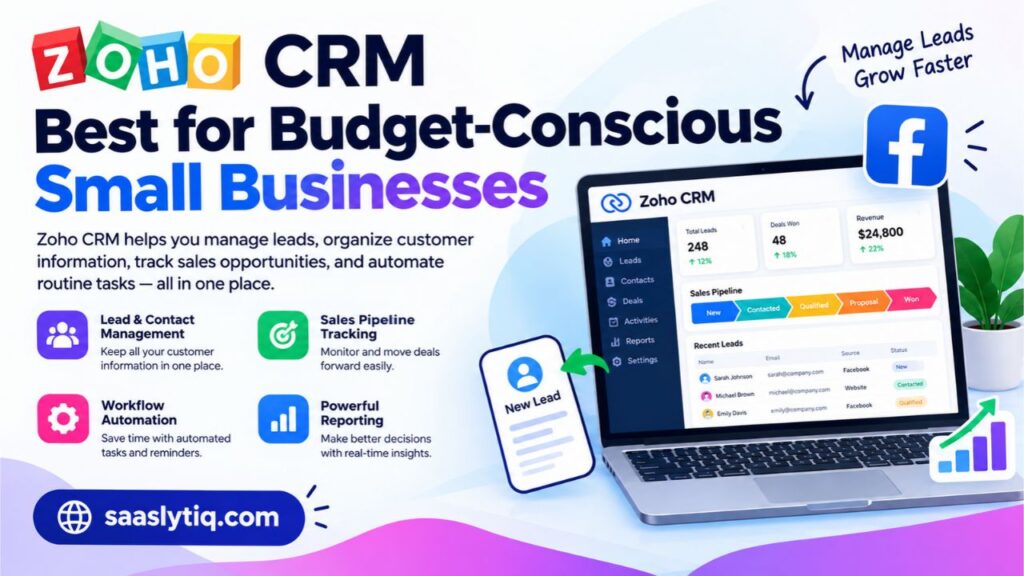
Zoho CRM helps businesses manage leads, organize customer information, track sales opportunities, and automate routine tasks. It can be a useful option for small businesses that collect prospects through Facebook Lead Ads and want to manage those contacts in a structured sales pipeline. Its range of CRM features allows teams to manage customer interactions without relying entirely on spreadsheets or manual records.
Key Features
Zoho CRM includes lead and contact management, deal tracking, sales activities, workflow automation, and reporting. Businesses can store prospect details, record conversations, assign leads to sales representatives, and monitor progress toward a sale.
Workflow rules can help teams automate selected activities, such as creating tasks or updating records when specified conditions are met. The available automation features depend on the subscription plan. Zoho CRM also supports integrations with other business applications, which can help companies connect their sales processes with their existing software.
Facebook Lead Ads Integration
Businesses can investigate Zoho CRM’s Facebook Lead Ads integration options to transfer prospect information from Facebook forms into their CRM. Depending on the current setup and available integration, teams may be able to map form fields to CRM records, capture new contacts, and organize incoming leads for follow-up.
Before using the integration, check the required account permissions, supported Facebook Pages, subscription requirements, and available synchronization settings. Test the connection with a sample lead to confirm that names, email addresses, phone numbers, and custom fields reach the correct CRM fields.
Pricing
Zoho CRM offers different subscription options, with features and limits varying by plan. Businesses should compare the current free-plan eligibility, user limits, automation tools, storage, and integration capabilities before choosing a subscription. The lowest-priced plan may not include every feature required for managing Facebook leads automatically.
Pros and Cons
Pros
- Provides lead, contact, and sales pipeline management in one platform.
- Includes workflow automation and reporting features.
- Offers integration options for connecting business applications.
- Provides multiple subscription levels for different business requirements.
Cons
- Advanced automation and customization may require a higher-tier plan.
- Setting up integrations and workflows can take time.
- Some features may require additional configuration or third-party services.
Who Should Choose Zoho CRM?
Zoho CRM may suit small businesses and growing sales teams that want organized lead management, customizable workflows, and a range of CRM features at different price points. It can be particularly useful for businesses that need to manage Facebook leads alongside contacts from other marketing channels.
Before making a decision, confirm that the integration method supports your Facebook lead forms and that the required functionality fits your budget. Comparing the available plans and setup requirements will help you determine whether Zoho CRM is the right choice for your business.
3. Salesforce — Best for Larger Sales Teams
Salesforce is a customer relationship management platform designed to help businesses manage leads, customer relationships, sales pipelines, and reporting. It offers extensive customization options, making it a potential choice for organizations that handle large numbers of Facebook leads or manage complex sales processes across multiple teams.
Key Features
Salesforce provides lead and contact management, opportunity tracking, workflow automation, customizable reports, and dashboards. Businesses can use these features to organize incoming prospects, assign leads to sales representatives, track customer interactions, and monitor progress throughout the sales cycle.
Its customization capabilities allow organizations to create workflows based on their sales processes. For example, a company can organize leads by location, product interest, or sales team and establish rules for assigning and managing those prospects. Available automation and reporting features depend on the Salesforce products and subscription selected.
Facebook Lead Ads Integration
Businesses can connect Facebook Lead Ads with Salesforce using a supported integration, connector, or custom development approach. The appropriate method depends on the company’s existing Salesforce setup, technical requirements, and available third-party services.
Before implementing the connection, businesses should determine how Facebook form fields will map to Salesforce lead records. They should also configure lead ownership, duplicate handling, and follow-up processes where supported. Testing the integration with sample submissions helps confirm that lead information transfers correctly and reaches the appropriate sales team.
Companies with complex requirements may need technical assistance to configure the integration, especially when they use custom fields, multiple sales pipelines, or specialized reporting systems.
Pricing
Salesforce offers different products and subscription editions with varying features and capabilities. The total cost depends on the selected edition, number of users, additional services, and implementation requirements. Businesses should review the current pricing details and confirm which integration and automation capabilities are included before purchasing a plan.
Pros and Cons
Pros
- Offers extensive customization for complex sales processes.
- Provides detailed sales reporting and dashboards.
- Supports lead assignment and workflow automation.
- Can accommodate the needs of growing sales organizations.
Cons
- Setup and customization can require technical expertise.
- Costs may increase as businesses add users and capabilities.
- Smaller teams may find the platform more complex than necessary.
Who Should Choose Salesforce?
Salesforce may suit midsize and large businesses that need advanced customization, detailed reporting, and structured lead management across multiple departments. It can be useful when Facebook leads form part of a broader sales process involving several teams, campaigns, and customer touchpoints.
Small businesses with straightforward requirements should compare Salesforce with simpler CRM platforms before making a decision. The right choice depends on the complexity of the sales process, available budget, integration requirements, and resources needed to maintain the system.
4. Pipedrive — Best for Visual Sales Pipeline Management
Pipedrive is a sales-focused CRM that helps businesses organize leads, track deals, and manage follow-up activities through a visual sales pipeline. It can be useful for companies that generate inquiries through Facebook Lead Ads and want a clear process for moving prospects from initial contact to a completed sale.
Key Features
Pipedrive allows users to organize contacts, manage deals, schedule activities, and monitor sales progress. Its visual pipeline helps sales representatives see which stage each prospect has reached and identify opportunities that need attention.
Businesses can create follow-up activities, record customer interactions, and use available automation features to reduce repetitive administrative work. Reporting tools can also help teams review pipeline performance and understand how effectively they convert leads into customers.
These features are particularly useful when a business receives Facebook inquiries regularly and needs a consistent way to manage each prospect.
Facebook Lead Ads Integration
Businesses can investigate available options for connecting Facebook Lead Ads with Pipedrive. Depending on current product support and account requirements, the connection may use a supported integration, a third-party automation service, or another compatible method.
Once connected, the workflow may transfer lead details into Pipedrive so the sales team can organize contacts and create deals. Businesses should confirm which fields synchronize, whether the connection requires an additional subscription, and whether updates transfer automatically.
Testing the setup with a sample lead is important. Check that contact details appear correctly, deals are assigned to the right pipeline, and the appropriate team members receive notifications or follow-up tasks.
Pricing
Pipedrive offers paid subscription plans with different features and usage limits. The total cost depends on the selected plan, number of users, and any additional tools or integrations required. Before purchasing, review the current pricing information and check whether the features needed for Facebook lead management are included.
Pros and Cons
Pros
- Provides a clear visual sales pipeline.
- Helps teams organize deals and follow-up activities.
- Offers reporting and sales automation capabilities.
- Makes it easier to monitor the progress of individual leads.
Cons
- Some advanced features may require higher-tier plans.
- Facebook lead capture may require an additional integration.
- Additional services can increase the overall cost.
Who Should Choose Pipedrive?
Pipedrive may suit small and midsize sales teams that want to track Facebook leads through a structured sales pipeline. It is particularly relevant for businesses that prioritize deal management, sales activities, and clear visibility into their opportunities.
However, businesses that need extensive built-in marketing automation should compare Pipedrive with platforms that combine marketing and sales features. Before choosing it, confirm the available Facebook integration options and calculate the total cost of the CRM and any required connectors.
5. Freshsales — Best for Sales Automation and Lead Management
Freshsales is a customer relationship management platform from Freshworks that helps businesses organize leads, manage contacts, track deals, and coordinate sales activities. It can be a suitable option for businesses that receive inquiries through Facebook Lead Ads and want to manage prospects within a structured sales process.
Key Features
Freshsales offers contact management, deal tracking, sales activity management, and reporting. Depending on the selected plan, businesses can also access features such as workflow automation, lead scoring, and tools for managing customer communication.
Lead scoring helps sales teams prioritize prospects based on available information and predefined criteria. Deal management allows representatives to track opportunities through different sales stages, while activity tracking helps them organize calls, meetings, and follow-up tasks.
These features can help businesses manage incoming leads more consistently and identify which prospects need attention.
Facebook Lead Ads Integration
To use Freshsales with Facebook Lead Ads, businesses should check the current integration options available through Freshworks and compatible third-party services. The connection method may depend on the account configuration, subscription, and required workflow.
A properly configured integration can transfer lead details into the CRM, where sales representatives can review contact information and manage follow-up activities. Before activating the workflow, check the supported Facebook Pages, required permissions, field mapping, and synchronization rules.
Businesses should also submit a test lead to confirm that contact details appear correctly and that any configured assignment rules or notifications work as expected.
Pricing
Freshsales offers different subscription options, with features and usage limits varying by plan. Businesses should review current pricing to determine which plan includes the required automation, reporting, integrations, and user access. They should also consider the cost of any external connector needed to transfer Facebook leads into the CRM.
Pros and Cons
Pros
- Combines contact management with sales pipeline tracking.
- Offers tools for organizing sales activities and follow-ups.
- Provides lead scoring and automation options on eligible plans.
- Helps teams monitor sales opportunities and performance.
Cons
- Some advanced features may require a paid subscription.
- Facebook lead integration may require additional setup.
- Teams may need time to configure workflows and lead scoring rules.
Who Should Choose Freshsales?
Freshsales may suit small and midsize businesses that need a sales-focused CRM with contact management, lead prioritization, and workflow automation. It can be useful for teams that want to manage Facebook inquiries alongside leads from email, websites, and other channels.
Before choosing Freshsales, confirm how it connects to Facebook Lead Ads and which features your subscription includes. Comparing its integration requirements, automation capabilities, and total cost with other CRM platforms will help you determine whether it fits your sales process.
6. GoHighLevel — Best for Marketing Agencies
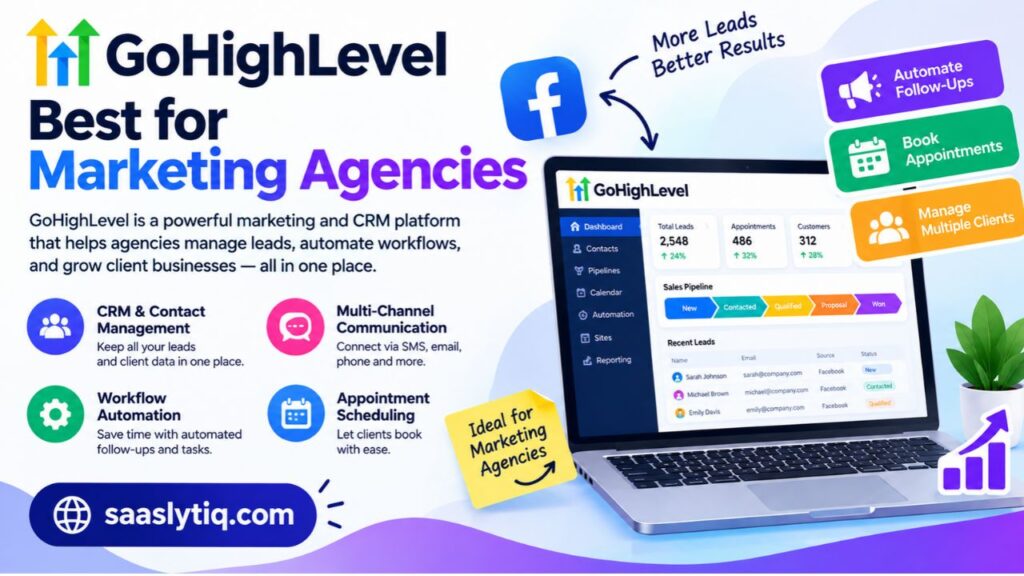
GoHighLevel is a marketing and customer relationship management platform designed to help agencies and businesses manage leads, sales pipelines, and customer communication. It can be useful for marketing agencies that generate leads through Facebook advertising and need a centralized system to organize inquiries for their own business or their clients.
Key Features
GoHighLevel provides contact management, sales pipelines, workflow automation, appointment scheduling, and marketing communication tools. These features help businesses organize prospects and create follow-up processes based on their sales goals.
Agencies can use its account and location management capabilities to organize workflows for different clients, depending on their subscription and configuration. For example, an agency running Facebook Lead Ads for several local businesses can create separate lead management processes, assign incoming inquiries, and track follow-up activities.
Automation features can also support tasks such as sending notifications, creating contact records, and initiating permitted follow-up communications. Businesses should configure these workflows carefully to avoid duplicate messages or unnecessary contact with prospects.
Facebook Lead Ads Integration
Businesses can investigate GoHighLevel’s available Facebook and Instagram lead integration options to transfer information from supported lead forms into the platform. The exact setup depends on account permissions, connected Facebook Pages, and the integration features currently available.
After connecting the relevant accounts, agencies should verify that each lead reaches the correct client account or location. They should also check field mapping, lead assignment, notifications, and automation triggers. Testing with sample submissions helps confirm that the workflow operates as expected.
Agencies managing multiple clients should establish clear account permissions and lead ownership rules to keep contact data organized.
Pricing
GoHighLevel offers subscription plans aimed at businesses and marketing agencies. Pricing and available capabilities can vary by plan, account structure, and additional services. Agencies should check the current pricing page and calculate the cost based on the number of client accounts, users, and features they require.
Pros and Cons
Pros
- Combines CRM features with marketing and communication tools.
- Supports automated workflows and appointment scheduling.
- Provides account management capabilities for agency workflows.
- Helps agencies organize leads for multiple clients.
Cons
- The platform may take time to configure properly.
- Businesses with simple requirements may not need all its features.
- Subscription costs and account requirements should be evaluated carefully.
- Advanced workflows may require testing and ongoing maintenance.
Who Should Choose GoHighLevel?
GoHighLevel may suit marketing agencies, lead generation businesses, and service providers that manage Facebook leads for multiple clients. Its combination of CRM and marketing tools can help agencies organize lead capture, follow-up, and appointment management within a connected workflow.
Small businesses that only need basic contact storage may prefer a simpler CRM. Before choosing GoHighLevel, assess its account structure, integration options, automation capabilities, and total subscription cost to determine whether it fits your business model.
7. Follow Up Boss — Best for Real Estate Professionals
Follow Up Boss is a customer relationship management platform designed primarily for real estate teams. It helps agents organize inquiries, manage contacts, track communication, and coordinate follow-up activities with potential buyers and sellers. For real estate businesses that generate prospects through Facebook Lead Ads, a specialized CRM can help keep property inquiries organized and ensure agents know which leads need attention.
Key Features
Follow Up Boss provides contact management, lead routing, communication tracking, and tools for managing follow-up activities. Real estate teams can use these features to organize prospects, assign inquiries to agents, and maintain records of conversations.
Lead routing helps distribute incoming inquiries to the appropriate agent based on the team’s configured rules. Agents can review contact information, track their interactions with prospects, and manage follow-up tasks through the platform’s supported tools.
These capabilities can be useful for real estate businesses that receive inquiries about property listings, home valuations, open houses, or other services through online advertising.
Facebook Lead Ads Integration
Real estate teams should check Follow Up Boss’s current integration options for Facebook Lead Ads and other supported lead sources. Depending on the available connection, Facebook form submissions may be transferred into the CRM so agents can manage new inquiries in one place.
During setup, businesses should verify the connected Facebook Page, lead form permissions, contact field mapping, and lead assignment rules. They should also test the integration to confirm that new inquiries reach the correct team members and that notifications work as expected.
Teams that advertise multiple properties or operate in several locations should establish clear lead routing rules to avoid missed inquiries and duplicate follow-ups.
Pricing
Follow Up Boss offers paid plans designed for real estate professionals and teams. Costs can depend on the subscription, number of users, and available features. Businesses should review current pricing and confirm which integration and lead management capabilities are included before selecting a plan.
Pros and Cons
Pros
- Focuses on real estate lead management.
- Helps teams organize contacts and communication history.
- Supports lead distribution and follow-up workflows.
- Can help agents manage inquiries from multiple marketing channels.
Cons
- Its specialized features may not suit businesses outside real estate.
- Paid subscription costs may be higher than those of basic CRMs.
- Integration availability and functionality should be verified before setup.
Who Should Choose Follow Up Boss?
Follow Up Boss may suit real estate agents, brokerages, and teams that generate leads through Facebook advertising and other online sources. Its specialized workflows can help teams organize inquiries and coordinate communication with potential buyers and sellers.
Businesses outside the real estate industry may find a general-purpose CRM more suitable. Before subscribing, real estate teams should confirm that the platform supports their lead sources, team structure, follow-up requirements, and budget.
What Features Should You Look for in a CRM for Facebook Leads?
Choosing a CRM for Facebook leads requires more than comparing prices or the number of features. Businesses should look for software that captures lead information reliably, helps sales teams respond promptly, and tracks prospects throughout the sales process. The right features depend on the number of leads you receive, your team’s workflow, and the way you communicate with potential customers.
Automatic Lead Capture and Synchronization
A CRM should make it easy to transfer contact information from Facebook Lead Ads into your lead management system. Automatic synchronization can reduce manual data entry and help teams organize new inquiries more efficiently. Before choosing a platform, check whether it supports your Facebook Pages and lead forms, which fields it can transfer, and whether the integration requires an additional service.
Lead Assignment and Workflow Automation
Lead assignment features help businesses distribute inquiries among sales representatives. Some CRMs support rules based on location, product interest, team responsibility, or other criteria. Workflow automation can also create tasks, update records, and send internal notifications when a new lead arrives. These features are especially useful for teams that handle many inquiries each day.
Contact Management and Sales Pipeline Tracking
A good CRM keeps contact details, communication history, notes, and sales opportunities organized. Sales pipeline tools show the progress of each prospect, from the first inquiry to a completed sale. This visibility helps teams identify leads that need follow-up and understand where prospects may be dropping out of the sales process.
Reporting and Campaign Performance
CRM reporting tools help businesses evaluate lead quality, sales activity, and conversion rates. When the CRM records the source of each lead, teams can compare the outcomes of different Facebook campaigns. More advanced reporting may connect advertising costs with sales results, although accurate return-on-investment calculations require reliable cost and revenue data.
Integration Flexibility
Not every CRM connects to Facebook Lead Ads in the same way. Some platforms offer supported direct integrations, while others rely on third-party connectors such as Zapier or Make. Businesses with specialized requirements may need API-based integrations. Check compatibility, subscription restrictions, data synchronization frequency, and additional costs before committing to a solution.
Data Security and Access Controls
Businesses should consider how a CRM protects customer information and controls access to contact records. Useful capabilities may include user permissions, authentication controls, activity logs, and secure data handling. Teams should also follow applicable privacy requirements and explain how they use customer information when collecting leads through Facebook forms.
Ultimately, the best CRM for Facebook leads is one that fits your actual sales process. Prioritize reliable lead synchronization, practical automation, clear reporting, and manageable costs rather than paying for features your business will not use.
How to Connect Facebook Lead Ads to a CRM
Connecting Facebook Lead Ads to a CRM helps businesses transfer prospect information into a central system for lead management and follow-up. Instead of manually copying names, email addresses, and phone numbers from Facebook, businesses can use a supported integration to organize incoming inquiries more efficiently. The exact setup depends on the CRM, Facebook account permissions, and integration method.
Step 1: Choose a Compatible CRM
Start by selecting a CRM that supports your lead generation process. Platforms such as HubSpot, Zoho CRM, and Salesforce offer different integration options, depending on their current products and subscription requirements. Check whether the CRM supports your Facebook Page, Instant Forms, and required lead fields before proceeding.
Step 2: Connect Your Facebook Account
Open the CRM’s integration settings or follow its official Facebook Lead Ads setup instructions. Sign in to the appropriate Facebook account and grant the permissions required to access the relevant Page and lead forms. Only authorize the access necessary for your business workflow, and confirm that you have the appropriate Page permissions.
Step 3: Select the Lead Form and Map Fields
Choose the Facebook Page and lead form you want to connect. Then map the form fields to the corresponding CRM fields. For example, match the name field to the contact name, the email field to the email address, and the phone field to the phone number. Review any custom questions to make sure their responses are stored correctly.
Step 4: Configure Lead Assignment and Follow-Up
Set up the rules your team needs to manage new inquiries. Depending on the CRM, you may be able to assign leads to specific representatives, create follow-up tasks, or send internal notifications when a new contact arrives. You can also configure permitted automated communications where the platform supports them.
Step 5: Test the Integration
Submit a test lead using the available testing method and check whether the information reaches the CRM correctly. Confirm that the contact details, lead source, and custom fields appear as expected. If your workflow includes notifications or lead assignment, verify those functions too. Resolve any field-mapping or permission issues before relying on the integration for live campaigns.
Common Ways to Connect Facebook Leads to a CRM
Businesses can choose different integration methods depending on their technical needs and budget.
| Integration Method | Best For | Main Consideration |
| Direct CRM integration | Businesses with supported native connections | Available features may depend on the CRM plan |
| Zapier | Connecting apps through no-code workflows | Task limits and subscription costs may apply |
| Make | Building customizable visual automation workflows | More complex workflows may require configuration |
| API or webhook | Businesses with specialized requirements | May require development and ongoing maintenance |
Once the connection works correctly, monitor lead synchronization regularly. Review failed transfers, duplicate contacts, and notification settings to make sure new Facebook inquiries continue to reach the right people. A reliable integration helps businesses maintain organized records and manage leads throughout the sales process.
Best Free CRM for Facebook Leads
A free CRM can help small businesses organize Facebook leads without adding another monthly expense. It provides a central place to store contact details, track potential customers, and manage sales activities. However, free plans often have limits on automation, integrations, users, storage, or reporting.
The best free CRM depends on how many leads your business receives and how you plan to follow up with them. Before choosing a platform, check whether it can connect to Facebook Lead Ads directly or requires an external integration tool.
When a Free CRM Is Enough
A free CRM may be suitable for freelancers, startups, and small businesses that receive a manageable number of Facebook leads. It can help you maintain contact records, track conversations, and organize prospects by their sales stage.
HubSpot CRM is worth considering if you want to start with basic contact management and sales tools. Zoho CRM may also be an option, depending on your team size and current plan eligibility. Before deciding, confirm that the features you need are included in the free plan.
| CRM | Free option | What to check |
| HubSpot CRM | Free CRM tools are available | Facebook integration options and feature limits |
| Zoho CRM | Free plan availability depends on current terms | User limits and integration requirements |
| Freshsales | Check current free-plan availability | Lead capture and automation access |
| Salesforce | Entry-level offers may vary | Eligibility, features, and setup requirements |
Free-plan availability and features can change. Check each provider’s official pricing page before making a decision.
When Paid Automation Becomes Worthwhile
A paid CRM may be worth the investment when your business receives a high volume of Facebook leads or needs faster follow-up. Paid plans may offer more advanced workflows, automatic lead assignment, detailed reporting, and additional integration options.
For example, a business that receives hundreds of leads each month may benefit from automatically assigning prospects to sales representatives and creating follow-up tasks. This reduces manual work and helps the team respond consistently.
Compare the total cost of the CRM and any third-party integration tools. Choose a plan that solves your actual lead management problems rather than paying for features your team will not use.
How to Choose the Right CRM for Your Business
Choosing the right CRM for Facebook leads depends on your business size, sales process, budget, and lead volume. A platform that works well for a freelancer may not provide enough automation for a growing sales team. Before making a decision, identify your main lead management problems and compare CRM features against your needs.
CRM for Freelancers and Solo Business Owners
Freelancers and solo business owners usually need a simple system to collect contact details, organize prospects, and remember follow-up tasks. A CRM with an easy interface and a free or affordable plan may be enough.
Look for contact management, basic sales pipeline tracking, and a practical way to import Facebook leads. If you receive only a few leads each day, you may not need advanced reporting or complex automation.
CRM for Small and Medium-Sized Businesses
Small and medium-sized businesses often need more structured lead management. Several employees may handle incoming Facebook inquiries, so assigning leads and tracking conversations becomes important.
Choose a CRM that supports lead assignment, reminders, pipeline stages, and integration with Facebook Lead Ads. Automated notifications can help sales representatives respond quickly when a new prospect enters the system.
Consider whether the CRM can support your business as your lead volume grows. Switching platforms later can require time to migrate contact records, workflows, and sales history.
CRM for Marketing Agencies
Marketing agencies may manage Facebook leads for several clients or advertising campaigns. They need to keep contact records organized and understand which campaigns generate inquiries.
Look for campaign source tracking, workflow automation, reporting, and integrations with advertising and marketing platforms. Agencies managing multiple clients should also check whether the CRM supports separate accounts, appropriate access permissions, and client-specific reporting.
A platform designed for marketing agencies may be useful when lead nurturing, appointment booking, and campaign follow-up are part of the service.
CRM for Enterprise Sales Teams
Large businesses often have multiple sales departments, complex approval processes, and high lead volumes. They may need advanced reporting, custom fields, detailed access controls, and automated lead distribution.
An enterprise CRM should support the organization’s existing systems and allow administrators to configure workflows around its sales process. Integration capabilities, data security, user permissions, and customer support are important considerations.
Before committing to an enterprise platform, test it with a representative group of users. This helps identify setup challenges and training requirements before a company-wide rollout.
Compare the Total Cost Before Choosing
The advertised subscription price does not always reflect the total cost of using a CRM. Some businesses also pay for additional users, automation features, integration services, onboarding, or premium support.
Compare the features included in each plan and estimate the monthly cost based on your expected team size. The best CRM is one that manages Facebook leads reliably, fits your budget, and supports your sales process without unnecessary complexity.
Common Facebook CRM Integration Problems and How to Fix Them
Connecting Facebook Lead Ads to a CRM can simplify lead management, but integration issues may prevent contact information from reaching the right place. These problems can occur because of account permissions, expired connections, incorrect field mapping, or configuration errors.
Identifying the cause helps you restore lead synchronization and avoid missing potential customers.
Common Integration Problems and Solutions
| Problem | Possible cause | How to fix it |
| Facebook leads are not appearing in the CRM | The integration is disconnected or the wrong form is selected | Reconnect the Facebook account and confirm that the correct Page and lead form are selected |
| Some contact details are missing | CRM fields are mapped incorrectly | Review field mapping and match each Facebook form field with the correct CRM field |
| New leads are assigned to the wrong salesperson | Lead assignment rules are configured incorrectly | Check assignment conditions, team ownership, and default routing settings |
| Duplicate contacts appear in the CRM | Multiple workflows are importing the same leads | Review active integrations and enable duplicate detection where available |
| Lead notifications are not working | Notification settings or automation rules are incorrect | Check notification preferences, workflow conditions, and user permissions |
| Integration suddenly stops working | Access permissions may have changed or authorization may have expired | Review account access and reconnect the integration if necessary |
| Some leads take too long to appear | The connector processes data on a schedule or has temporary delays | Check synchronization frequency, task history, and integration status |
Check Facebook Account Permissions
Your Facebook account must have the appropriate access to the relevant Page, lead forms, and business assets. If permissions change, the CRM may lose access to incoming lead information.
Review access through Meta Business Suite or the relevant Meta business settings. Confirm that the connected account has the permissions required by your CRM integration.
Test Field Mapping and Lead Assignment
Incorrect field mapping can cause contact details to appear in the wrong CRM fields. For example, a phone number might be stored in a general notes field instead of the phone field.
Submit a test lead through the Facebook form and inspect the resulting CRM record. Check the contact name, email address, phone number, lead source, and assigned salesperson. Correct any mismatches before relying on the integration for live campaigns.
Monitor Synchronization and Automation
Regular monitoring helps you identify failed transfers before they affect a large number of leads. Check integration logs, workflow histories, and error notifications when available.
If you use a third-party connector such as Zapier or Make, review its task history and error messages. You may need to reconnect an account, update a workflow, or adjust a task limit.
Important: Do not assume that a lead has been saved simply because someone submitted a Facebook form. Test the complete process from form submission to CRM entry and follow-up notification. This helps ensure that new inquiries reach the right team member and can be handled promptly.
Frequently Asked Questions About the Best CRM for Facebook Leads
What Is the Best CRM for Facebook Leads?
The best CRM for Facebook leads depends on your business needs, budget, and sales process. HubSpot CRM is worth considering for businesses that want contact management and marketing tools in one platform. Zoho CRM offers options for businesses with different budgets, while Salesforce may suit organizations with more complex sales processes. Compare Facebook Lead Ads integration options, automation features, and pricing before choosing a platform.
What Is the Best Free CRM for Facebook Leads?
HubSpot CRM is one option to consider if you want to start with free contact management tools. Other providers may offer free plans or limited free features, depending on their current terms. Before choosing a free CRM, check whether it supports your required Facebook integration, how many users it allows, and which automation features are included.
Can Facebook Lead Ads Connect Directly to a CRM?
Yes, Facebook Lead Ads can connect directly to compatible CRM platforms when a supported integration is available. The setup generally involves connecting your Facebook account, selecting the correct Page and lead form, and mapping form fields to CRM contact fields. Some platforms may require a third-party integration service or custom development.
Can I Connect Facebook Leads to a CRM Without Zapier?
Yes. You can use a CRM’s native Facebook Lead Ads integration, another automation platform such as Make, or an API-based connection if supported. The best method depends on your CRM, technical requirements, and budget. A native integration may be simpler to maintain, while an API connection can provide more customization when developer support is available.
How Much Does a CRM for Facebook Leads Cost?
The cost varies by provider, subscription plan, number of users, and required features. Some platforms offer free CRM tools, while paid plans may charge monthly or annually. Additional costs can include third-party automation services, premium integrations, onboarding, and advanced reporting. Check the provider’s current pricing page to calculate the total cost for your business.
How Can I Automatically Follow Up With Facebook Leads?
To automate follow-up, connect Facebook Lead Ads to your CRM and create a workflow that starts when a new lead arrives. Depending on the platform, you may be able to assign the lead to a salesperson, create a follow-up task, send an internal notification, or trigger an approved email sequence. Make sure your communication follows applicable privacy rules and marketing consent requirements.
What Should I Do If Facebook Leads Are Not Syncing to My CRM?
First, check whether the Facebook account is still connected and has the necessary permissions. Confirm that you selected the correct Page and lead form, then review field mapping and integration logs. Submit a test lead to see whether the problem continues. If you use a third-party connector, check its task history for failed workflows or usage limits.
Is a CRM Necessary for a Small Business Running Facebook Ads?
A CRM is not essential for every small business, but it can make lead management easier as inquiries increase. It helps organize contact information, track conversations, assign follow-up tasks, and monitor progress toward a sale. Businesses receiving only a few leads may start with a simple or free CRM, then upgrade when they need more automation or reporting.
Conclusion
Choosing the best CRM for Facebook leads can help your business organize inquiries, improve follow-up, and turn more prospects into customers. The right platform depends on your lead volume, team size, budget, and the level of automation you need.
HubSpot CRM is worth considering if you want to manage contacts and sales activities in one place. Zoho CRM may suit businesses looking for flexible CRM options, while Salesforce can be a strong choice for teams with more complex sales processes. Pipedrive focuses on sales pipeline management, Freshsales offers sales-focused tools, GoHighLevel may suit marketing agencies, and Follow Up Boss is designed for real estate professionals.
Before choosing a CRM, check its Facebook Lead Ads integration, automation capabilities, pricing, and reporting features. Test the lead capture process to make sure contact details reach your CRM correctly. A suitable CRM can reduce manual work, help your team respond consistently, and make it easier to track the results of your Facebook advertising campaigns.