

The internet has become an important part of everyday life, but online privacy and security have also become bigger concerns. A VPN service can help protect your internet connection by encrypting your traffic and hiding your IP address. This can be useful when you use public Wi-Fi, browse sensitive websites, or want more control over your online privacy.
With so many VPN services available, choosing the right one can be difficult. Some focus on speed, while others offer stronger privacy features, better streaming support, or lower prices. Free VPNs are also available, but they may come with limits or privacy concerns. The best choice depends on what you need from a VPN.
In this guide, we will compare the best VPN services and explain the features that matter most. You will learn how VPNs work, what they can and cannot protect you from, how much they cost, and what to check before choosing a VPN provider. The goal is to help you make a clear and informed decision without confusing technical terms.
What Is a VPN Service?
A VPN service, or Virtual Private Network, is a tool that creates an encrypted connection between your device and a VPN server. Instead of sending your internet traffic directly to websites through your regular connection, the VPN routes that traffic through its own secure server. This helps protect your data from people who may try to monitor your connection, especially when you use public Wi-Fi.
One of the main benefits of VPN services is that they can hide your real IP address. Websites will normally see the IP address of the VPN server instead of the address assigned to your connection. A VPN also encrypts the traffic between your device and the VPN server. This can improve your online privacy and make it harder for your internet service provider or someone on the same network to view your browsing activity.
Modern VPN providers offer more than basic encryption. Many include features such as a kill switch, DNS leak protection, split tunneling, no-logs policies, and modern VPN protocols such as WireGuard and OpenVPN. These features can improve security and give users more control over how their internet connection works. However, a VPN does not make you completely anonymous or protect you from every online threat.
For example, a VPN can help secure your connection on a hotel or coffee shop Wi-Fi network. It can also be useful when traveling or when you want to access services that are limited by location. The right VPN service depends on your needs, so it is important to compare privacy policies, security features, connection speeds, server locations, supported devices, and pricing before choosing a provider.
How Does a VPN Service Work?
When you connect to the internet without a VPN, your device usually connects to websites through your internet service provider (ISP). Your real IP address can be visible to the websites you visit, and your connection may be more exposed when you use an unsecured public Wi-Fi network.
A VPN changes this process by creating an encrypted VPN tunnel between your device and a VPN server. Your internet traffic travels through this protected connection before reaching its destination. The VPN server then sends your request to the website or online service. This helps hide your original IP address from the websites you visit and adds a layer of security to your connection.
How a VPN Connection Works
The process is simple:
- You open your VPN app and connect to a server.
- The VPN creates an encrypted connection between your device and the server.
- Your internet traffic travels through this secure VPN tunnel.
- The VPN server forwards your requests to the intended website or service.
- The response travels back through the VPN connection to your device.
The encryption helps protect data while it travels between your device and the VPN server. This is particularly useful on public networks where other users may be connected to the same Wi-Fi.
What Happens to Your IP Address?
Your IP address can provide information about your general network location. When you use a VPN, websites normally see the VPN server’s IP address instead of your original IP address. This can provide greater privacy while browsing.
However, a VPN does not make you completely anonymous. Websites can still use accounts, cookies, browser settings, and other technologies to recognize users. A VPN should therefore be viewed as a privacy and security tool, not a complete anonymity solution.
VPN Encryption and Protocols
VPN services use different protocols to establish secure connections. Common options include WireGuard, OpenVPN, and IKEv2/IPsec. Each protocol has different characteristics related to speed, security, compatibility, and connection stability.
A good VPN provider should also offer important security features such as a kill switch and DNS leak protection. These features can help reduce the risk of your traffic being exposed if the VPN connection unexpectedly drops.
Benefits of Using a VPN Service
VPN services can provide several useful benefits for everyday internet users. Their main purpose is to add a layer of privacy and security to your internet connection. A VPN can be especially helpful when you connect to networks that you do not fully control, such as Wi-Fi at hotels, airports, cafes, or other public locations.
Better Online Privacy
A VPN can hide your original IP address by routing your connection through a VPN server. This makes it harder for websites to see the IP address associated with your regular internet connection. It can also reduce the amount of browsing information visible to your internet service provider.
Protection on Public Wi-Fi
Public Wi-Fi networks can create security risks, especially when you use them for everyday browsing. A VPN encrypts the connection between your device and the VPN server, adding protection while your data travels across the network.
Encrypted Internet Traffic
VPN encryption helps protect information as it travels between your device and the VPN server. This can be useful when accessing websites, checking email, or using online services over networks that may not be fully trusted.
Access to Your Network While Traveling
Some people use VPN services when traveling to maintain a secure connection to their home or work network. Businesses may also use VPN technology to provide employees with secure remote access to company resources.
More Control Over Your Connection
Many modern VPN providers offer features such as split tunneling, kill switches, DNS leak protection, and multiple VPN protocols. These options allow users to customize how their internet connection works based on their security and privacy needs.
Overall, a VPN is best viewed as an additional layer of online security and privacy. It does not replace strong passwords, antivirus protection, software updates, or safe browsing habits.
VPN Features to Look For
Not all VPN services offer the same features. Some focus on speed, while others place more emphasis on privacy, security, or ease of use. Before choosing a VPN provider, it is worth checking the features included with its plans.
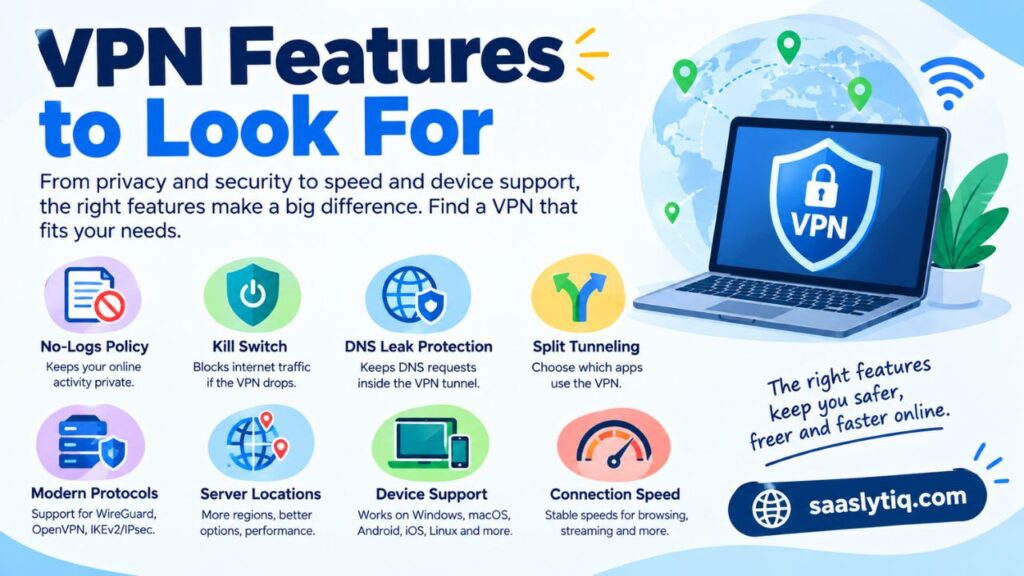
No-Logs Policy
A no-logs policy means the VPN provider states that it does not keep certain records of users’ online activities. However, policies can differ between providers. Read the privacy policy carefully and look for providers that clearly explain what information they collect and why.
Kill Switch
A VPN kill switch can help protect your connection if the VPN suddenly disconnects. It can automatically block internet traffic until the VPN connection is restored. This is useful when maintaining a private connection is important.
DNS Leak Protection
DNS leak protection helps keep DNS requests within the VPN connection. Without proper protection, DNS requests could potentially be handled outside the VPN tunnel. A reliable VPN service should clearly explain how it handles DNS traffic.
Split Tunneling
Split tunneling lets you choose which apps or websites use the VPN connection and which use your normal internet connection. This can be useful when you need a VPN for a specific task while keeping other applications connected normally.
Modern VPN Protocols
Look for providers that support established VPN protocols such as WireGuard, OpenVPN, or IKEv2/IPsec. Different protocols can offer different combinations of speed, security, and compatibility.
Server Locations
A larger server network can give you more options when choosing a VPN connection. However, the number of servers alone does not determine the quality of a VPN. Server performance, location, reliability, and network capacity also matter.
Device Support
Check whether the VPN works with the devices you actually use. Most major VPN providers offer apps for Windows, macOS, Android, iOS, and Linux. Some also support routers, smart TVs, and other platforms.
Connection Speed
VPN encryption and routing can affect internet performance. A good VPN should provide stable speeds for normal browsing and other legitimate online activities. Your distance from the VPN server, local network, and server load can all affect performance.
In short, focus on the features that match your needs rather than choosing a VPN simply because it offers the largest number of features.
Best VPN Services in 2026
The best VPN service depends on what you need from it. Some users care most about privacy and security, while others want fast connections, simple apps, or support for several devices. There is no single VPN that is perfect for everyone.
The following providers are among the most widely considered options in the VPN market. Before subscribing, check the provider’s current pricing, features, supported devices, and privacy policy because these details can change over time.
| VPN Service | Best For | Key Strength |
| NordVPN | Overall use | Security and performance |
| ExpressVPN | Beginners | Simple apps and reliable connections |
| Surfshark | Multiple devices | Flexible device support and value |
| Proton VPN | Privacy | Strong privacy-focused features |
| Private Internet Access | Advanced users | Customization and privacy controls |
| CyberGhost | Easy streaming access | User-friendly apps and server options |
| Mullvad | Privacy-focused users | Simple privacy approach |
NordVPN
NordVPN is a popular choice for users who want a combination of security, privacy, speed, and ease of use. Its apps are available across major platforms, and it includes features such as a kill switch, modern VPN protocols, and DNS leak protection.
NordVPN can be a good option for people who want a feature-rich VPN without having to manage complicated settings. However, users should review the current subscription terms and renewal pricing before purchasing.
ExpressVPN
ExpressVPN focuses heavily on ease of use and reliable connections. Its apps are designed for users who may not have much technical experience with VPNs.
It offers support for major operating systems and devices and includes security features designed to protect internet traffic. It can be suitable for users who want a straightforward VPN experience.
Surfshark
Surfshark is known for offering a broad range of features at a competitive subscription price. It supports major platforms and provides tools designed for online privacy and connection security.
It can be worth considering for households or users who want to protect several personal devices under one subscription.
Proton VPN
Proton VPN is a strong option for users who place privacy high on their list. The service offers privacy-focused features and has both free and paid plans.
Its free plan can be useful for people who want to try a VPN without immediately paying for a subscription. However, paid plans generally provide access to more features and server options.
Private Internet Access
Private Internet Access is aimed at users who want more control over their VPN connection. It provides various configuration options and supports major VPN protocols.
It may be a better fit for experienced users who want to adjust VPN settings rather than simply connecting with default options.
CyberGhost
CyberGhost provides easy-to-use apps and a broad selection of server locations. Its interface is designed to make choosing a suitable connection relatively simple.
It can be considered by users who want a beginner-friendly VPN with a range of connection options.
Mullvad VPN
Mullvad VPN takes a privacy-focused approach and keeps its service relatively simple. It is particularly suited to users who care about minimizing the amount of personal information associated with their VPN account.
Its straightforward approach may appeal to privacy-conscious users who do not need a large collection of extra features.
Best VPN Services by Use Case
The right VPN service can vary depending on how you plan to use it. A person who mainly wants better privacy may need different features than someone who wants a simple VPN for travel or multiple devices. Instead of choosing a provider only because it has a high overall rating, consider the features that match your needs.
Best VPN for Privacy
For privacy-focused users, look for a clear no-logs policy, strong encryption, DNS leak protection, and a transparent privacy policy. Providers such as Proton VPN and Mullvad VPN are worth considering because they place strong emphasis on privacy.
Best VPN for Security
A security-focused VPN should offer features such as a kill switch, secure VPN protocols, DNS leak protection, and strong encryption. NordVPN and ExpressVPN are popular options for users who want a combination of security features and easy-to-use applications.
Best VPN for Streaming
A VPN can be useful for accessing your legitimate online accounts while traveling or connecting through different networks. Streaming support can vary by service and location, so check the provider’s current compatibility before subscribing. ExpressVPN, NordVPN, and CyberGhost are commonly considered by users looking for streaming-friendly VPN services.
Best VPN for Gaming
For gaming, connection stability and low latency are more important than simply having a large server network. A VPN can sometimes help with connection routing, but it can also increase latency. Choose a nearby server and test the connection before relying on a VPN for gaming.
Best VPN for Travel
Travelers often use VPN services to protect their connections when using hotel, airport, or cafe Wi-Fi. A provider with reliable apps for your laptop and smartphone can make it easier to maintain a secure connection while away from home.
Best VPN for Multiple Devices
If you use a laptop, smartphone, tablet, and other personal devices, check how many simultaneous connections the VPN subscription supports. Surfshark is one option worth considering for users who want to connect multiple devices under one account.
Best Free VPN
Free VPN services can be useful if you want to try VPN technology without paying for a subscription. However, free plans often have limitations such as fewer server locations, restricted features, or data limits. Proton VPN offers a free plan, making it one option to consider when testing a VPN service without an immediate subscription.
The best VPN service ultimately depends on your priorities. Focus on privacy, security, speed, device support, server locations, and price instead of choosing a provider based only on its name or popularity.
Free VPN vs. Paid VPN Services
Both free and paid VPN services can help protect your internet connection, but they usually differ in features, server options, speed, and support. A free VPN can be useful for basic needs or for trying out a service before paying. Paid VPNs generally provide more features and fewer restrictions.
| Feature | Free VPN | Paid VPN |
| Cost | Free | Monthly or annual subscription |
| Server options | Usually limited | Usually more options |
| Data limits | May apply | Usually higher or unlimited |
| Connection speed | Can vary | Generally more consistent |
| Advanced features | Often limited | Usually more available |
| Customer support | May be limited | Usually better support |
| Device support | Can vary | Usually broader |
Are Free VPN Services Safe?
Not every free VPN service offers the same level of privacy or security. Before using one, check its privacy policy and understand what information it collects. Some free services may also limit your connection speed, data usage, or available server locations.
A free VPN from a reputable provider can be a reasonable option for basic browsing. However, avoid choosing a service simply because it costs nothing. The provider’s privacy practices and security features matter more than the price.
Why Choose a Paid VPN?
Paid VPN services typically offer a wider selection of servers, more connection options, and additional security features. Many also provide customer support and money-back guarantees.
A paid VPN can make more sense if you regularly use public Wi-Fi, need connections across multiple devices, or want access to advanced features such as split tunneling, multiple VPN protocols, and enhanced leak protection.
The best choice depends on your needs and budget. If you only need basic VPN protection occasionally, a reputable free plan may be enough. For regular use and additional features, a trusted paid VPN service may provide better overall value.
How to Choose the Best VPN Service
Choosing a VPN service becomes easier when you focus on the features that actually matter to you. A higher price or a larger server network does not automatically mean better service. Look at the provider’s privacy practices, security features, performance, device support, and overall value before making a decision.
Check the Privacy Policy
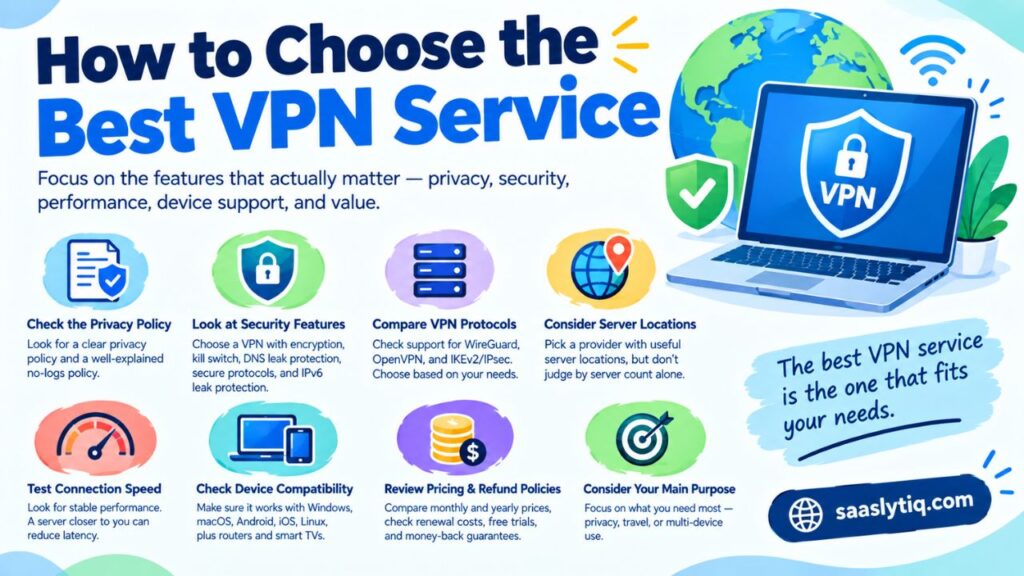
Start by checking what information the VPN provider collects. Look for a clear privacy policy and a well-explained no-logs policy. If a provider is unclear about how it handles user data, consider another option.
Look at Security Features
A reliable VPN should provide strong encryption and useful security features. A kill switch, DNS leak protection, secure VPN protocols, and IPv6 leak protection can add extra protection to your connection.
Compare VPN Protocols
Check which protocols the provider supports. WireGuard, OpenVPN, and IKEv2/IPsec are common choices. Your choice can depend on your device, connection, and whether you prioritize speed, compatibility, or connection stability.
Consider Server Locations
Server locations can affect your connection speed and available connection options. A provider with servers in locations that are useful to you may be more convenient. However, do not judge a VPN only by its server count.
Test Connection Speed
A VPN can reduce connection speed because your traffic takes an additional route through a VPN server. Look for a provider that maintains stable performance. Choosing a server closer to your actual location can often help reduce latency.
Check Device Compatibility
Make sure the VPN supports the devices you use. Most major providers offer applications for Windows, macOS, Android, iOS, and Linux. Some also support routers and smart TVs.
Review Pricing and Refund Policies
Compare the monthly and yearly subscription prices rather than looking only at the advertised introductory rate. Also check the renewal price, free trial terms, and money-back guarantee before purchasing.
Consider Your Main Purpose
Finally, think about why you need a VPN. If privacy is your priority, focus on logging policies and security features. If you travel often, look for reliable mobile apps and stable connections. If you use several devices, check the provider’s simultaneous connection limit.
The best VPN service is the one that provides the right combination of privacy, security, performance, compatibility, and value for your specific needs.
How Much Do VPN Services Cost?
VPN pricing varies from one provider to another. Most VPN companies offer monthly and yearly subscriptions, while some also provide free plans. Long-term subscriptions often have a lower monthly cost, but you should always check the full price and renewal terms before purchasing.
| Pricing Option | What to Expect |
| Free plan | Basic features with possible limitations |
| Monthly plan | More flexibility but usually higher monthly cost |
| Annual plan | Lower monthly cost with a longer commitment |
| Long-term plan | Often the lowest advertised monthly rate |
| Free trial | Lets you test selected features for a limited period |
| Money-back guarantee | Allows you to request a refund within the stated period |
Monthly VPN Plans
Monthly subscriptions are useful if you do not want a long-term commitment. They usually cost more per month than annual plans, but you can cancel according to the provider’s terms.
Annual and Long-Term Plans
Annual and longer subscriptions often reduce the effective monthly price. However, promotional rates may apply only to the first billing period. Always check the renewal price before subscribing.
Free VPN Plans
Some VPN providers offer free plans with basic features. These can be useful for occasional users who want to try a VPN without paying. Free plans may have fewer server locations, lower speeds, or other restrictions compared with paid plans.
Money-Back Guarantees
Many paid VPN services offer a money-back guarantee. The refund period and conditions vary by provider. Read the terms carefully so you know how long you have to request a refund.
When comparing VPN pricing, do not focus only on the cheapest option. Consider the provider’s privacy policy, security features, connection performance, supported devices, and overall value. A slightly more expensive VPN may offer features that better match your needs.
Are VPN Services Safe?
A reputable VPN service can improve your online privacy and add security to your internet connection. It encrypts traffic between your device and the VPN server and can hide your original IP address from the websites you visit. However, not every VPN provider offers the same level of protection.
Choose a Trusted VPN Provider
The VPN provider itself is an important part of your security. Your internet traffic passes through the provider’s servers, so you should choose a company with a clear privacy policy and transparent data practices.
Look for providers that clearly explain what information they collect, how they use it, and how long they keep it. An independently reviewed or audited privacy policy can also provide additional confidence.
Use Strong Security Features
A good VPN service should offer useful security features such as encryption, a kill switch, DNS leak protection, and secure VPN protocols. These features can help protect your connection if the VPN disconnects or if your device uses an unsecured network.
Be Careful With Free VPNs
Free VPN services are not automatically unsafe, but you should research them before using them. Some may have limited features or collect more information than you expect.
Check the provider’s privacy policy and understand its business model. If a service makes unclear claims about how it handles your information, consider choosing a more transparent provider.
A VPN Is Not Complete Online Protection
A VPN protects your connection, but it does not replace other security measures. You should still use strong passwords, enable two-factor authentication where available, keep your software updated, and avoid suspicious websites or downloads.
A VPN also does not make you completely anonymous. Websites can still identify users through accounts, cookies, and other tracking technologies. Its main purpose is to provide an additional layer of privacy and security while you use the internet.
VPN Protocols Explained
VPN protocols determine how your device connects to a VPN server and how your data travels through the encrypted connection. Different protocols can provide different levels of speed, security, compatibility, and connection stability. Most reputable VPN services let users choose from more than one protocol.
| VPN Protocol | Main Strength | Common Use |
| WireGuard | Speed and modern design | Everyday browsing and mobile devices |
| OpenVPN | Security and compatibility | General VPN use |
| IKEv2/IPsec | Fast reconnection | Mobile users and changing networks |
WireGuard
WireGuard is a modern VPN protocol designed with a relatively simple codebase and efficient performance. Many VPN providers use it because it can offer fast and stable connections while maintaining strong security.
It can be a good choice for everyday browsing, especially when speed is important.
OpenVPN
OpenVPN is a well-established VPN protocol with broad compatibility. It has been used by VPN providers for many years and supports different configurations for various network environments.
It can be a suitable option when compatibility and established security are more important than getting the newest protocol.
IKEv2/IPsec
IKEv2/IPsec is commonly used on mobile devices because it can handle changes between network connections effectively. For example, it can be useful when a device switches between Wi-Fi and mobile data.
Which VPN Protocol Should You Use?
For most users, the best approach is to use the protocol recommended by a trusted VPN provider. WireGuard can be a strong choice when you want modern performance, while OpenVPN remains useful for compatibility and flexibility. IKEv2/IPsec can be convenient for mobile connections.
You do not need to understand every technical detail to use a VPN safely. Choose a reputable provider, keep its app updated, and use a secure protocol supported by your device.
What a VPN Does Not Protect You From
A VPN can improve your online privacy and secure your internet connection, but it is not a complete cybersecurity solution. It is important to understand its limitations before relying on a VPN for online safety.
Malware and Suspicious Downloads
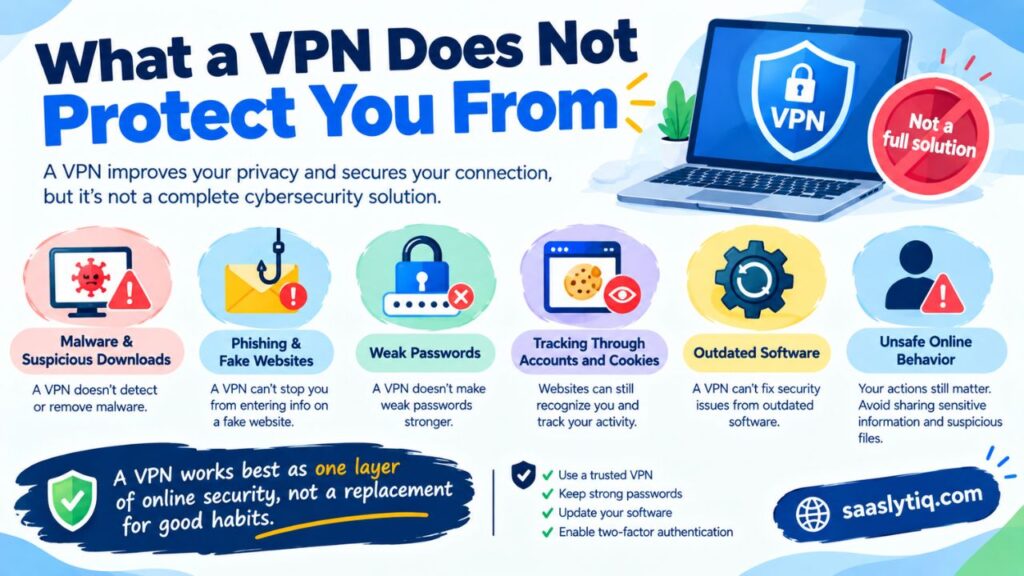
A VPN does not automatically detect or remove malware from your device. You should still use trusted security software and avoid downloading files from unknown or suspicious sources.
Phishing and Fake Websites
A VPN cannot prevent you from entering information on a fake website. Phishing attacks often rely on misleading emails, messages, or websites. Always check the website address and avoid clicking suspicious links.
Weak Passwords
A VPN does not make weak passwords stronger. Use unique passwords for important accounts and enable two-factor authentication (2FA) whenever it is available. CISA also recommends using multifactor authentication as an additional layer of account security.
Tracking Through Accounts and Cookies
A VPN can hide your IP address, but websites can still recognize you when you sign in to an account. Cookies and other tracking technologies can also collect information about your activity.
Outdated Software
A VPN cannot fix security problems caused by outdated operating systems, browsers, or applications. Keep your devices and software updated to reduce known security risks.
Unsafe Online Behavior
Your own online actions still matter. Avoid sharing sensitive information with untrusted websites, opening suspicious attachments, or installing unknown applications.
A VPN works best as one layer of online security, not as a replacement for good cybersecurity habits. Combining a reputable VPN with strong passwords, software updates, secure browsing, and two-factor authentication provides a more complete approach to protecting your digital privacy.
How to Set Up a VPN Service
Setting up a VPN is usually simple and does not require advanced technical knowledge. Most VPN providers offer dedicated apps for Windows, macOS, Android, iOS, and other supported devices.
Step 1: Choose a VPN Provider
Start by choosing a reputable VPN service based on your privacy, security, speed, device support, and budget requirements. Review its privacy policy and subscription terms before creating an account.
Step 2: Create an Account
Select a suitable plan and create your account through the provider’s official website. If the provider offers a free plan or trial, check its limitations and terms before using it.
Step 3: Install the VPN App
Download the official VPN application for your device. Avoid installing VPN apps from unknown sources. Using the provider’s official app helps reduce the risk of downloading modified or unsafe software.
Step 4: Sign In and Connect
Open the VPN application and sign in to your account. You will usually see a list of available VPN servers. Select a server and click the connect button.
Step 5: Check Your Connection
Once connected, the VPN app should show that your connection is active. You can also check your public IP address through a reputable IP-checking website to confirm that your connection is using the VPN server.
Step 6: Adjust the Settings
You can review available security settings such as the kill switch, VPN protocol, DNS leak protection, and split tunneling. Beginners can usually keep the recommended default settings unless they have a specific reason to change them.
After setup, keep the VPN application updated and review its settings from time to time. This helps ensure you continue using the latest security features provided by your VPN service.
VPN Services for Different Devices
A good VPN service should work smoothly across the devices you use every day. Most established VPN providers offer dedicated applications for common operating systems. Before choosing a provider, check whether it supports your devices and how many simultaneous connections your plan allows.
VPN for Windows
Windows users can choose from many VPN applications. A good Windows VPN should provide a simple interface, reliable connections, strong encryption, and useful features such as a kill switch and DNS leak protection.
VPN for macOS
VPN apps for Mac should support modern VPN protocols and provide stable performance. Look for a provider that offers the same core privacy and security features across its Windows and macOS applications.
VPN for Android
Android VPN apps can protect your connection when you use mobile data or public Wi-Fi. Check the app’s permissions and download it from the provider’s official source or the official app store.
VPN for iPhone and iPad
VPN services can also protect internet connections on iPhone and iPad. When choosing an iOS VPN, consider its privacy policy, supported protocols, connection stability, and available security features.
VPN for Linux
Linux users may have fewer graphical app options depending on their distribution. Many VPN providers still offer Linux support through dedicated applications or manual configuration. Check the provider’s documentation before choosing a service.
VPN for Smart TVs and Streaming Devices
Some VPN providers support smart TVs and devices such as Fire TV. Others may require you to configure the VPN on a compatible router. Check the provider’s supported-device list before subscribing.
VPN on a Router
Installing a VPN on a compatible router can protect multiple devices connected to your home network. This can be useful for devices that do not support VPN applications directly. Router setup can be more technical, so check the provider’s setup instructions and your router’s compatibility first.
When comparing VPN services for different devices, focus on compatibility, simultaneous connections, ease of setup, and available security features. The best VPN is one that works reliably on the devices you actually use.
VPN Myths You Should Ignore
VPN services are useful privacy and security tools, but online discussions often make exaggerated claims about what a VPN can do. Understanding these common myths can help you choose and use a VPN service more responsibly.
Myth 1: A VPN Makes You Completely Anonymous
A VPN can hide your original IP address and encrypt your connection to the VPN server, but it does not provide complete anonymity. Websites can still recognize you through accounts, cookies, browser settings, and other tracking methods.
Myth 2: Every VPN Service Is Secure
Not every VPN provider offers the same level of security. Some services may collect more user data, provide limited security features, or have unclear privacy policies. Always check the provider’s privacy practices before using its service.
Myth 3: Free VPNs Are Always Unsafe
A free VPN is not automatically unsafe. Some reputable providers offer free plans with limited features. However, you should check the provider’s privacy policy and understand what limitations apply before using a free service.
Myth 4: More VPN Servers Always Mean Better Service
A large server network can provide more connection choices, but server numbers alone do not determine quality. Speed, server performance, location, reliability, and network capacity also affect the overall experience.
Myth 5: A VPN Always Makes Internet Faster
A VPN can sometimes change how your connection is routed, but it does not normally increase your internet speed. Encryption and the extra connection to a VPN server can sometimes reduce speed. Your location, server distance, and network conditions also affect performance.
Myth 6: A VPN Replaces Antivirus Software
A VPN and antivirus software perform different jobs. A VPN helps protect your internet connection and privacy, while antivirus software can detect and help remove malicious software. Using a VPN does not remove the need for basic cybersecurity protection.
The best approach is to understand what a VPN service actually provides. Use it as one part of your overall online security strategy rather than expecting it to solve every privacy or cybersecurity problem.
How We Evaluated VPN Services
Comparing VPN services requires more than looking at the number of servers or the lowest subscription price. Different providers focus on different areas, so we use several factors to understand their overall value. This approach also makes it easier to compare VPN providers on features that matter to everyday users.
Privacy
We look at the provider’s privacy policy, data collection practices, and stated no-logs policy. A clear privacy policy helps users understand what information the company collects and how it handles that information.
Security
Security is another important factor. We consider features such as encryption, kill switch, DNS leak protection, and VPN protocols. These features can help protect a user’s internet connection.
Speed and Connection Stability
A VPN can affect internet performance. We consider connection speed, latency, and stability when comparing providers. We also consider whether users have access to servers that are reasonably close to their location.
Ease of Use
A VPN should not require advanced technical knowledge for basic use. We look at the design of desktop and mobile apps, server selection, connection controls, and how easily users can access important settings.
Device Support
We check whether the service supports common platforms such as Windows, macOS, Android, iOS, and Linux. Support for routers and other devices can also be useful for some users.
Features and Value
Finally, we compare the available features with the subscription cost. We consider pricing, simultaneous connections, refund policies, free plans where available, and the overall value offered by each provider.
This method helps create a more balanced comparison. Instead of choosing a VPN based on one feature, users can see how each service performs across privacy, security, speed, usability, compatibility, and value.
VPN Services FAQs
What is a VPN service?
A VPN service creates an encrypted connection between your device and a VPN server. It can help protect your internet traffic and hide your original IP address from the websites you visit.
Are VPN services legal?
VPN services are legal in many countries and are commonly used for legitimate purposes such as online privacy, cybersecurity, and protecting connections on public Wi-Fi. However, VPN laws and regulations can vary by country, so users should follow the laws that apply where they live or travel.
Are free VPN services safe?
Some free VPN services can be safe, especially when they come from reputable providers. However, free plans may have limitations such as fewer servers, lower speeds, or fewer features. Always review the provider’s privacy policy before using a free VPN.
Does a VPN slow down internet speed?
A VPN can sometimes reduce connection speed because your traffic travels through a VPN server and is encrypted. The effect depends on factors such as server distance, server load, your internet connection, and the VPN protocol being used.
Can a VPN hide my IP address?
Yes. When you connect to a VPN server, websites normally see the VPN server’s IP address instead of the IP address assigned to your regular internet connection. A VPN does not, however, make you completely anonymous online.
Can I use a VPN on multiple devices?
Many VPN providers allow multiple simultaneous connections. The exact number depends on the provider and subscription plan. Check the current device limit before purchasing a plan.
Does a VPN protect me from hackers?
A VPN can add security by encrypting your connection, particularly when using public Wi-Fi. However, it does not protect against every cybersecurity threat. You should still use strong passwords, two-factor authentication, updated software, and safe browsing practices.
What is the best VPN service?
There is no single VPN that is best for every user. Your choice should depend on your priorities. Consider privacy, security features, connection speed, server locations, device support, pricing, and the provider’s privacy practices before choosing a service.
Final Verdict
Choosing the best VPN service depends on what you want from it. There is no single provider that is ideal for every user. A good VPN should offer strong privacy practices, reliable security features, stable connections, and support for the devices you use.
For overall use, providers such as NordVPN and ExpressVPN are strong options for users who want a balance of security, performance, and ease of use. Surfshark can be worth considering for users who want to connect multiple devices, while Proton VPN and Mullvad VPN are better suited to people who place a strong focus on privacy.
Before subscribing, check the provider’s current pricing, privacy policy, supported devices, VPN protocols, and refund terms. Avoid choosing a service based only on server numbers or promotional discounts.
A VPN is most useful when you treat it as one part of your online security setup. Combine it with strong passwords, two-factor authentication, updated software, and safe browsing habits. This gives you a more practical approach to protecting your privacy and security online.
With so many VPN services available, it is important to compare their features and understand what you actually need. SaaSLytiq provides practical technology and software guides to help readers make more informed decisions.