
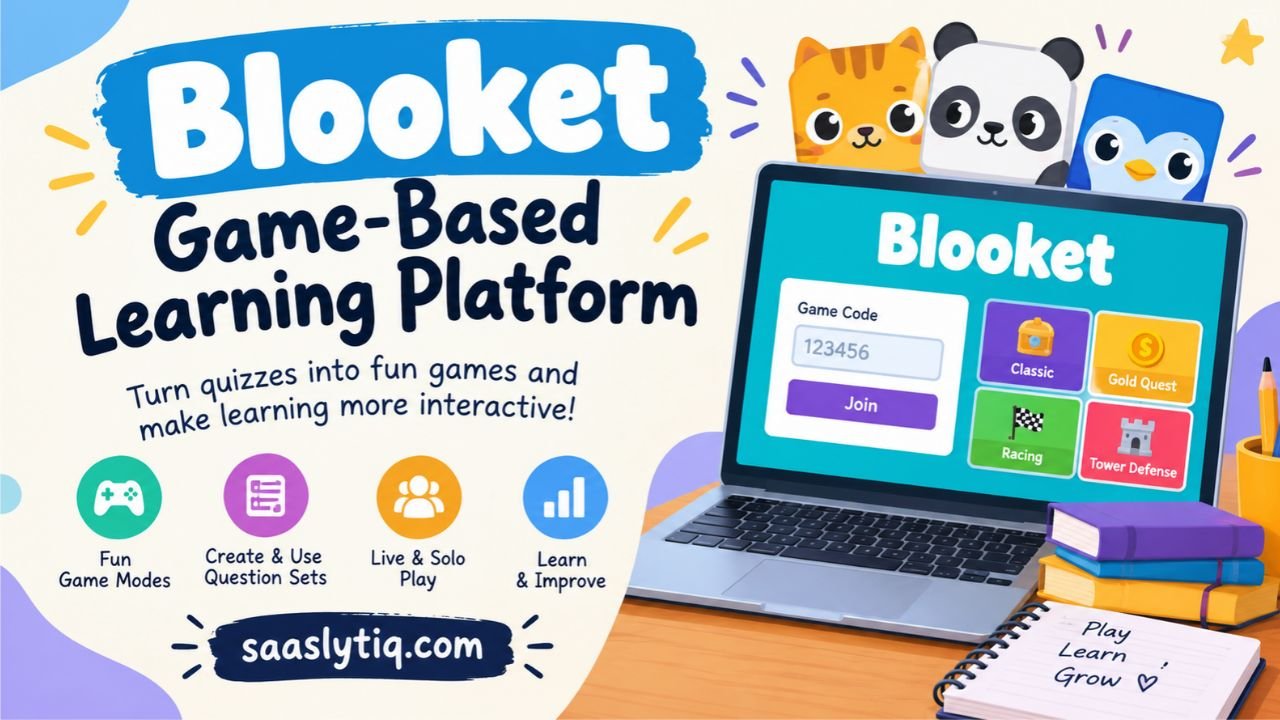
Blooket is an online learning platform that turns quizzes into interactive games. It allows teachers to create question sets and use different game modes to help students review lessons. Instead of answering questions on a traditional worksheet, students can answer questions while playing games. This approach can make revision more enjoyable and encourage students to take part in classroom activities.
Students can join a live Blooket game using a code from their teacher, while teachers can choose existing question sets or create their own. The platform supports different activities, including competitive quizzes and strategy-based games. Students can also use supported features for independent practice. However, the exact experience depends on the selected game mode and the options available to the host.
If you are new to Blooket, understanding how it works can help you get started without confusion. This guide explains how to join a game, how to play, which game modes you can explore, and what free features are available. It also covers common access problems and explains how teachers and students can use Blooket for learning.
What Is Blooket?
Blooket is a game-based learning platform that combines quizzes with interactive gameplay. It allows teachers to create question sets or choose existing ones for classroom activities. Students answer questions while playing games, earning rewards, or completing challenges based on the selected game mode. This approach helps teachers review lessons and gives students another way to practice what they have learned.
The platform offers different game modes, including Classic, Gold Quest, Racing, and Tower Defense. Each mode uses its own rules and objectives, but all rely on answering questions. Teachers can use Blooket to review subjects such as mathematics, science, history, and vocabulary. They can also create custom question sets to match their lesson plans.
Blooket includes features for both live classroom games and independent practice. Teachers can host a session and share a game code with students, or assign supported activities for students to complete on their own. Players can also collect characters called Blooks as part of the gaming experience.
Blooket can make classroom revision more interactive, but it works best when the questions match the lesson and students focus on understanding the answers. It is a learning aid rather than a replacement for teaching, discussion, or detailed study.
How to Join a Blooket Game
Joining a Blooket game is simple when you have the correct game code or invitation link. Teachers usually host a live session and share the joining details with their students. You do not need a Blooket account to participate in a live game, although an account provides access to additional features.
Follow these steps to join a game:
- Open the official website: Visit play.blooket.com.
- Enter the game code: Type the Game ID shared by your teacher or host.
- Choose a nickname: Enter a name if the game allows it. Some hosts use automatically generated names.
- Select a Blook: Choose an available character if the option appears.
- Wait for the game to start: Once you join the lobby, the host can begin the session.
Can You Join Blooket Without a Game Code?
Yes, you can join a live Blooket game without manually entering a code if your teacher shares a direct join link or QR code. Open the link or scan the QR code to access the session. However, you still need an invitation or joining method provided by the host.
If you want to play independently, you can explore available question sets and select a compatible solo game mode. This option lets you practice topics such as mathematics, science, vocabulary, and history without waiting for a live classroom session.
What If Your Blooket Game Code Does Not Work?
A game code may fail if you enter it incorrectly, the host has ended the session, or the game is no longer available. Check the code carefully and ask the host to confirm that the session is still active. If the page does not load, check your internet connection and reopen the official website.
For account or access questions, use the official Blooket student guide for reliable instructions.
How to Play Blooket
Playing Blooket involves answering questions while completing tasks in a selected game mode. Teachers can host live games for a class, while students can use supported solo games and homework activities for independent practice. The questions may cover subjects such as mathematics, science, English, history, or other topics.
How Does Blooket Gameplay Work?
The basic process is straightforward:
- Choose a question set: A teacher selects an existing Blooket question set or creates one with questions and answers that match the lesson.
- Select a game mode: The host chooses a mode based on the lesson, available time, and students’ needs.
- Join the session: Students enter the game using the provided code, QR code, or invitation link when required.
- Answer the questions: Players respond to questions on their devices. Correct answers help them progress according to the selected mode.
- Complete the objective: Players earn points, collect rewards, race opponents, or build defenses, depending on the game. The winner or final result follows that mode’s rules.
Can You Play Blooket by Yourself?
Yes. Blooket offers solo gameplay for independent learning and question practice. Open a compatible question set and choose an available solo mode. Some modes focus directly on answering questions, while others combine learning with strategy, resource management, or challenges.
Solo play can help students review difficult topics at their own pace. Teachers can also assign compatible Blooket activities as homework, allowing students to practice outside the classroom. However, not every game mode supports solo play, so check the available options before choosing an activity.
For the best learning experience, focus on understanding why an answer is correct rather than only trying to finish first. Reviewing incorrect answers can help identify topics that need more practice.
Popular Blooket Game Modes
Blooket offers different game modes that turn the same question set into different activities. Some modes focus on speed and accuracy, while others involve strategy, collecting rewards, or managing resources. Choosing the right mode can help teachers match a classroom review activity to their lesson objectives.
Here are five popular Blooket game modes and how they work.
| Game Mode | How It Works | Best Use |
|---|---|---|
| Classic | Players answer questions to earn points and climb the leaderboard. | Quick quizzes and lesson reviews |
| Gold Quest | Players answer questions to collect gold and open treasure chests. | Competitive classroom activities |
| Racing | Correct answers help players race toward the finish line. | Fast-paced revision |
| Tower Defense | Players answer questions and build towers to defend against enemies. | Strategy-based learning activities |
| Café | Players answer questions to serve customers, restock supplies, and upgrade their café. | Interactive practice with resource management |
How to Choose the Right Blooket Game Mode
The best Blooket game mode depends on your learning goals and the time available. Classic works well when you want a straightforward quiz. Racing suits short review sessions where students enjoy competing against one another. Gold Quest adds an element of chance, so the player with the most correct answers may not always finish with the most gold.
Tower Defense offers a more strategic experience because players use their progress to build defenses. Café combines question answering with running a virtual business. These activities can make revision more engaging, but teachers should consider whether the game mechanics support the lesson rather than distract students from it.
Blooket also offers other modes, including Battle Royale, Factory, Fishing Frenzy, and solo-focused Study. Availability varies by mode, and some options require a paid Blooket Plus plan. Check the official Blooket Game Mode Previews page for current details before choosing a mode.
Is Blooket Free to Use?
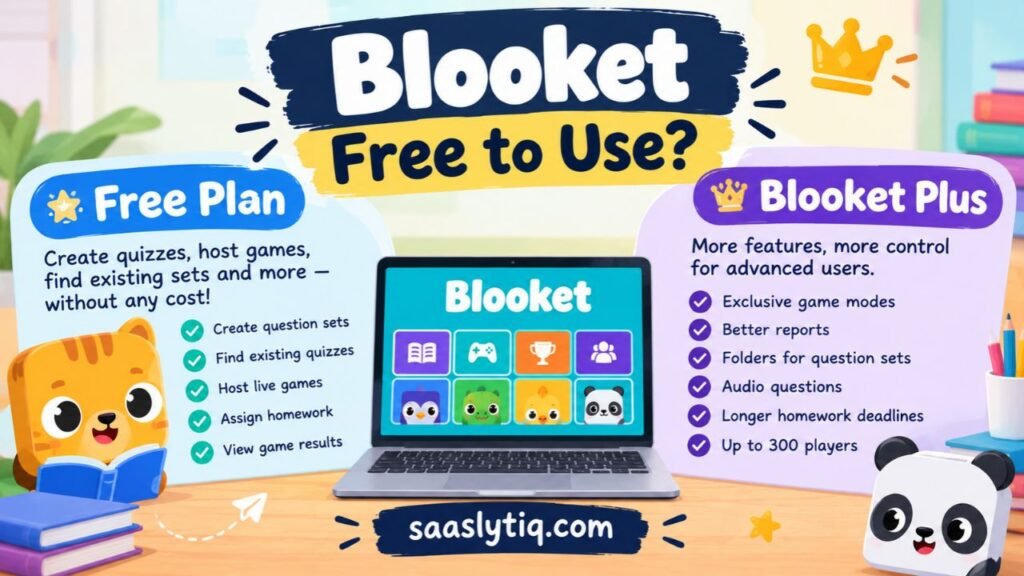
Yes, Blooket offers a free plan called Starter. Teachers can create question sets, discover existing quizzes, and host educational games without purchasing a subscription. Students can also join live games without creating an account, provided they have a valid invitation from the host. These features make Blooket accessible to classrooms that want interactive learning activities without an additional software cost.
What Does the Free Blooket Plan Include?
The Starter plan provides several useful features for teachers and students:
- Create question sets: Teachers can prepare quizzes based on their lessons and learning objectives.
- Discover existing quizzes: Users can search for question sets created by other users.
- Host live games: Teachers can run supported games with up to 60 players per session.
- Assign homework: Teachers can assign supported activities for students to complete independently, with deadlines of up to 14 days.
- Review game results: Teachers can access standard reports to review performance after a session.
These features cover many common classroom needs, including revision, practice, and checking students’ understanding.
What Is Blooket Plus?
Blooket Plus is an optional paid subscription that adds features for users who need more advanced tools. Depending on the subscription, these include exclusive game modes, enhanced reports, folders for organizing question sets, audio questions, and longer homework deadlines. Plus also increases the live-game capacity to up to 300 players, although exceptions apply to certain modes.
The free Starter plan is a sensible place to begin. Teachers can explore the platform and identify which features they actually need before considering an upgrade. For the latest feature details, visit the official Blooket Plus Features page.
Benefits and Limitations of Blooket
Blooket offers a different way to practice lessons through educational games and interactive quizzes. It can help teachers make revision sessions more engaging, but its effectiveness depends on the questions, game mode, and learning goals. Understanding both its benefits and limitations helps teachers and students use the platform more effectively.
Benefits of Using Blooket
1. Makes Classroom Review More Engaging
Blooket combines quiz questions with points, challenges, and different game mechanics. This can make routine revision more interesting and encourage students to participate in classroom activities.
2. Supports Repeated Practice
Students can answer questions more than once through compatible question sets and activities. Repeated practice gives them opportunities to recall facts, review difficult concepts, and identify areas that need more attention.
3. Offers Different Learning Activities
Teachers can choose from various Blooket game modes instead of using the same quiz format every time. They can select a mode that suits the lesson, class size, and available time.
4. Helps Teachers Review Student Performance
Available game reports can help teachers identify incorrect answers and topics that students may need to review. Teachers can use these results to plan follow-up explanations or additional practice.
5. Provides Flexible Practice Options
Blooket supports live classroom games and compatible independent activities. This flexibility allows teachers to use question sets during lessons or assign practice for students to complete outside class.
Limitations of Using Blooket
Despite its advantages, Blooket is not suitable for every learning situation.
- Competition can distract students: Some players may focus more on winning, collecting rewards, or climbing the leaderboard than understanding the questions.
- Luck can affect results: Certain game modes include random rewards or other mechanics. A final score may not accurately reflect a student’s knowledge.
- Internet access is required: Students generally need a compatible device and a reliable internet connection to participate.
- Question quality matters: Incorrect, confusing, or poorly written questions can reduce the educational value of a game.
- Complex skills need other activities: Multiple-choice quizzes and short answers cannot fully assess essay writing, detailed reasoning, practical skills, or in-depth understanding.
How to Use Blooket Effectively for Learning
Teachers can get more value from Blooket by connecting each activity to a clear learning objective. Choose questions that match the lesson, use a suitable game mode, and give students enough time to think before answering. After the game, review common mistakes and explain difficult concepts.
Blooket works best as a supporting learning tool rather than a replacement for teaching, discussion, written assignments, or formal assessments. Combining interactive quiz games with these activities creates a more balanced learning experience.
Common Blooket Problems and How to Fix Them
Blooket usually works through a web browser, but users may sometimes experience problems when joining a game, signing in, or loading a question set. These issues can result from an incorrect game code, an ended session, browser settings, or network restrictions. The right solution depends on the problem you encounter.
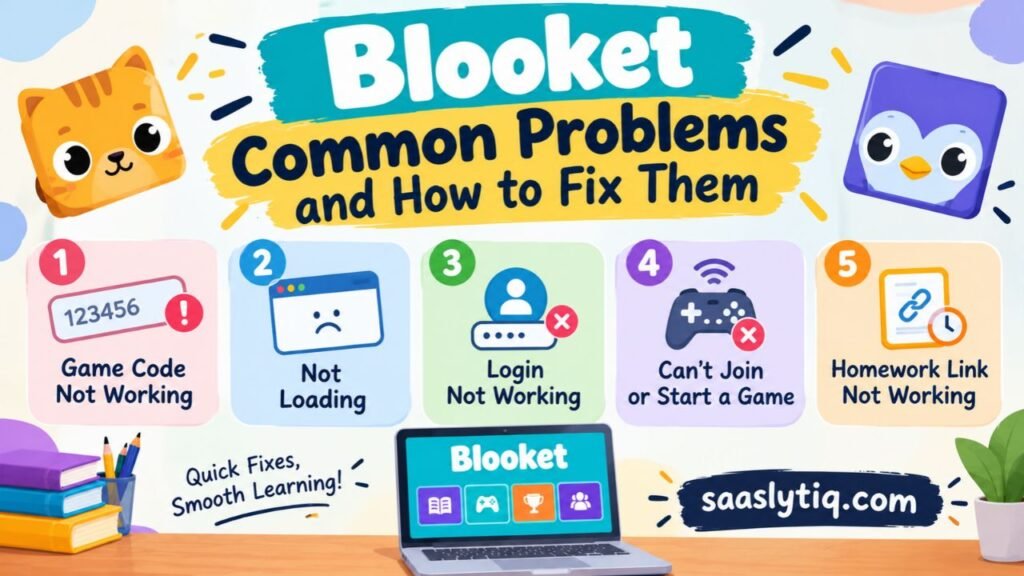
1. Blooket Game Code Is Not Working
A Blooket game code connects you to a specific live session. If the code is incorrect or the host has ended the session, you may not be able to join.
How to fix it:
- Check every digit of the game code.
- Ask the teacher or host to confirm that the session is still active.
- Request a new code if the previous game has ended.
- Try the official Blooket Play page again.
Avoid websites that promise permanent lists of active game codes. The most reliable source is the person hosting the current session.
2. Blooket Is Not Loading
If Blooket stays on a blank screen or fails to open, first check your internet connection. Reload the page and try opening the official website in an updated browser. You can also test the site in a private browsing window to see whether a browser extension is causing the problem.
If the problem continues, use the official Blooket Debug page to check whether your device or network can access the services required by the platform.
3. Blooket Login Is Not Working
If you cannot sign in to your account, check that you are using the correct username or email address and password. Remember that Blooket usernames are case-sensitive. If you have forgotten your password, follow the official account recovery process rather than creating multiple accounts unnecessarily.
4. Blooket Will Not Join or Start a Game
Sometimes a student can open Blooket but cannot join a live game. Browser extensions or school network restrictions may interfere with gameplay. If other students are experiencing the same problem, the school’s network settings may need attention.
Try another supported browser or temporarily test the site in private browsing mode. If you use a school-managed device, ask your teacher or IT administrator to investigate network restrictions.
5. Blooket Homework Link Is Not Working
If an assigned activity does not open, check that you are using the correct link and that the assignment is still available. Some homework activities have deadlines, so an expired assignment may no longer accept responses. Contact your teacher to confirm the deadline or request an updated link.
If none of these solutions works, visit the official Blooket Help Center for additional troubleshooting instructions.
Frequently Asked Questions About Blooket
Do You Need an Account to Play Blooket?
No. Students can join a live Blooket game without an account by using the Game ID, QR code, or invitation link provided by the host. Creating an account unlocks additional features, such as tracking statistics, collecting Blooks, and accessing solo gameplay.
Can You Play Blooket Alone?
Yes. Blooket supports solo gameplay through compatible question sets and game modes. You can search for a topic, select a question set, choose an available solo mode, and start practicing independently. Some features may require an account.
Is Blooket Completely Free?
Blooket offers a free Starter plan with core features for creating question sets, discovering quizzes, and hosting games. An optional Blooket Plus subscription provides additional features, including enhanced reports and a larger player capacity for supported game modes.
Can Teachers Use Blooket for Homework?
Yes. Teachers can assign a question set as homework, choose a completion goal, set a deadline, and share the assignment link or QR code with students. Students complete the activity independently, and teachers can review the available results.
What Are Blooks in Blooket?
Blooks are collectible characters that players can use within the platform. Players can collect different Blooks through supported rewards and features. These characters add a collection element to the gaming experience, but they are separate from the educational question sets.
Is Blooket Safe for Students?
Blooket is designed for educational gameplay, but teachers and parents should still consider age suitability, account settings, and classroom rules. Use the official website, avoid sharing personal information unnecessarily, and ensure students play appropriate question sets. Schools should also review the platform’s current privacy policy and applicable age requirements.
Final Thoughts on Blooket
Blooket is a useful option for teachers and students who want to make quiz practice more interactive. Its question sets, live games, solo activities, and different game modes offer several ways to review lessons. Students can join a live session with a game code, while teachers can select activities that match their learning objectives.
However, the platform works best when gameplay supports learning rather than replacing it. Teachers should use accurate questions, review student performance, and explain difficult concepts after each activity. Whether you use Blooket for classroom revision or independent practice, focusing on understanding the answers can make each game more valuable.