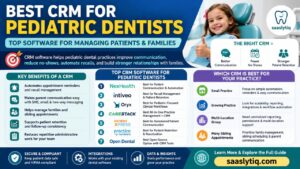


Running a successful dental practice takes more than providing excellent patient care. You also need an efficient way to manage appointments, communicate with patients, organize records, and keep daily operations running smoothly. This is where the best CRM for dentists can make a real difference. A dental CRM helps your practice manage patient relationships, automate routine tasks, and improve team productivity. Whether you own a small dental clinic or manage multiple locations, the right CRM can save time, reduce administrative work, and support long-term business growth.
Today, patients expect quick responses, easy appointment scheduling, and personalized communication. Managing these tasks manually becomes difficult as your patient base grows. A dental CRM brings everything together in one secure platform. It stores patient information, tracks every interaction, sends automated appointment reminders, and helps your team deliver a more organized and professional experience. As a result, your staff can spend less time on paperwork and more time focusing on patient care.
In this guide, we’ll explain everything you need to know about choosing the best CRM for dentists. You’ll learn what a dental CRM is, how it works, the essential features to look for, its benefits, pricing, and the top CRM software available today. We’ll also share practical tips to help you choose a solution that matches your practice’s needs, improves patient satisfaction, and supports steady business growth.
What Is a Dental CRM?
A dental CRM (Customer Relationship Management) is software designed to help dental practices manage patient relationships, improve communication, and organize daily operations. Unlike a general CRM, a dental CRM is built to support the unique needs of dentists, orthodontists, pediatric dentists, oral surgeons, and multi-location dental clinics. It helps your team manage patient information, appointments, follow-ups, and marketing activities from one central platform.
As your practice grows, keeping track of patient records, appointments, and communication becomes more challenging. A dental CRM stores everything in one secure system, making it easy for your staff to access patient details whenever they need them. Instead of using multiple spreadsheets or different software tools, your team can work more efficiently with all important information available in one place.
One of the biggest advantages of a dental CRM is automation. The software can automatically send appointment reminders, follow-up messages, and recall notifications without requiring manual effort from your staff. This reduces administrative work, minimizes missed appointments, and helps your practice deliver a more consistent patient experience.
How Is a Dental CRM Different from a General CRM?
Although a general CRM helps businesses manage customer relationships, it is not designed specifically for healthcare or dental practices. A dental CRM includes features that support patient care, appointment scheduling, treatment follow-ups, and practice management.
| Feature | General CRM | Dental CRM |
| Contact Management | Yes | Yes |
| Patient Records | Limited | Yes |
| Appointment Scheduling | Basic | Advanced |
| Automated Appointment Reminders | Limited | Yes |
| Treatment Follow-Ups | No | Yes |
| Patient Communication | Basic | Personalized |
| Practice Workflow Management | No | Yes |
| Reporting & Analytics | Yes | Yes |
Why Does Every Dental Practice Need a CRM?
Managing a modern dental practice involves much more than treating patients. Your team also needs to answer inquiries, schedule appointments, send reminders, follow up after treatments, and maintain accurate patient records. Handling these tasks manually takes time and increases the risk of mistakes.
A dental CRM helps simplify these responsibilities by:
- Keeping patient information organized in one place
- Automating appointment reminders and follow-ups
- Improving communication with patients
- Reducing administrative workload
- Increasing patient retention
- Supporting marketing campaigns
- Providing business reports and insights
These features allow your team to work more efficiently while creating a better experience for every patient.
Who Should Use a Dental CRM?
Dental CRM software is suitable for practices of all sizes. Whether you are starting a new clinic or managing an established dental organization, a CRM can help improve efficiency and support long-term growth.
It is especially useful for:
- General dentists
- Orthodontists
- Pediatric dentists
- Cosmetic dental clinics
- Oral surgeons
- Endodontists
- Periodontists
- Multi-location dental practices
Key Takeaway
A dental CRM is much more than a contact management tool. It helps dental practices strengthen patient relationships, automate routine tasks, improve communication, and organize daily operations more efficiently. Choosing the right CRM can increase productivity, improve patient satisfaction, and create a stronger foundation for long-term practice growth.
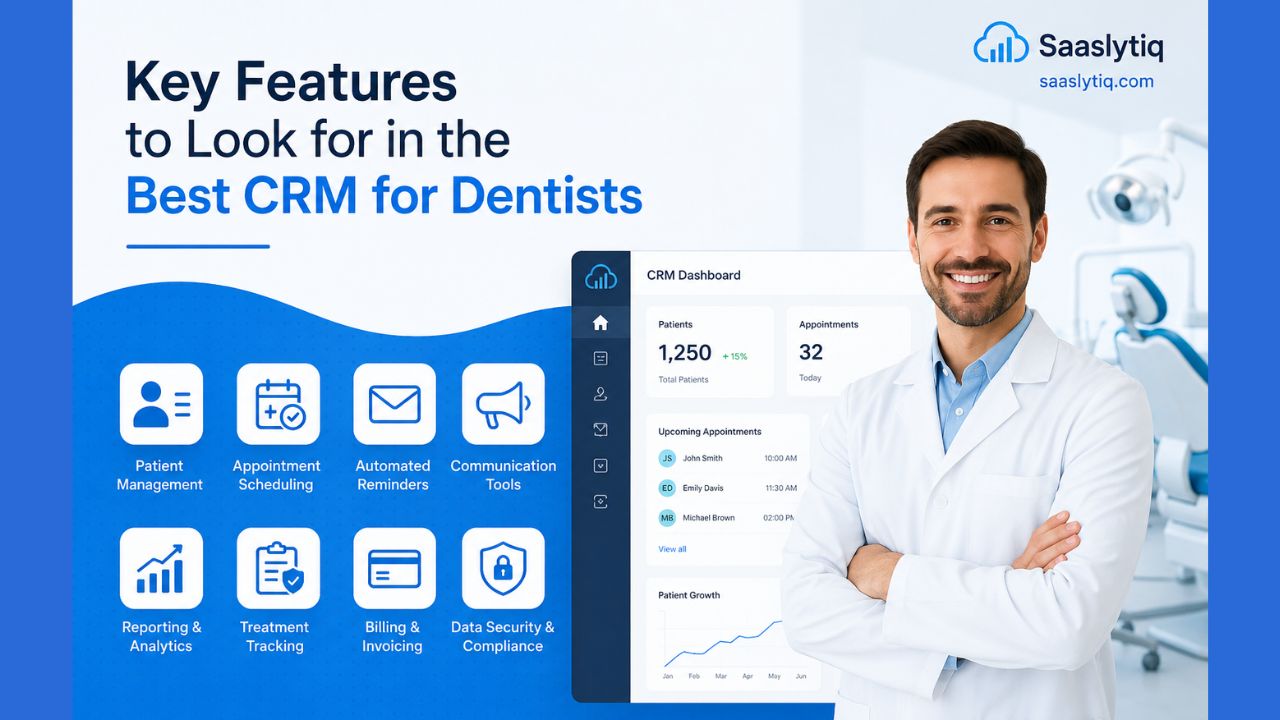
Key Features to Look for in the Best CRM for Dentists
Not every CRM is designed for a dental practice. Some platforms focus on sales, while others are built to improve patient communication, automate routine tasks, and simplify practice management. Choosing a CRM with the right features will help your team work more efficiently and provide a better experience for every patient.
Before investing in any software, make sure it includes the features that support your daily workflow and future growth. Below are the most important features every dental practice should consider.
Patient Relationship Management
A dental CRM should keep all patient information in one secure place. Instead of searching through different systems, your team can quickly access patient details whenever needed.
A complete patient profile typically includes:
- Contact information
- Appointment history
- Treatment records
- Communication history
- Personal notes
- Insurance information
Having everything organized helps your staff provide faster and more personalized service.
Appointment Scheduling
Managing appointments efficiently is essential for every dental practice. A good CRM makes scheduling simple and helps prevent double bookings or missed appointments.
Look for a CRM that allows you to:
- Schedule appointments quickly
- Reschedule or cancel visits
- Manage multiple calendars
- View dentist availability
- Accept online appointment requests
An organized scheduling system saves time for both staff and patients.
Automated Appointment Reminders
Missed appointments can affect your practice’s productivity and revenue. A dental CRM automatically sends reminders before each appointment, helping patients remember their scheduled visits.
Most CRM platforms support reminders through:
- SMS
- Mobile notifications
This feature reduces no-shows and saves your staff from making manual reminder calls.
Patient Communication
Clear communication builds trust and encourages patients to return for future treatments. A quality dental CRM allows your team to communicate with patients through different channels while keeping every conversation organized.
Common communication tools include:
- SMS
- Phone call tracking
- Online chat
- Automated follow-up messages
A complete communication history helps every team member provide consistent support.
Workflow Automation
Daily administrative work can consume valuable time. Workflow automation allows your practice to complete repetitive tasks automatically, improving efficiency and reducing human error.
A dental CRM can automate tasks such as:
- Appointment confirmations
- Follow-up emails
- Recall reminders
- Review requests
- Internal task assignments
Automation allows your staff to spend more time caring for patients instead of handling routine paperwork.
Reporting and Analytics
Understanding your practice’s performance is essential for long-term growth. A CRM should provide clear reports that help you measure important business metrics.
Useful reports include:
- New patient growth
- Appointment completion rates
- Patient retention
- Marketing performance
- Revenue trends
These insights help you identify opportunities to improve your practice and make informed decisions.
Software Integrations
Your CRM should work smoothly with the software you already use. Good integrations eliminate duplicate work and create a more efficient workflow.
Look for integrations with:
- Dental practice management software
- Online booking systems
- Accounting software
- Payment gateways
- Email marketing tools
- Google Calendar
Connected systems improve accuracy and save valuable time.
Mobile Access
Modern dental practices need flexibility. A mobile-friendly CRM allows dentists and staff to access important information from smartphones or tablets.
With mobile access, you can:
- Check appointment schedules
- View patient records
- Update notes
- Respond to patient inquiries
This helps your team stay productive, even when away from the front desk.
Data Security
Protecting patient information should always be a priority. A reliable dental CRM includes advanced security features that keep sensitive data safe.
Look for software that offers:
- Data encryption
- Secure cloud storage
- User access controls
- Automatic backups
- Two-factor authentication
Strong security builds patient trust and protects your practice from data loss.
What Features Matter Most?
The table below summarizes the essential features you should look for when comparing CRM software.
| Feature | Why It Matters |
| Patient Management | Organizes all patient information in one place |
| Appointment Scheduling | Simplifies calendar management |
| Automated Reminders | Reduces missed appointments |
| Patient Communication | Builds stronger patient relationships |
| Workflow Automation | Saves time and improves efficiency |
| Reporting & Analytics | Supports better business decisions |
| Software Integrations | Connects your existing tools |
| Mobile Access | Allows work from anywhere |
| Data Security | Protects sensitive patient information |
Choosing the best CRM for dentists is not about selecting the platform with the most features. It is about choosing software that solves real problems for your practice. A CRM with the right combination of patient management, automation, communication, reporting, and security will help your team work more efficiently while delivering a better experience for every patient.
How Does a Dental CRM Work?
A dental CRM works by bringing every stage of the patient journey into one easy-to-manage system. Instead of using different tools for appointments, patient records, follow-ups, and communication, a CRM connects everything in one place. This helps your team stay organized, improve efficiency, and provide a better experience for every patient.
From the moment a potential patient contacts your clinic until they return for regular checkups, the CRM records every interaction. It keeps important information organized, automates repetitive tasks, and ensures that no patient is forgotten. As a result, your staff spends less time on administrative work and more time delivering quality dental care.
Step 1: Capture New Patient Information
The process begins when a patient contacts your dental practice. This may happen through your website, an online booking form, a phone call, social media, or a referral.
The CRM automatically creates a patient profile that stores important details, including:
- Full name
- Phone number
- Email address
- Preferred appointment time
- Reason for the visit
- Communication history
Having all this information in one place makes it easier for your team to provide fast and personalized service.
Step 2: Schedule Appointments
Once the patient’s information is added, your staff can quickly schedule an appointment using the CRM’s calendar.
A good dental CRM helps you:
- Check dentist availability
- Avoid double bookings
- Manage multiple calendars
- Reschedule appointments easily
- Accept online booking requests
This creates a smooth scheduling process for both your staff and your patients.
Step 3: Send Automatic Appointment Reminders
One of the biggest challenges for dental practices is reducing missed appointments. A CRM solves this problem by automatically sending reminders before each visit.
Depending on the software, reminders can be delivered through:
- SMS
- Mobile notifications
Automatic reminders help patients remember their appointments, improve attendance, and reduce the workload for your front desk staff.
Step 4: Manage Patient Communication
Every conversation with a patient is saved inside the CRM. Whether your team sends an email, responds to a phone inquiry, or follows up after treatment, the communication history remains attached to the patient’s profile.
This allows every staff member to understand previous conversations and provide consistent support without asking patients to repeat the same information.
Step 5: Track Patient Progress
A dental CRM helps you monitor each patient’s journey from the first consultation to ongoing preventive care.
The system records:
- Appointment history
- Completed treatments
- Upcoming procedures
- Follow-up schedules
- Personal notes
- Communication records
Having a complete history helps dentists deliver more personalized and informed care during every visit.
Step 6: Automate Daily Tasks
Modern dental CRM software automates many routine administrative tasks that normally take valuable time.
These tasks include:
- Appointment confirmations
- Follow-up emails
- Recall reminders
- Review requests
- Internal task notifications
- Marketing campaigns
Automation improves efficiency, reduces manual work, and helps your team stay focused on patient care.
Step 7: Monitor Practice Performance
A CRM does more than manage patient relationships. It also helps practice owners understand how the business is performing.
Most CRM platforms provide reports on:
- New patient growth
- Patient retention
- Appointment completion rates
- Revenue trends
- Marketing campaign performance
- Staff productivity
These insights help you identify areas for improvement and make smarter business decisions based on real data.
Patient Journey with a Dental CRM
The table below shows how a CRM supports patients throughout their journey.
| Patient Journey | How the CRM Helps |
| Patient contacts the clinic | Creates a patient profile and stores contact details |
| Appointment is booked | Updates the calendar and confirms the visit |
| Before the appointment | Sends automatic reminders through email or SMS |
| During the visit | Stores treatment notes and patient history |
| After treatment | Sends follow-up messages and review requests |
| Future care | Reminds patients about routine checkups and recalls |
Why This Matters
Without a CRM, dental practices often rely on manual processes that consume time and increase the risk of mistakes. Important follow-ups may be missed, patient information can become difficult to manage, and communication may be inconsistent.
A dental CRM simplifies the entire workflow by organizing patient data, automating routine tasks, and improving communication at every stage. This allows your team to work more efficiently, deliver better patient care, and create a smoother experience from the first appointment to long-term patient retention.
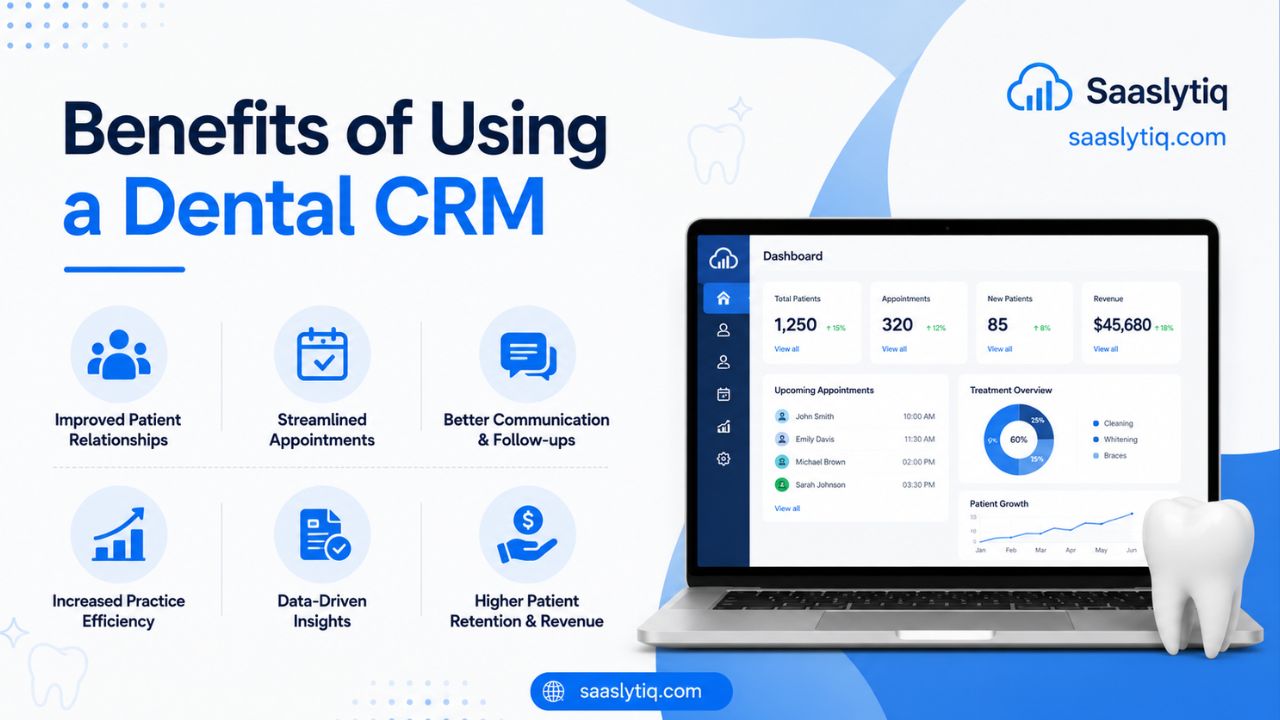
Benefits of Using a Dental CRM
Investing in the best CRM for dentists is more than buying new software. It is an investment in your practice’s growth, efficiency, and patient satisfaction. As your patient base grows, managing appointments, communication, and follow-ups manually becomes more difficult. A dental CRM helps simplify these tasks while allowing your team to focus on providing quality dental care.
Whether you run a small dental clinic or manage multiple locations, the right CRM can improve daily operations, strengthen patient relationships, and increase long-term profitability.
Improve the Patient Experience
Patients expect fast responses, convenient appointment scheduling, and personalized communication. A dental CRM helps you meet these expectations by keeping every patient interaction organized in one place.
Your team can quickly access patient information, appointment history, treatment notes, and previous conversations. This allows staff to provide more personalized support and create a better experience during every visit.
Happy patients are more likely to return for future treatments and recommend your practice to family and friends.
Reduce Missed Appointments
Missed appointments are one of the biggest challenges for many dental practices. Empty appointment slots reduce productivity and directly affect revenue.
A dental CRM automatically sends appointment reminders through email or SMS before each visit. Patients receive timely notifications, making them less likely to forget their appointments.
Fewer missed appointments mean a more organized schedule and improved practice efficiency.
Save Time Through Automation
Many administrative tasks are repetitive and take valuable time away from patient care. A CRM automates these routine activities so your staff can focus on more important responsibilities.
Tasks that can be automated include:
- Appointment reminders
- Follow-up emails
- Recall notifications
- Review requests
- Internal task reminders
- Patient reactivation campaigns
Automation reduces manual work, improves consistency, and helps your practice operate more efficiently.
Increase Patient Retention
Building long-term relationships with existing patients is often more profitable than constantly attracting new ones.
A dental CRM helps you stay connected by sending regular follow-up messages and preventive care reminders. Patients are more likely to schedule routine checkups when they receive timely communication from your practice.
Consistent engagement encourages loyalty and improves patient retention over time.
Improve Team Productivity
When patient information is scattered across different systems, staff waste valuable time searching for records or updating duplicate information.
A dental CRM stores everything in one centralized platform, allowing dentists, hygienists, receptionists, and office managers to access the information they need without delays.
Better organization improves collaboration and helps your team complete daily tasks more efficiently.
Strengthen Your Marketing
Growing a dental practice requires consistent marketing as well as excellent patient care.
Many CRM platforms include marketing tools that help you:
- Send email newsletters
- Promote special treatments
- Share oral health tips
- Launch seasonal campaigns
- Request online reviews
- Stay connected with inactive patients
These marketing activities help attract new patients while encouraging existing patients to return.
Make Better Business Decisions
Successful dental practices rely on accurate information instead of guesswork.
A CRM provides detailed reports that help you monitor important business metrics, including:
- New patient growth
- Patient retention rate
- Appointment completion rate
- Revenue trends
- Marketing performance
These insights help you identify opportunities to improve your services and increase profitability.
Support Practice Growth
As your dental practice expands, your daily workload also increases. A scalable CRM grows with your business and supports additional staff, patients, and clinic locations without creating unnecessary complexity.
Many modern CRM platforms allow you to:
- Add more users
- Manage multiple locations
- Customize workflows
- Integrate new software
- Expand marketing campaigns
This flexibility helps your practice continue growing without changing systems.
Protect Patient Information
Patient trust depends on keeping personal information safe.
Most modern dental CRM platforms include advanced security features such as:
- Secure cloud storage
- Data encryption
- User permission controls
- Automatic backups
- Two-factor authentication
These features help protect sensitive patient data while giving your team secure access whenever they need it.
Key Benefits at a Glance
| Benefit | Value for Your Practice |
| Better Patient Experience | Improves communication and patient satisfaction |
| Fewer Missed Appointments | Keeps your schedule full and reduces revenue loss |
| Time-Saving Automation | Reduces repetitive administrative work |
| Higher Patient Retention | Encourages regular visits and long-term loyalty |
| Improved Team Productivity | Helps staff work faster and more efficiently |
| Better Marketing | Attracts new patients and keeps existing patients engaged |
| Data-Driven Decisions | Supports smarter business planning |
| Strong Security | Protects sensitive patient information |
| Business Growth | Helps your practice scale with confidence |
Choosing the best CRM for dentists is not only about improving daily operations. It is about creating a more organized, efficient, and patient-focused practice. The right CRM helps your team save time, improve communication, and build stronger relationships with patients while supporting sustainable business growth.
Best CRM Software for Dentists
The best CRM for dentists depends on your practice size, budget, and business goals. Some CRM platforms are designed for small dental clinics that need an affordable and easy-to-use solution, while others offer advanced automation, reporting, and customization for larger practices.
To help you make an informed decision, we compared some of the most popular CRM solutions used by dental professionals. Each platform has its own strengths, so consider your current needs as well as your future growth plans before making a final choice.
Quick Comparison of the Best CRM for Dentists
| CRM Software | Best For | Free Plan | Starting Price* | Overall Rating |
| HubSpot CRM | Small and growing dental practices | Yes | Free | 9.8/10 |
| Zoho CRM | Affordable CRM with strong customization | Yes | Paid plans available | 9.5/10 |
| Salesforce Health Cloud | Large dental organizations | No | Custom pricing | 9.6/10 |
| monday CRM | Team collaboration and workflow management | Free trial | Paid plans available | 9.4/10 |
| Pipedrive | Patient lead management | Free trial | Paid plans available | 9.2/10 |
| Keap | Marketing automation | Free trial | Paid plans available | 9.1/10 |
*Pricing may change over time. Always check the provider’s official website for the latest plans.
HubSpot CRM
Best for: Small and growing dental practices
HubSpot CRM is one of the easiest CRM platforms to use. It offers contact management, email tracking, automation, reporting, and marketing tools in one platform. Its free plan is generous, making it an excellent choice for clinics that are introducing CRM software for the first time.
Pros
- Easy to learn
- Free plan available
- Powerful automation
- Excellent reporting
- Large integration marketplace
Cons
- Advanced marketing tools require paid plans.
Zoho CRM
Best for: Budget-conscious dental clinics
Zoho CRM offers excellent value for money. It includes workflow automation, AI-powered insights, email marketing, reporting, and strong customization options. It is suitable for practices that need advanced features without paying enterprise-level prices.
Pros
- Affordable pricing
- Flexible customization
- Good automation features
- Strong reporting tools
Cons
- The interface may take time to learn.
Salesforce Health Cloud
Best for: Large dental groups and multi-location practices
Salesforce Health Cloud is designed for healthcare organizations that need advanced reporting, automation, and patient relationship management. It offers enterprise-level security and scalability, making it ideal for large dental organizations.
Pros
- Highly customizable
- Advanced analytics
- Excellent scalability
- Enterprise-grade security
Cons
- Higher cost than most CRM platforms.
- Requires more training.
monday CRM
Best for: Practices that want better team collaboration
monday CRM combines customer relationship management with project and workflow management. Its visual dashboards help dental teams manage appointments, patient communication, and daily tasks more efficiently.
Pros
- Modern interface
- Easy workflow customization
- Strong collaboration features
- Helpful automation tools
Cons
- Paid plans become expensive for larger teams.
Pipedrive
Best for: Converting patient inquiries into appointments
Pipedrive is known for its simple sales pipeline. Dental clinics can use it to organize new patient inquiries, monitor follow-ups, and improve conversion rates from leads to scheduled appointments.
Pros
- Very easy to use
- Excellent lead tracking
- Affordable plans
- Clean dashboard
Cons
- Limited healthcare-specific features.
Keap
Best for: Practices focused on patient marketing
Keap combines CRM, email marketing, and automation in one platform. It is a strong choice for dental practices that regularly run promotional campaigns, follow-up sequences, and patient engagement programs.
Pros
- Excellent marketing automation
- Strong email campaigns
- Easy workflow builder
- Helpful customer support
Cons
- No free plan.
- Higher monthly cost.
Feature Comparison
| Feature | HubSpot | Zoho | Salesforce | monday | Pipedrive | Keap |
| Contact Management | Yes | Yes | Yes | Yes | Yes | Yes |
| Appointment Tracking | Yes | Yes | Yes | Yes | Yes | Yes |
| Workflow Automation | Yes | Yes | Yes | Yes | Yes | Yes |
| Email Marketing | Yes | Yes | Yes | Limited | Limited | Yes |
| Reporting & Analytics | Excellent | Excellent | Advanced | Good | Good | Good |
| Mobile App | Yes | Yes | Yes | Yes | Yes | Yes |
| Best for Small Practices | Excellent | Excellent | Moderate | Good | Good | Moderate |
Our Recommendation
If you are looking for the best overall CRM for dentists, HubSpot CRM is the strongest choice for most small and medium-sized practices. It is easy to use, offers an excellent free plan, and provides enough features to support your practice as it grows.
If affordability is your priority, Zoho CRM delivers excellent value with powerful customization options. For large dental organizations that require advanced reporting and enterprise-level capabilities, Salesforce Health Cloud is a reliable solution. Practices that focus heavily on patient communication and marketing may also benefit from Keap, while monday CRM is a great option for improving team collaboration and workflow management.
The right CRM should match your workflow, budget, and future goals. Before making a decision, compare features, test free trials, and choose the platform that best supports your patients and your practice.
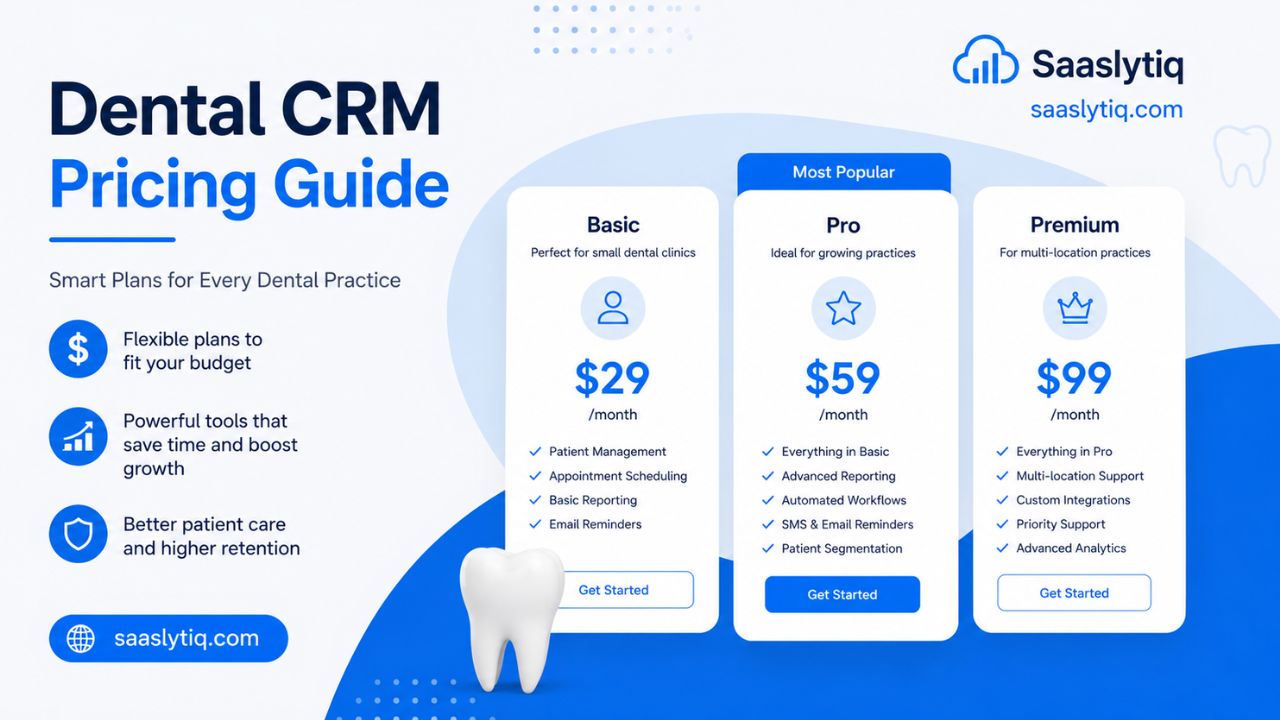
Dental CRM Pricing Guide
The cost of a dental CRM can vary depending on the software provider, the number of users, and the features included. Some platforms offer free plans with basic tools, while others provide advanced automation, reporting, and patient management features through monthly or annual subscriptions.
When comparing CRM pricing, don’t focus only on the monthly fee. A CRM that saves your team time, reduces missed appointments, and improves patient retention can deliver a much higher return on investment than a cheaper solution with limited functionality. The best CRM is one that fits both your budget and the needs of your practice.
Common Dental CRM Pricing Plans
Most CRM providers offer different pricing tiers to suit practices of all sizes.
| Plan | Best For | Typical Features |
| Free | Solo dentists and startups | Contact management, basic reporting, task management |
| Starter | Small dental clinics | Appointment reminders, email tools, workflow automation |
| Professional | Growing practices | Advanced reporting, marketing automation, integrations |
| Enterprise | Large or multi-location practices | Custom workflows, advanced security, dedicated support |
As your practice grows, you can upgrade to a higher plan without changing your CRM platform.
Estimated Pricing Comparison
The table below provides a general idea of what you can expect to pay for popular CRM software.
| CRM Software | Starting Price* | Free Plan | Best For |
| HubSpot CRM | Free | Yes | Small dental practices |
| Zoho CRM | Affordable monthly plans | Yes | Budget-friendly clinics |
| monday CRM | Paid plans | Free Trial | Growing teams |
| Pipedrive | Paid plans | Free Trial | Lead management |
| Keap | Paid plans | Free Trial | Marketing automation |
| Salesforce Health Cloud | Custom pricing | No | Enterprise dental groups |
*Pricing changes over time. Always check the provider’s official website for the latest plans and offers.
What Affects the Cost of a Dental CRM?
Several factors influence the total cost of CRM software.
- Number of users
- Available storage
- Automation features
- Reporting and analytics
- Third-party integrations
- Customer support
- Security features
- Customization options
Practices with multiple dentists, receptionists, and office managers usually require higher-tier plans than a solo practice.
Hidden Costs to Consider
Before choosing a CRM, look beyond the subscription price. Some providers may charge extra for additional services or advanced features.
Possible additional costs include:
- Initial setup fees
- Data migration
- Staff training
- Premium integrations
- Additional storage
- Priority customer support
Understanding these costs will help you avoid unexpected expenses later.
How to Get the Best Value
Price is important, but value is even more important. Instead of choosing the cheapest option, look for software that improves efficiency, saves time, and supports long-term growth.
Before making a decision, ask yourself:
- Does this CRM include the features my practice needs?
- Can it grow with my business?
- Is it easy for my team to use?
- Does it integrate with my existing software?
- Is customer support reliable?
- Can I test it with a free trial?
A CRM that helps your practice reduce administrative work and improve patient relationships will often pay for itself over time.
Key Takeaway
The best dental CRM is not necessarily the most expensive or the cheapest. It is the one that offers the right balance of features, ease of use, scalability, and value for your practice. Compare pricing carefully, explore free trials, and choose a solution that supports both your current needs and your future growth.
How to Choose the Best CRM for Your Dental Practice
Choosing the best CRM for your dental practice is an important decision that can affect your daily operations, patient satisfaction, and long-term growth. Every dental clinic has different needs, so there is no single CRM that works perfectly for everyone. Instead of choosing software based on popularity alone, focus on finding a solution that matches your workflow, budget, and future goals.
Before investing in a CRM, take time to evaluate the features that matter most to your practice. The right software should help your team save time, improve communication, and simplify everyday tasks without creating unnecessary complexity.
Identify Your Practice’s Needs
Start by understanding the challenges your practice faces every day. A solo dentist may need a simple system for managing appointments and patient records, while a multi-location clinic may require advanced reporting, automation, and team collaboration.
Ask yourself questions such as:
- How many team members will use the CRM?
- Do you need advanced marketing tools?
- Are missed appointments affecting your revenue?
- Do you want to automate patient communication?
- Will your practice expand in the future?
Knowing your priorities will make it easier to compare different CRM solutions.
Focus on Essential Features
Many CRM platforms include hundreds of features, but not every feature will benefit your practice. Choose software that solves your biggest problems instead of paying for tools you may never use.
Your CRM should include:
- Patient relationship management
- Appointment scheduling
- Automated reminders
- Workflow automation
- Reporting and analytics
- Mobile access
- Third-party integrations
- Strong security
These core features will help improve efficiency and provide a better patient experience.
Choose Software That Is Easy to Use
A CRM should make work easier, not more complicated. If your team struggles to learn the software, productivity may decrease instead of improving.
Look for a CRM with:
- A clean dashboard
- Simple navigation
- Easy appointment management
- Fast patient search
- Minimal training requirements
An easy-to-use system allows your staff to adapt quickly and work more confidently.
Check Integration Options
Your CRM should work seamlessly with the tools your practice already uses. Good integrations reduce manual work and keep your information synchronized across different systems.
Look for compatibility with:
- Dental practice management software
- Online appointment booking systems
- Accounting software
- Payment gateways
- Email marketing platforms
- Calendar applications
The more connected your software is, the smoother your daily workflow becomes.
Consider Future Growth
Your practice may grow over the next few years, so choose a CRM that can grow with it.
A scalable CRM should allow you to:
- Add new users
- Manage multiple clinic locations
- Customize workflows
- Store larger patient databases
- Access new features as your business expands
Choosing scalable software today can save you the time and cost of switching platforms later.
Compare Pricing and Overall Value
Price is important, but it should not be the only factor in your decision. A CRM that saves hours of administrative work each week can provide far greater value than a cheaper solution with limited features.
When comparing software, consider:
- Monthly or annual cost
- Included features
- Customer support
- Upgrade options
- Free trial availability
- Long-term return on investment
Buyer’s Checklist
Use this checklist when comparing dental CRM software.
| Checklist | Why It Matters |
| Easy to use | Reduces staff training time |
| Patient management | Keeps records organized |
| Appointment scheduling | Improves daily workflow |
| Automated reminders | Reduces missed appointments |
| Workflow automation | Saves time on repetitive tasks |
| Reporting & analytics | Helps measure business performance |
| Software integrations | Connects existing systems |
| Mobile access | Supports flexible working |
| Data security | Protects sensitive patient information |
| Scalable platform | Supports future business growth |
| Reliable customer support | Helps resolve issues quickly |
Final Recommendation
The best CRM for your dental practice is one that fits your current needs while supporting future growth. Take advantage of free trials, involve your team in the evaluation process, and compare several platforms before making your final decision. A well-chosen CRM can improve patient relationships, increase efficiency, and help your practice grow with confidence.
Current Trends and the Future of Dental CRM
Dental practices are changing rapidly, and CRM software continues to evolve with new technology. Today’s CRM platforms do much more than manage patient information. They help automate daily tasks, improve communication, and provide valuable insights that support better business decisions. As technology advances, dental practices that adopt modern CRM solutions will be better positioned to improve patient care and remain competitive.
One of the biggest trends is the use of artificial intelligence (AI). Many modern CRM platforms now use AI to automate repetitive tasks, analyze patient behavior, and provide smart recommendations. For example, AI can identify patients who are overdue for checkups, suggest the best time to send appointment reminders, and generate reports that help practice owners make informed decisions. These capabilities save time and improve overall efficiency.
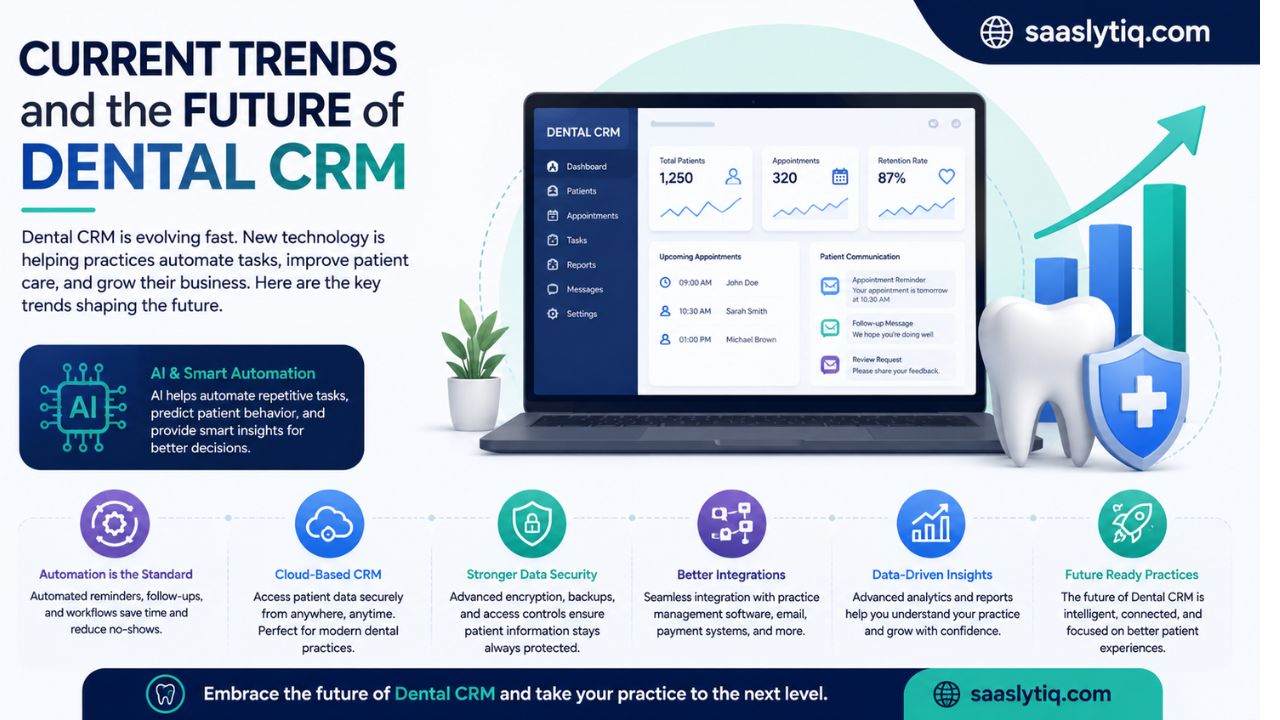
Automation is also becoming a standard feature in dental CRM software. Instead of manually sending appointment reminders or follow-up emails, practices can create automated workflows that keep patients informed throughout their treatment journey. This reduces administrative work, minimizes human error, and helps build stronger patient relationships.
Cloud-based CRM solutions are another growing trend. Because data is stored securely in the cloud, dentists and staff can access patient information from any authorized device. This flexibility is especially valuable for multi-location practices and teams that need secure access while working remotely.
Data security continues to be a top priority. Leading CRM providers invest in encryption, automatic backups, user access controls, and regular security updates to protect sensitive patient information. As privacy regulations become stricter, choosing a CRM with strong security features is more important than ever.
Looking ahead, dental CRM software will become even more intelligent and connected. Artificial intelligence, predictive analytics, workflow automation, and deeper integrations with practice management software will continue to improve efficiency and patient care. Dental practices that invest in future-ready CRM solutions today will be better prepared to adapt, grow, and deliver an exceptional patient experience for years to come.
Frequently Asked Questions
What is the best CRM for dentists?
The best CRM for dentists depends on your practice size, budget, and business needs. HubSpot CRM is an excellent choice for small and growing practices because it is easy to use and offers a free plan. Zoho CRM is ideal for clinics looking for an affordable and customizable solution, while Salesforce Health Cloud is better suited for large dental organizations that need advanced reporting and automation.
Is a dental CRM different from regular CRM software?
Yes. A dental CRM is designed specifically for dental practices. It focuses on patient communication, appointment management, treatment follow-ups, and patient relationship management. A general CRM mainly helps businesses manage customers and sales activities.
How much does dental CRM software cost?
Some CRM providers offer free plans with basic features, while paid plans vary depending on the software and the number of users. Most small dental practices can start with an affordable monthly plan and upgrade as their needs grow.
Can a dental CRM reduce missed appointments?
Yes. Most dental CRM platforms send automatic appointment reminders through email or SMS. These reminders help reduce no-shows, improve schedule management, and increase practice efficiency.
Which features are most important in a dental CRM?
The most important features include patient management, appointment scheduling, automated reminders, workflow automation, reporting, software integrations, mobile access, and strong data security. These features help improve both patient experience and practice productivity.
Conclusion
Choosing the best CRM for dentists is an important step toward building a more organized and successful dental practice. The right CRM helps you manage patient relationships, automate routine tasks, improve communication, and increase overall efficiency. Whether you run a small clinic or a multi-location practice, investing in the right software can save time, reduce administrative work, and support long-term business growth.
Before making your decision, compare the available CRM solutions, evaluate their features, test free trials, and choose the platform that best fits your practice’s goals. At SaaSlytiq, we are committed to providing honest CRM reviews, detailed comparisons, and practical buying guides to help you choose the right software with confidence. Explore our other CRM guides to find the best solution for your dental practice and stay informed about the latest CRM trends.